Introduction
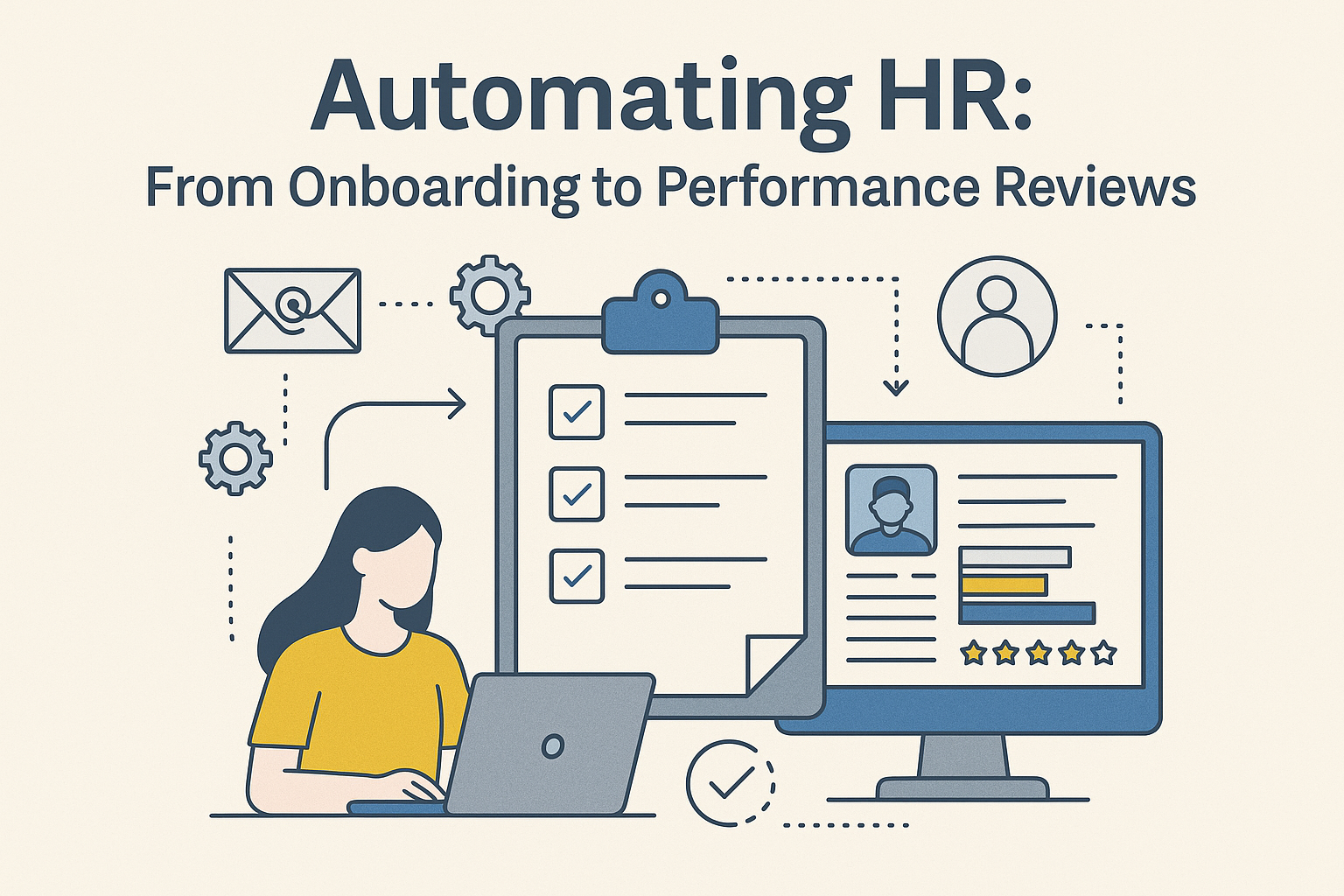
In today’s fast-paced business environment, HR teams are expected to move from purely administrative support functions to strategic enablers of growth. Automation is no longer an option, it’s a necessity. From onboarding new hires to administering performance reviews, automating HR processes helps reduce manual workload, increase accuracy, enhance employee experience, and give HR professionals more time to focus on what really matters: people.
In this blog we’ll explore how automation applies across the employee lifecycle from onboarding through performance reviews,highlighting common pain-points, real-world scenarios, and how PeopleOps (i.e., a modern HR function) can help you implement an effective automated workflow strategy.

Why Automate HR?
Before diving into specific workflows, it’s useful to understand why HR automation is becoming pivotal:
Key drivers
- HR teams are often understaffed, and many professionals spend a large share of time on repetitive administrative tasks (such as data entry, paperwork, manual approvals). For example, over half of HR staff report working beyond capacity. Deel+1
- Automation enables HR to handle more work without proportional head-count growth: in a survey, 17 % of HR teams ranked ‘automating manual processes’ as their top priority in the coming year. hibob.com
- The global HR technology market is projected to grow substantially, automation is part of that expansion. Deel
- One of the largest benefits: freeing HR from low-value tasks so they can focus on strategy, culture, employee engagement rather than just paperwork. SHRM+1
What automation enables
- Speed: Onboarding tasks that used to take days can be shortened. For example, automating new‐hire paperwork saves time. Devlin Peck+1
- Consistency: The employee experience becomes more uniform, no matter who is handling it or when it happens.
- Accuracy & compliance: Fewer errors, fewer missed deadlines, better tracking of regulatory obligations. MetaSource
- Data & insights: When processes are digital and integrated, you gain visibility via dashboards and analytics, essential for strategic HR. MetaSource
In short: automation is the foundation of a modern PeopleOps function that acts as a strategic partner, not just an administrative unit.
Phase 1: Automating Onboarding
Onboarding is often the first touchpoint a new employee has with your organisation’s systems and culture. It’s where first impressions are made and where failures show up as high friction, delays, paperwork, or disengagement.
Pain-points
- Manual collection of forms (tax forms, contracts, consent, policy acknowledgements).
- Multiple disparate systems (IT provisioning, facilities, finance, compliance) needing coordination.
- Training and orientation often executed via spreadsheets and manual trackers.
- Lack of clear visibility: HR, the hiring manager, and the new hire may not know what step comes next.
- Delayed ramp-up of productivity due to onboarding bottlenecks.
What automation looks like
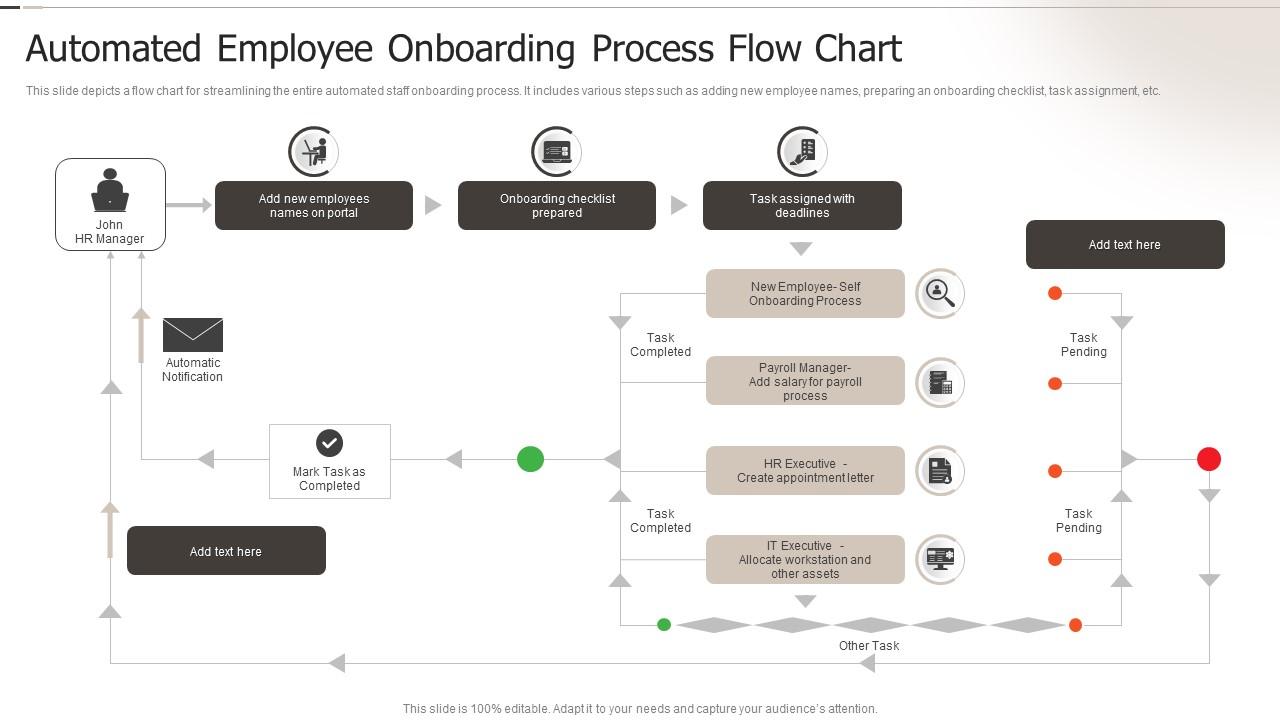
- A central onboarding portal where the new hire completes paperwork electronically, signs documents (e-signature), receives automated nudges and reminders.
- Workflow automation orchestrates hand-offs: IT auto-provisions laptops/accounts when HR marks a milestone complete; facilities book desk/parking; hiring manager receives alert for welcome meeting.
- Self-service portals where new hires can review policies, FAQs, training modules, ask chatbots questions.
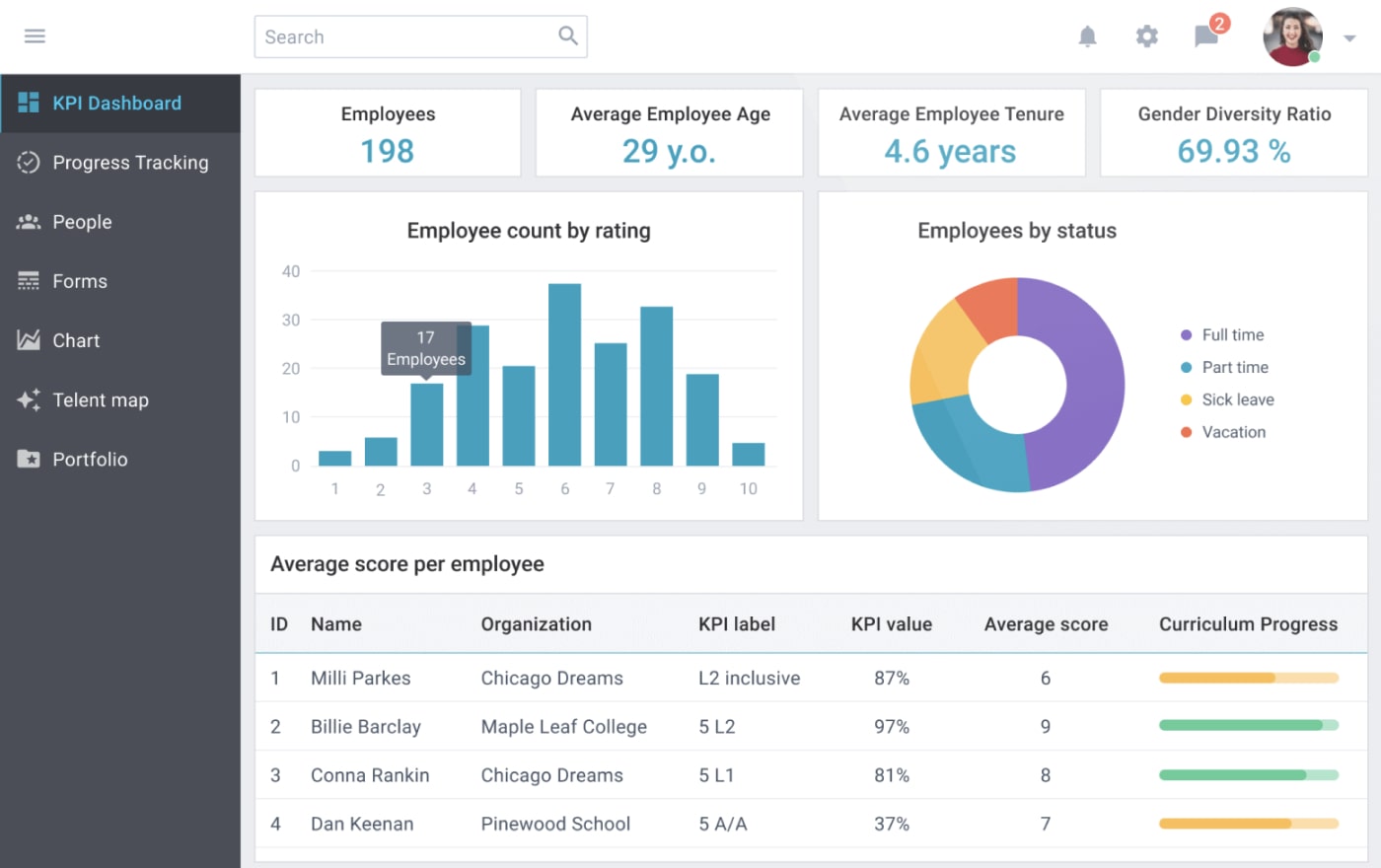
- Analytics dashboard: time-to-full-productivity, drop-off rates (who didn’t complete module), retention after 90 days.
Real-world stats
- Organisations report that automation of onboarding can reduce onboarding time by ~5 days. Devlin Peck
- 92 % of HR professionals are familiar with using AI for onboarding; 87 % are committed to adopting it. Devlin Peck
- An experience-driven automated onboarding process reportedly increased new-hire retention by 82 % and productivity by 70 %. FlowForma
- A news item: companies like Hitachi and Texans Credit Union reduced onboarding time and HR involvement by using AI assistants. Business Insider
Scenario: A new hire in Pune
Imagine your organisation hires a software engineer based in the Pune office. On Day 0:
- The new hire receives an automatic email with a link to complete their forms via e-signature.
- Once done, the system triggers a workflow: IT is automatically notified to set up accounts, facilities are notified to allocate a desk, manager gets a calendar invite for a welcome lunch.
- A smart chatbot is available to the new hire to ask “Where is my email account?”, “When is my first training?”, or “Who do I contact about laptop?”
- Training modules are automatically enrolled; progress tracked; if the new hire slows down, an automated reminder is sent.
- At Day 30 and Day 90, automated surveys are triggered to measure onboarding satisfaction and flag any issues early.
How PeopleOps can help
- Map the end-to-end onboarding lifecycle and identify manual hand-offs.
- Choose a platform or workflow engine that integrates key systems (HRIS, IT-ticketing, facilities).
- Define KPIs (time-to-complete, time-to-productivity, dropout rate) and monitor them.
- Ensure change-management: new hires know where to go for help, managers know their responsibilities.
- Remember: automation doesn’t remove the human touch, welcome calls, mentoring matter.


Phase 2: Automating Day-to-Day HR Service & Employee Lifecycle Support
Beyond onboarding, HR handles many ongoing employee-lifecycle tasks: leave requests, benefits enquiries, policy acknowledgements, career development, internal mobility, off-boarding etc. These are ripe for automation.
Pain-points
- High volume of repetitive queries: “How many leave days do I have?”, “Where is the HR policy doc?”
- Multiple systems not integrated: e.g., leave in one system, payroll in another, benefits in yet another.
- Manual approvals and routing: e.g., manager needs to forward a document to HR, HR to finance, etc.
- Lack of real-time visibility: HR cannot easily see bottlenecks, pending tasks, overall service levels.
Automation capabilities
- Self-service portals + chatbots: Employees access their records, submit requests, get auto-responses or instant routing.
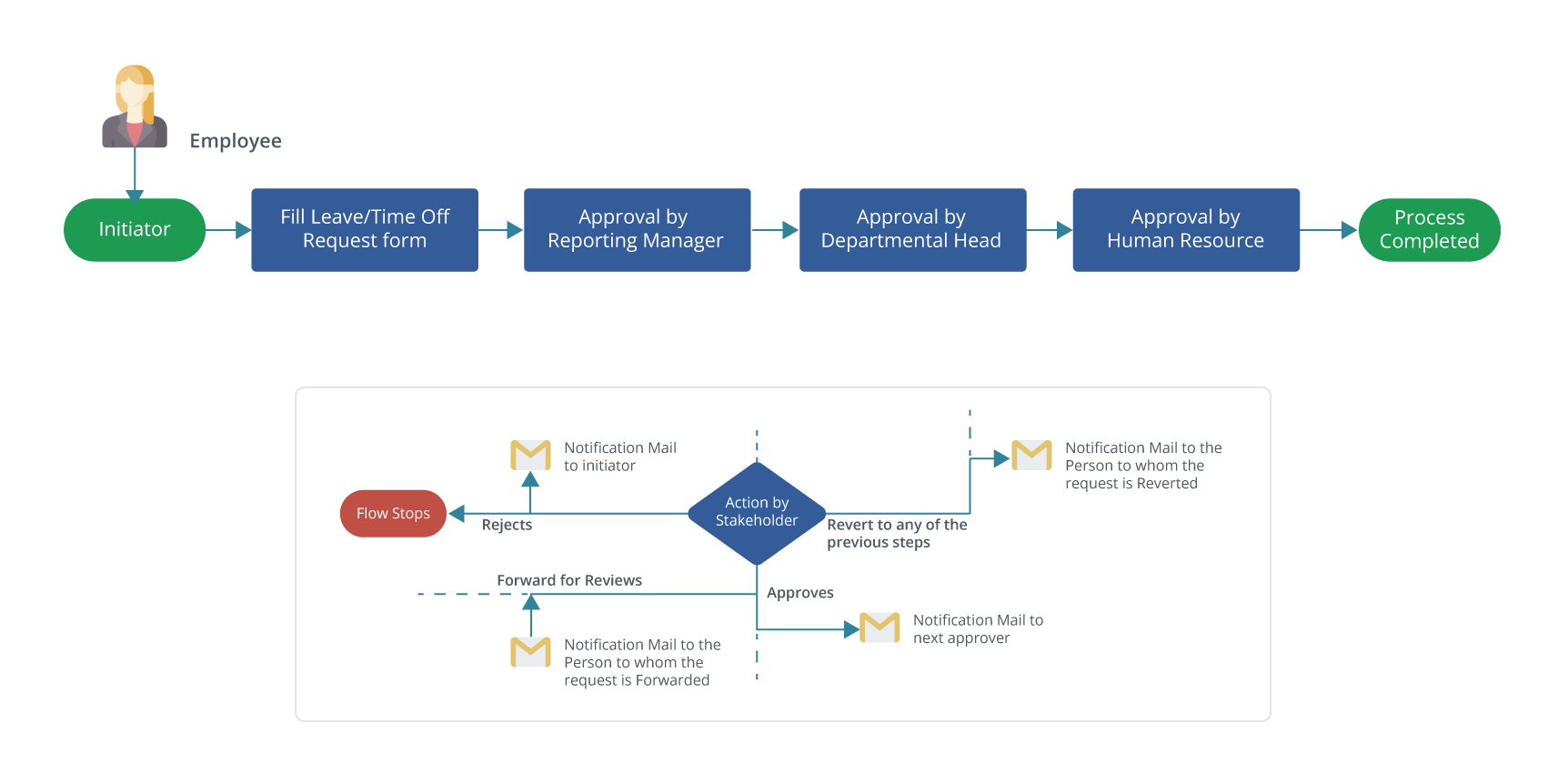
- Workflow automation: rule-based approvals (e.g., leave below X days auto-approved), deadlines for approvals, notifications.
- Integration between systems: HRIS, payroll, benefits, time & attendance all synced so data flows automatically.
- Analytics and dashboards: HR service-levels, case resolution times, most frequent requests, capacity planning.
Example scenario
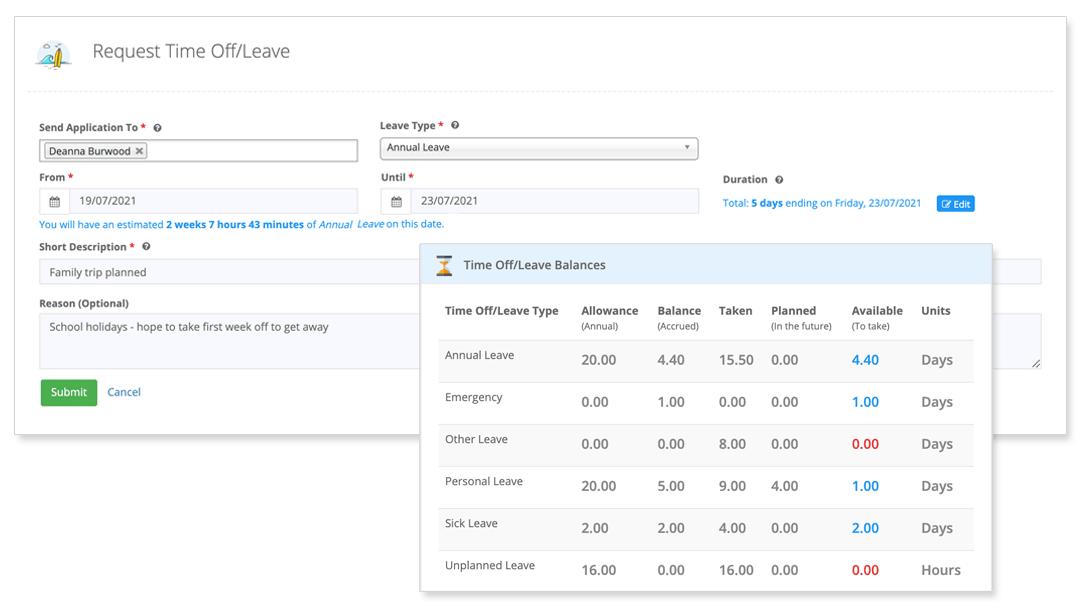
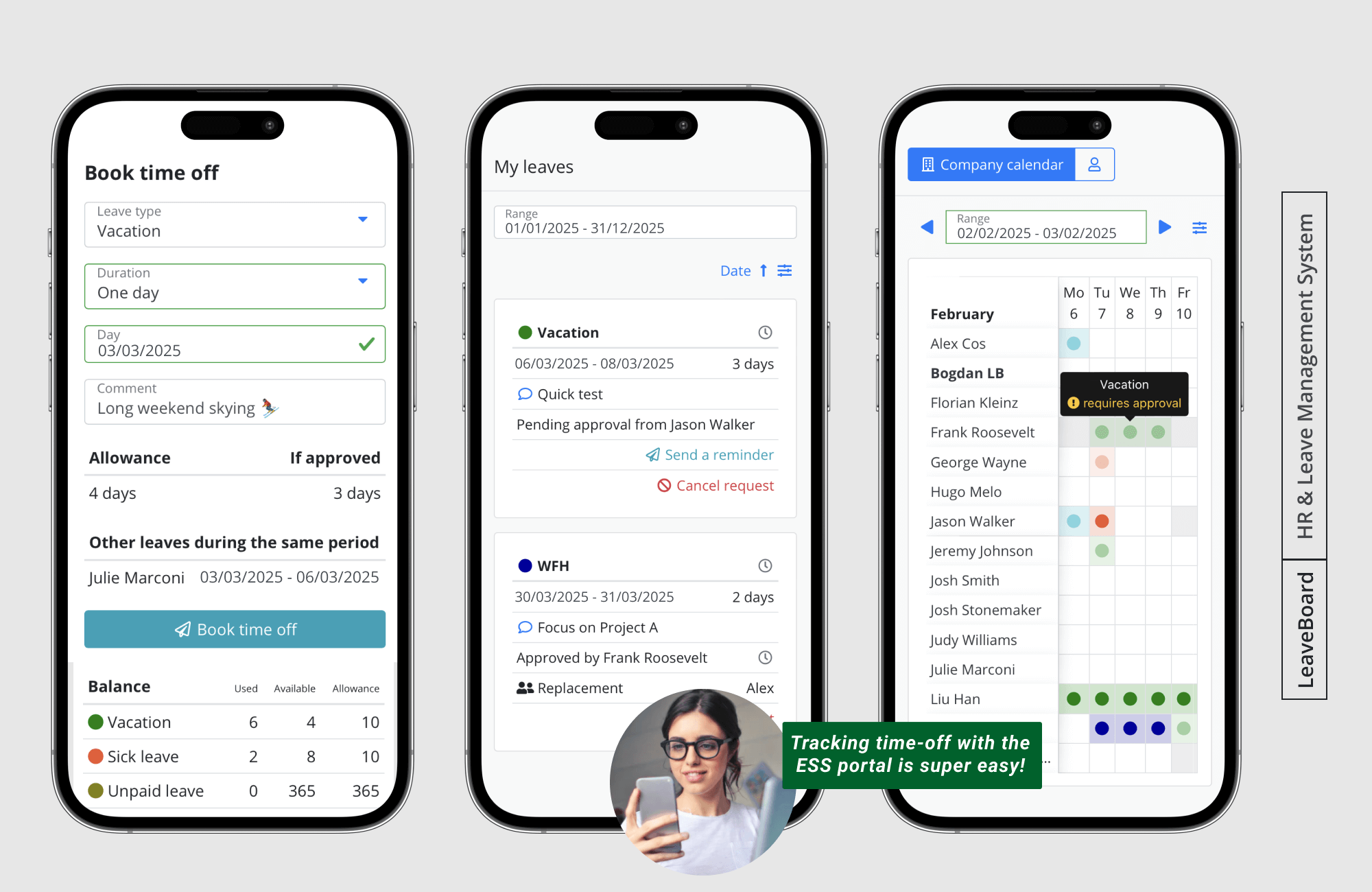
A manager in Mumbai needs to approve a 3-day leave for a team member:
- Employee submits in self-service portal; chat assistant confirms balance and eligibility instantly.
- The request auto-routes to manager; if manager doesn’t act in 24 hours, a reminder goes out; if still no action and company policy allows, the system auto-approves.
- Once approved, payroll is updated, team calendar is updated, back-up arrangements triggered.
- HR gets a weekly report: number of leave requests, average approval time, any bottlenecks.
Strategic benefits for PeopleOps
- HR team spends less time fulfilling routine requests and more on strategic tasks (culture, engagement, mobility).
- Cost of HR service operations goes down; error rates fall; compliance improves.
- Better employee experience: faster resolution, fewer manual interactions, reduced frustration.
Phase 3: Automating Performance Reviews & Talent Management
One of the most powerful parts of the HR lifecycle is performance management, but it has traditionally been a pain-point: annual reviews, paperwork, subjective ratings, delayed feedback. Automation can modernise this process.
Pain-points
- Annual cycle only: too little feedback, too late.
- Manual scheduling, document collection, manager reminders.
- Fragmented data: performance forms in one place, development goals in another.
- Low engagement: employees feel reviews are bureaucratic rather than developmental.
- Lack of analytics: HR cannot easily identify high-performers, risk of turnover, skills gaps.
Automation in action
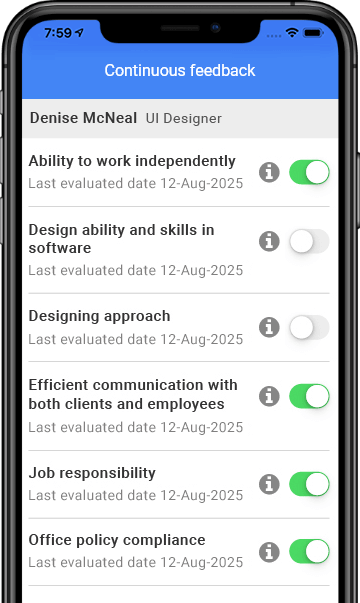
- Continuous feedback platforms: employees, peers, managers can provide real-time feedback via mobile/web app; dashboards track progress.
- Automated prompts: reminders to managers, employees when goals due, when reviews upcoming.
- Integration with learning/development: if a skill gap is identified, automated assignment of relevant training modules.
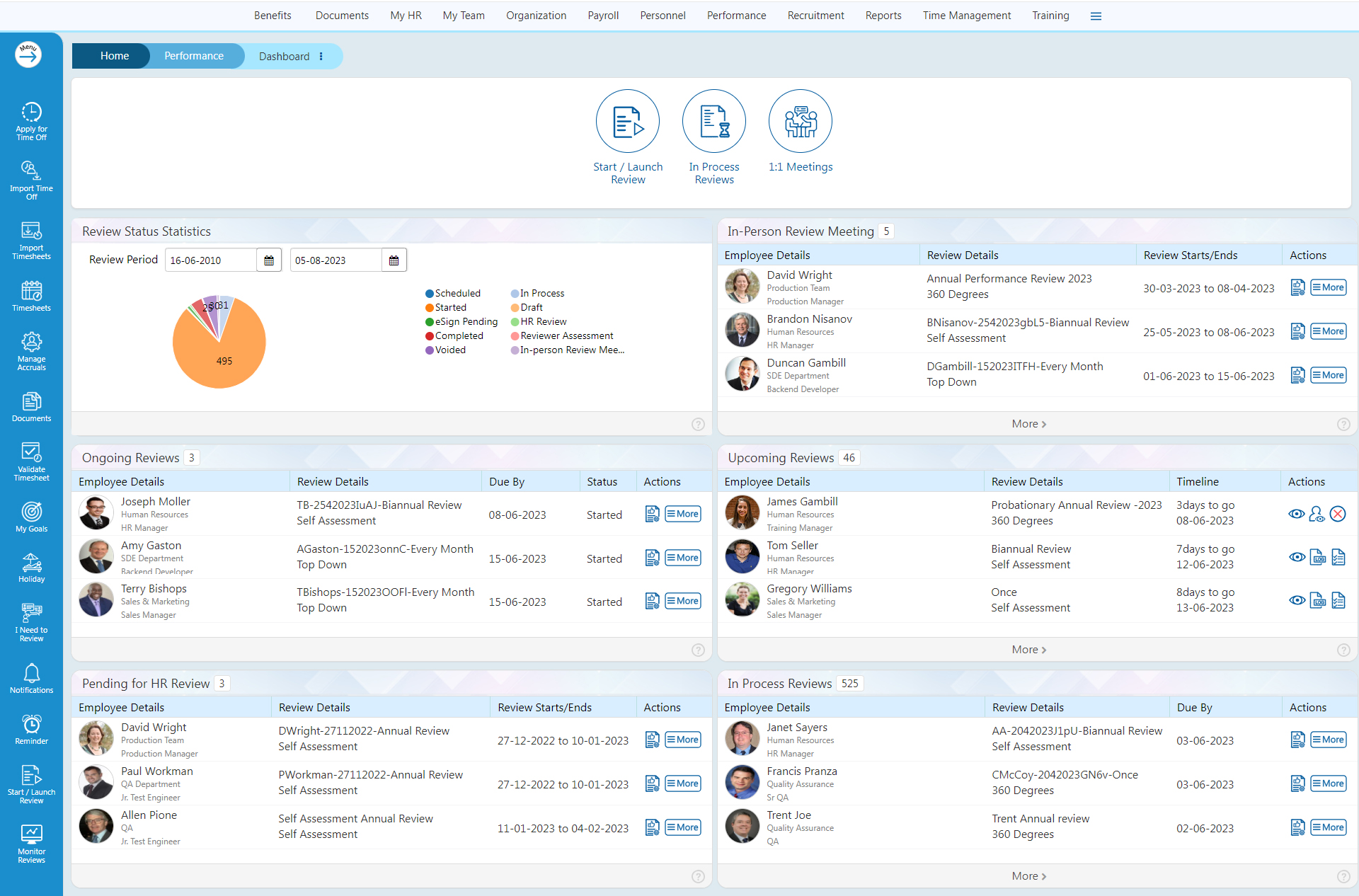
- Analytics and predictive insights: dashboards show performance trends, identify employees at risk of disengagement or turnover.
- Simplified review workflow: from goal-setting → mid-year review → end-year review, all managed with automated routing, approvals, tracking.
Statistics & trends
- 51 % of organisations already have a performance-management module embedded in their HRIS/HRMS. Deel+1
- Today’s trends are moving from legacy annual reviews to continuous, real-time feedback and performance automation. FlowForma+1
- As one article puts it: automation of payroll, onboarding and performance reviews is enabling HR to stay focused on strategy. hibob.com
Real-world scenario
In a global engineering firm with teams in India, Europe and the US:
- At the start of the year, each employee sets 3-5 SMART goals via an automated platform. The system sends reminders halfway through the year to both employee & manager to review progress.
- Managers receive automated notifications: “Goal 2: not updated for 30 days, please review”.
- Employees can request peer feedback via a mobile interface; the system anonymises responses, aggregates themes and provides the manager with insights.
- At year-end, the system auto-compiles data: goal status, feedback received, training completed, etc., into a summary. The manager makes final comments. HR dashboard shows distribution of ratings, identifies high-potential employees and those needing development.
- For individuals flagged as “at risk” of turnover (based on algorithmic signals: low engagement scores, no recent feedback, under-utilised training), HR can proactively design retention plans.
How PeopleOps supports this
- Define the performance lifecycle you want: goal-setting, continuous feedback, development, review.
- Choose technology that supports workflow automation, integrates with HRIS/systems, provides analytics.
- Train managers and employees, emphasising that automation supports, not replaces, the human coaching and development role.
- Monitor key metrics: proportion of employees with up-to-date goals, time to complete reviews, training uptake, internal mobility, turnover of high-performers.
Key Considerations & Best Practices for Automating HR
Automation brings huge benefits but only if implemented well. Here are important considerations and best practices.
1. Keep the human touch
Even though you are automating workflows, HR is ultimately about people. As noted by SHRM: “we need to shift from paper-first to digital-first while keeping focus on what matters most, that is, our people.” SHRM
Automation should free HR time for coaching, engagement, culture building, not replace that human element.
2. Start small, scale intelligently
Implementing too many big changes at once can backfire. Best practice: identify one pain-point (e.g., onboarding or leave requests) → standardise workflow → automate → measure → then expand. SHRM
3. Integration is critical
A common pitfall: multiple systems that don’t talk to each other. For example, onboarding system not integrated with payroll or IT provisioning. This creates data silos and undermines automation. hibob.com+1
Choose tools that integrate with your HRIS, ATS (applicant tracking system), IT service desk, facilities system, payroll etc.
4. Data & analytics enable strategic HR
Automation is not just about efficiency. It enables you to gather data: employee behaviour, process bottlenecks, trends. Dashboards and analytics allow PeopleOps to become a strategic partner. MetaSource
5. Change-management & transparency
Employees often fear automation (job loss, deskilling, fairness concerns). A recent study emphasises that while AI/automation can boost efficiency, it can also raise concerns about fairness, job security, privacy. arXiv
Therefore: communicate clearly, involve employees, show benefits, train staff, maintain human oversight.
6. Ethical & legal considerations
When you automate performance reviews, feedback, and data analytics, you must ensure fairness (avoid bias in algorithms), transparency (how decisions are made), data privacy and compliance with local labour laws. Paradigm IQ
7. Measure ROI & outputs
Define metrics upfront: e.g., days to onboard, number of manual interventions, employee satisfaction with process, time saved by HR, percentage of performance reviews completed on time. Track before and after.
How PeopleOps-Teams Can Navigate This Journey
Here’s a high-level pathway for PeopleOps teams aiming to automate HR from onboarding to performance reviews:
- Discovery & Mapping
- Map current employee lifecycle: onboarding, service requests, performance reviews.
- Identify pain-points: what causes delays, manual hand-offs, employee dissatisfaction?
- Define desired outcomes: faster onboarding, fewer queries, continuous feedback, better retention.
- Choose Technology & Partners
- Select automation platforms/workflow engines suited to your organisation size and complexity.
- Ensure integration capability with HRIS/ATS/payroll/IT systems.
- Consider user-experience: ease of use matters, especially if team is small. hibob.com
- Pilot with one process (e.g., onboarding) before scaling.
- Design & Build Workflows
- Document workflow: Who does what when? What triggers? What systems?
- Build automation: notifications, rules, approvals, escalations, self-service portals.
- Design dashboards/analytics: what metrics you want, how will you surface insights.
- Train & Change-Manage
- Communicate openly with stakeholders (HR, hiring managers, employees) about changes.
- Provide training on new workflows, tools, self-service options.
- Gather feedback from users and iterate.
- Launch, Monitor & Improve
- Go live with your pilot.
- Monitor KPIs: process completion times, error/rework rates, user-satisfaction scores.
- Identify bottlenecks, adjust workflows, scale to next process (e.g., performance reviews).
- Regularly review technology landscape: automation tools and AI capabilities evolve rapidly. FlowForma
- Embed and Evolve
- Embed automation as a core element of your PeopleOps strategy: service-oriented, data-driven, employee-centric.
- Use analytics to inform strategic HR: talent mobility, retention risks, culture insights.
- Stay alert to ethical, regulatory and technical changes (AI biases, data regulations, hybrid work trends).
Leave a Reply