
5
Introduction
In today’s fast-moving business environment, organisations across functions HR, marketing, operations, finance are under pressure to automate repetitive tasks, streamline workflows, and connect disparate systems. As a PeopleOps professional looking at the intersection of people, process and technology, you’ll find the choice of workflow-automation platform is critical. The right tool can eliminate hours of manual, error-prone work; the wrong one can become a cost sink and rigid bottleneck.
In this article we’ll compare three leading no-/low-code automation platforms, Zapier, Make (formerly Integromat), n8n and contrast them with the option of building custom automation solutions (either in-house or via outsourced development). We’ll look at problems and pain-points, platform features, real-world scenarios, and how your PeopleOps function can benefit by navigating this decision thoughtfully.
Why automation matters for PeopleOps
Before diving into tools, it’s worth reminding ourselves of why automation is gaining urgency in People & Ops teams:
- Many HR/PeopleOps roles still spend large portions of time on manual tasks: e.g., onboarding new hires, data entry across systems (HRIS → payroll → access provisioning), reminding people of incomplete forms or manager approvals.
- Business functions increasingly demand real-time responsiveness: e.g., when a new employee is hired, the IT equipment should be triggered, the payroll system updated, the team notified and automation delivers that consistency.
- Automations reduce errors (transcription mistakes, missed hand-offs) and free up people to focus on strategic tasks like employee experience, culture building, talent analytics. NetSuite+1
- As organisations scale, the manual/integration workload grows non-linearly; automation becomes a competitive capability, not just a cost saver. Parseur+1
- For PeopleOps specifically, integrating upstream tools (recruiting, time-tracking, performance) with downstream systems (learning, payroll, succession) via automation improves visibility, HR analytics, responsiveness and supports better decision-making.
So the question is: which automation approach fits your team’s needs, budget, skills and growth trajectory?
High-level comparison: Zapier vs Make vs n8n vs Custom
Here’s a summary comparison of the four options:
| Platform | Strengths | Common limitations / trade-offs |
|---|---|---|
| Zapier | Very large integration library (thousands of apps). Very beginner-friendly UI. Rapid time to value. Parseur+1 | Can become expensive at scale (task-based pricing). Limited for very complex or custom logic. Less control over self-hosting/data. n8n Blog |
| Make (formerly Integromat) | Visual workflow builder, branching logic, more advanced scenario options than basic tools. Good for mid-complexity workflows. n8n Blog+1 | Still cloud-only, cost model based on “operations,” steeper learning curve than Zapier. |
| n8n | Open-source or cloud, ability to self-host (giving data/data sovereignty), highly flexible, custom scripting allowed. Good for developers/technical teams. Digidop+1 | Higher technical overhead; self-host means infrastructure/maintenance burden; fewer out-of-the-box connectors (though growing) compared to Zapier. Latenode Official Community |
| Custom Automation Solution (in-house development / bespoke) | Fully tailored to your business processes, no “fit” compromise; can integrate deeply with legacy systems and reflect unique workflows; potentially significant competitive advantage. Netguru | Higher upfront cost, longer time to deploy, ongoing maintenance/engineering overhead; vendor/tech risk; requires clarity on specs. appitventures.com |
Deeper dive: Platform by platform
1. Zapier

Overview & key features
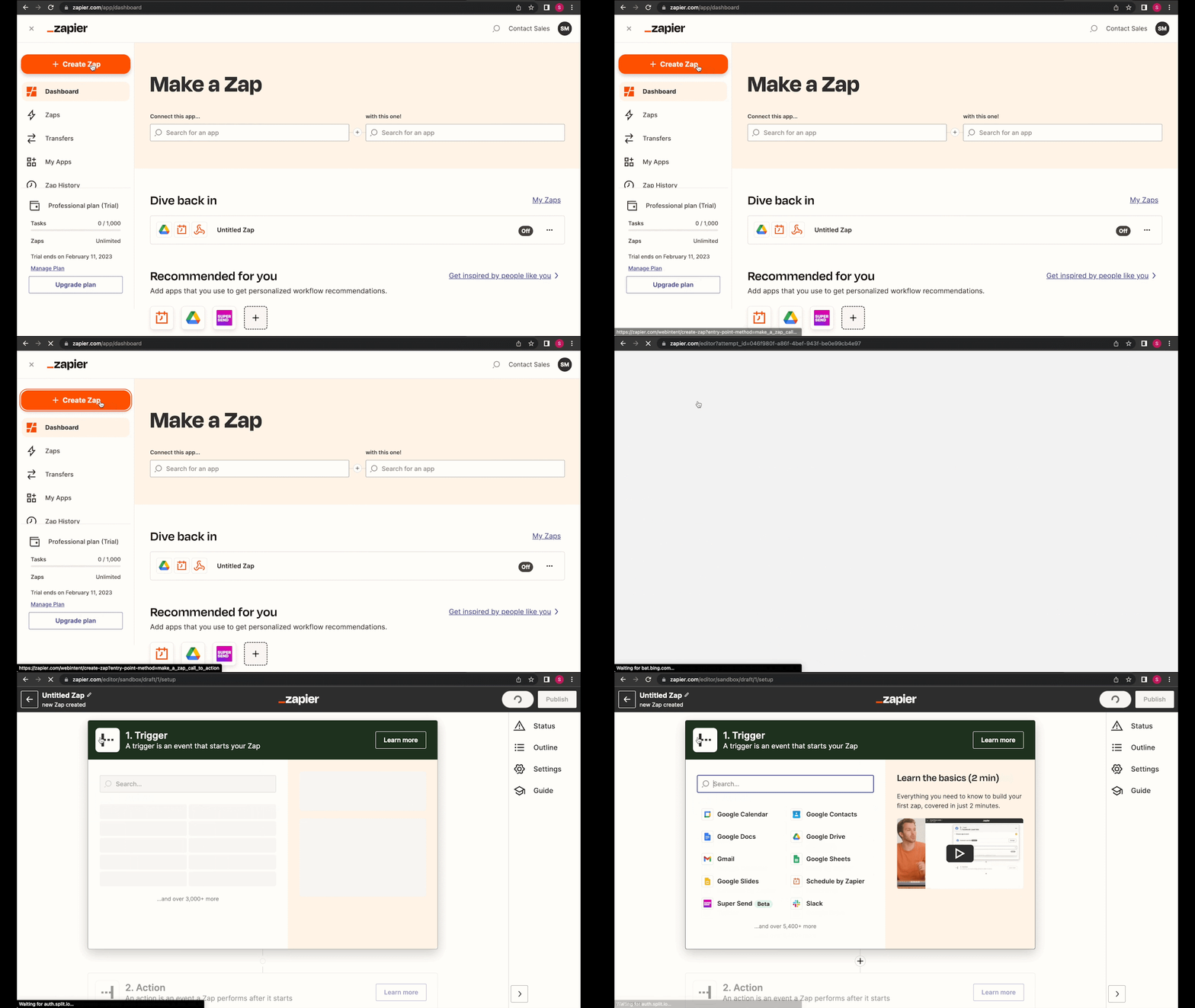
- Zapier offers “Zaps” (trigger → action) across thousands of apps. According to a recent source, Zapier supports over 6,000 integrations or more. Digidop+1
- Very easy for non-technical users to spin up automations (e.g., “When a new hire is added in HRIS → send welcome email → create Slack channel → add to payroll list”).
- Excellent for rapid prototyping and quick wins.
- The vendor takes care of infrastructure, maintenance, upgrades.
- Good for small to mid-sized use-cases where you don’t require heavy branching logic or deep custom connectors.
When it fits PeopleOps
- Your team has limited developer/engineering resources but needs to automate repetitive HR tasks.
- You want to deliver value quickly (within weeks) to show the impact of PeopleOps automation.
- You rely on widely used SaaS tools (Slack, Workday, BambooHR, etc.) that already have Zapier connectors.
Pain-points / considerations
- Cost can escalate: many tasks quickly add up; pricing is based on tasks executed. n8n Blog+1
- Custom data transformation or branching logic is limited.
- If your organisation has high compliance/security requirements (data must stay on-premises, self-hosted) or very large scale, Zapier may hit limits.
- If many proprietary systems exist, the connector may not exist and building via APIs could be cumbersome.
Real-world scenario
A mid-sized tech company’s PeopleOps team uses Zapier to automate onboarding: once a candidate accepts, HRIS creates a record → Zapier triggers ticket in IT for equipment provisioning → adds user to Slack group → triggers a welcome survey email after one week automatically. Outcome: reduction in manual steps (HR and IT hand-offs) and faster time-to-productivity for new hires.
2. Make (formerly Integromat)


Overview & key features
- Make provides a visual scenario builder, with modules that can branch, route, handle conditional logic more advanced than basic trigger-action models. n8n Blog+1
- Good for workflows needing multiple steps, data transformation, looping through collections of items.
- Pricing model is per “operation” (i.e., each step) rather than per task; this means for complex flows it may be more cost-efficient relative to simpler models. n8n Blog
- More suited to intermediate/technical users compared to Zapier, but easier than full custom code.
When it fits PeopleOps
- Your PeopleOps workflows are more complex: e.g., multi-step approvals, conditional onboarding flows (depending on role/location), syncing data between many apps.
- You want more control and flexibility than Zapier but still want a SaaS hosted solution.
- You expect moderate scale and want a more cost-efficient path than a purely tasks-based model.
Pain-points / considerations
- Learning curve is steeper than Zapier: setting up branching, filters, routers takes more thought.
- Though powerful, you are still dependent on the vendor’s connectors and limits; and self-hosting is not available (at least not standard). xCloud Hosting
- For very specialised systems (internal APIs, legacy databases, heavy compliance) you may still hit limits.
Real-world scenario
An international company with global PeopleOps processes uses Make to automate multilingual onboarding: candidate accepted → based on region choose correct HRIS pathway → update local payroll system, create local group chats, trigger compliance training modules; loop through multi-language welcome emails; send scheduled check-in surveys after 30 days. They achieved 40% faster onboarding completion and improved data integrity across global systems.
3. n8n
Overview & key features
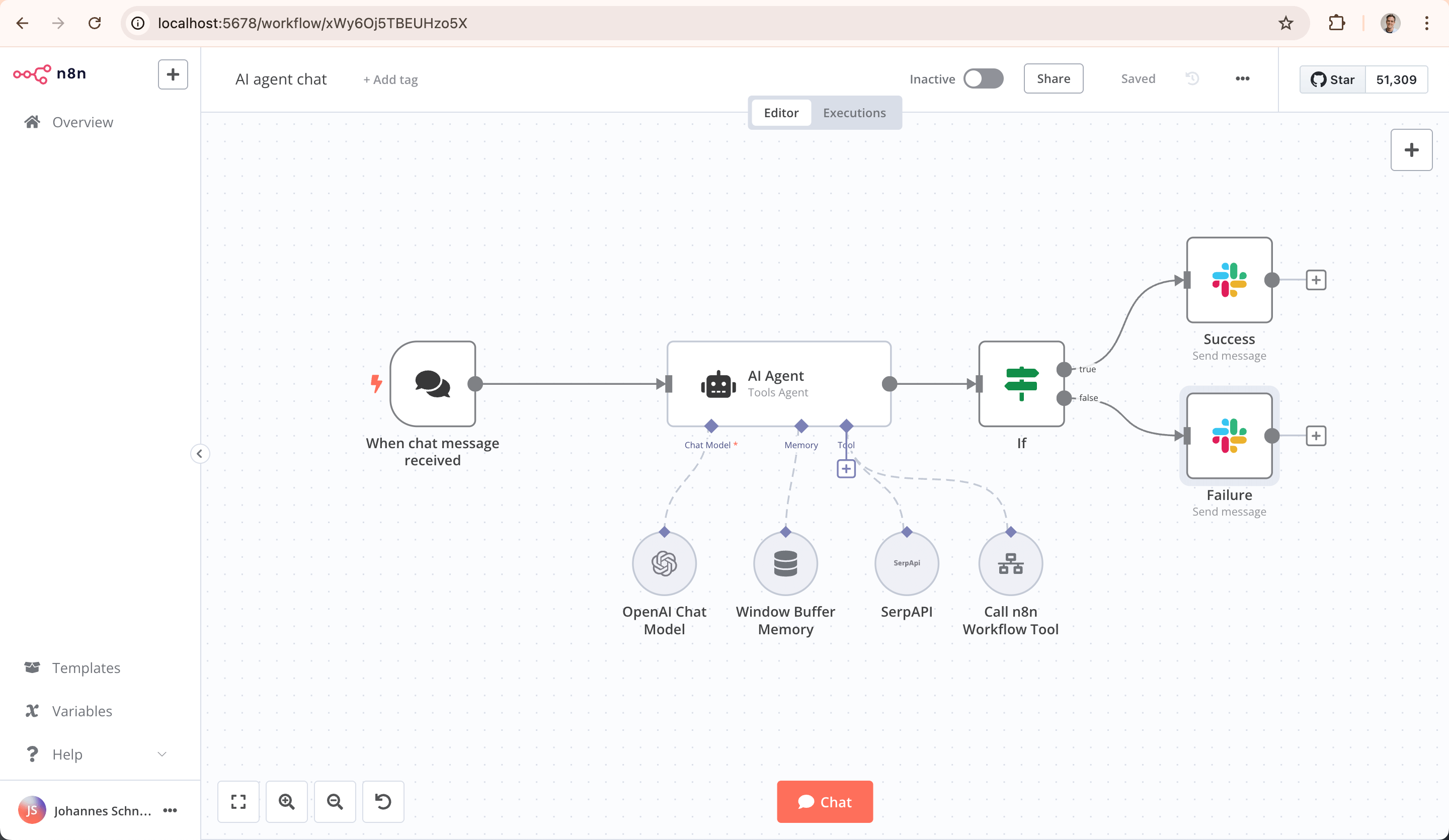
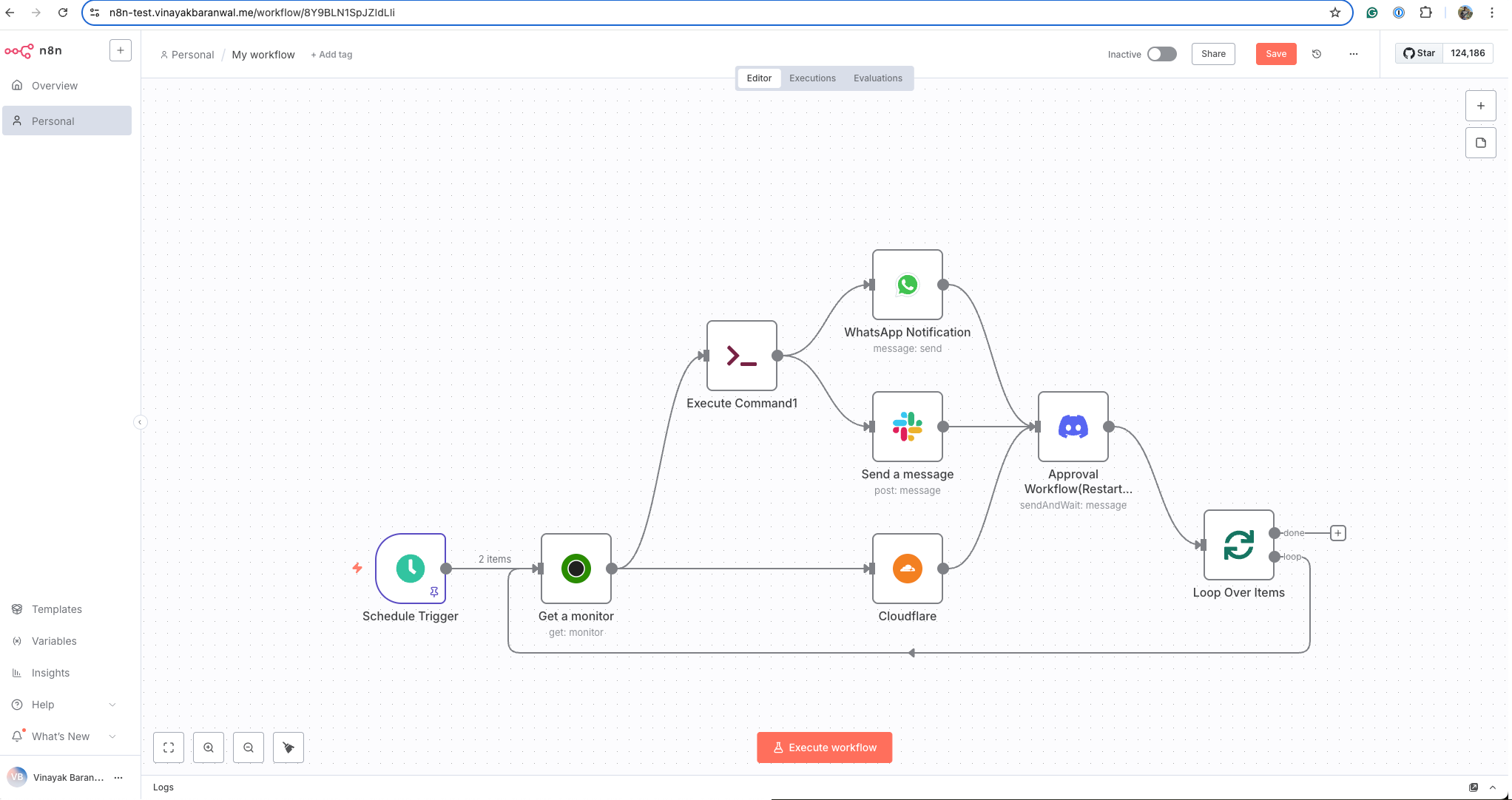
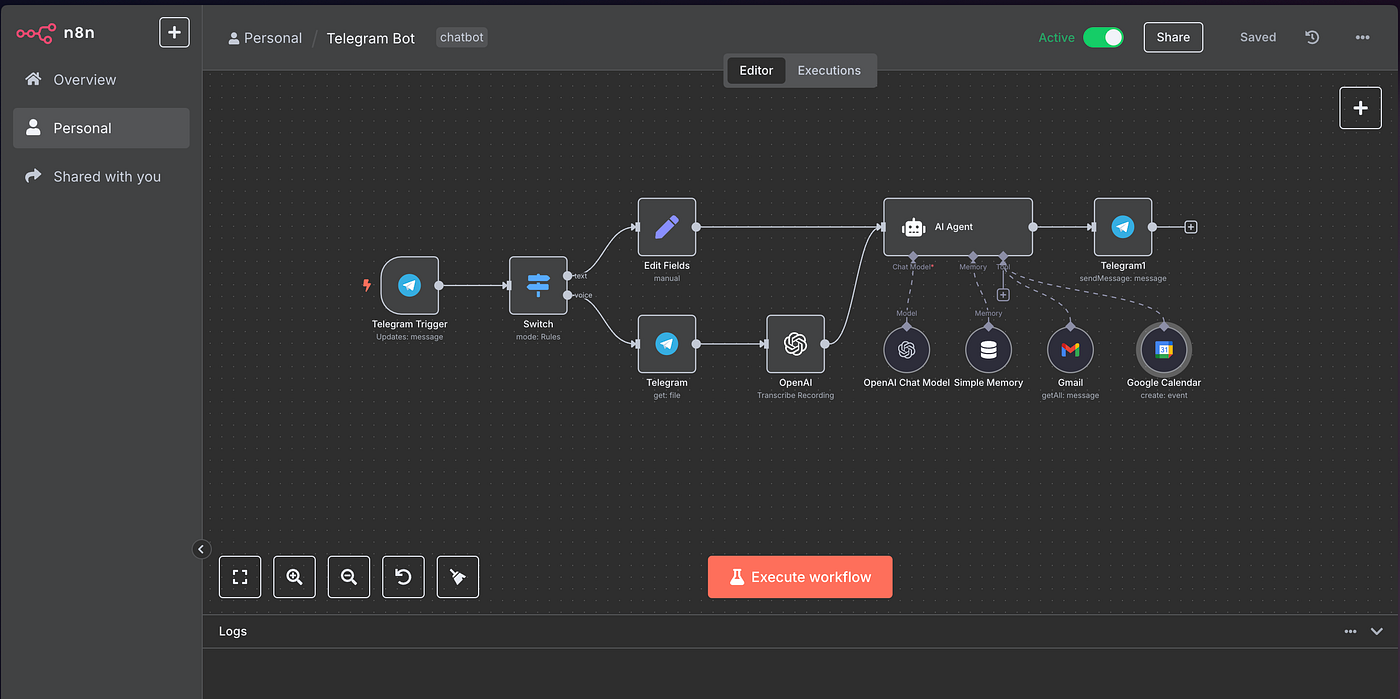
- n8n (pronounced “n-eight-n”) is an open-source workflow automation platform that supports self-hosting or cloud hosting. Wikipedia+1
- Allows node-based workflows and supports custom scripting (JavaScript/Python) and custom HTTP API calls for maximum flexibility. n8n Blog
- Best for organisations with technical resources, needing full control over data flow, infrastructure, compliance, and proprietary system integration.
- From recent commentary: it offers the strongest value when you scale large and when data sovereignty matters. xCloud Hosting+1
When it fits PeopleOps
- You have a PeopleOps/IT partnership that can manage infrastructure or a vendor partner.
- You operate in a regulated environment with stringent data-hosting or audit requirements (e.g., finance, healthcare) where self-hosting gives you control.
- Your workflows are heavy, bespoke, maybe involve internal APIs, custom logic, data transformations across enterprise systems.
- You expect to run many automations at scale and want a cost-efficient base (especially with self-hosting) rather than paying per task/operation in a SaaS.
Pain-points / considerations
- Requires more technical set-up (server, security, monitoring) if self-hosted.
- Connectors marketplace is smaller compared with Zapier; may require building custom connectors.
- If you pick cloud version you still pay; and if you go self-hosted, you bear operations & maintenance.
- For simple use-cases, might be over-engineering.
Real-world scenario
A large enterprise in the healthcare sector uses n8n self-hosted to connect their internal HRIS, local payroll systems in multiple countries, secure data pipelines to BI dashboards, and compliance systems. New hire → internal systems → data anonymised → workforce analytics dashboards updated in near-real-time. Because everything is self-hosted, the company complies with strict regulatory data-residency rules and avoids vendor-lock-in.
4. Custom Automation Solutions

Overview & key features
- A custom automation solution means you build (or engage a specialist vendor to build) workflows and integrations tailored entirely to your business’s unique processes, systems, and rules.
- It offers full control: you define the business logic, data models, UI, integrations, infrastructure, upgrade path. It can become a strategic asset for your organisation. Netguru
- Ideal when your processes are truly differentiating or when off-the-shelf tools don’t fit without heavy adaptation.
When it fits PeopleOps
- Your HR/PeopleOps ecosystem uses many legacy or bespoke systems with limited off-the-shelf integration capabilities.
- You require unique workflows (for instance, talent mobility across many jurisdictions, complex security/clearance flows, highly custom compensation/benefits logic) that SaaS tools can’t easily accommodate.
- You are prepared for investment (budget, time, maintenance) and view the automation platform as a long-term internal asset, not just a temporary cost center.
- Your PeopleOps or IT team wants full ownership of the automation stack (no vendor lock-in, full customisation, full data-control).
Pain-points / considerations
- Higher upfront cost: design, build, test, deploy. Time to value is longer. appitventures.com
- Requires ongoing maintenance/upgrade team: you own the infrastructure, connector code, monitoring, scaling, security.
- Risk of scope creep: if you proceed without clear requirements, you may build a “monster” system that is expensive to maintain and risky.
- Opportunity cost: time spent developing custom may delay immediate value realisation.
- For many standard use-cases, a SaaS tool may suffice and custom may not give proportionate ROI.
Real-world scenario
A multinational financial services firm has bespoke global talent mobility, clearance, expatriate assignment workflows, and custom reporting/regulatory obligations across 50+ countries. Off-the-shelf automation tools could not address all the nuances (local processes, languages, data-residency, audit logs). The PeopleOps/IT team built a custom automation layer that integrates HRIS, finance systems, relocation services, intranet, compliance modules; they now treat it as a core PeopleOps platform and iterate continuously. The time to build was ~12 months initially, but annual savings and strategic agility justify it.
How to decide: framework for PeopleOps & business leaders
Here’s a practical decision-framework to help your team choose between these options.
Step 1 – Map your automation needs & maturity
- Catalogue the tasks/processes you want to automate: onboarding, offboarding, payroll hand-off, learning referrals, talent reporting, etc.
- Assess complexity: number of systems involved, data volumes, branching logic, custom rules.
- Assess scale: how many executions per month, how many users/processes.
- Assess technical & operations capability: do you have IT/dev teams? Can they maintain infrastructure?
- Assess data / compliance / security requirements: is self-hosting or data residency required?
- Assess time-to-value: do you need “quick wins” today or a strategic platform for the future?
Step 2 – Match tool to need
- Low-complexity, standard apps, low volume → Zapier (fastest time to value, smallest technical dependencies).
- Moderate complexity, branching logic, somewhat technical → Make (good middle path).
- High complexity, self-hosted/data sovereignty, many custom connectors → n8n (flexible/technical).
- Unique business processes, strategic automation platform vision → Custom solution (big investment but custom fit).
Step 3 – Consider cost vs ROI
- While Zapier is cheapest to start, cost may escalate rapidly with high volume or complexity. Parseur+1
- Make may offer better value for more complex workflows at moderate scale.
- n8n can provide very good cost efficiency especially if you self-host and run large volumes. xCloud Hosting
- Custom is highest investment upfront; ROI comes over longer horizon and requires strategic alignment.
Step 4 – Consider risk, vendor lock-in and future flexibility
- SaaS tools: quick deployment, less technical burden, but limited customisation, possible vendor lock-in, less control.
- Self-host/custom: more control, but more responsibility (maintenance, upgrade, cost).
- Think about future changes (mergers, acquisitions, new systems), you’ll want flexibility.
Step 5 – Run a pilot or proof-of-concept (PoC)
- Select one or two processes with moderate complexity but visible value (e.g., new-hire onboarding).
- Implement on one tool; measure savings, error-reduction, speed-improvement.
- Use the learnings to inform the wider automation roadmap.
PeopleOps will benefit but watch out for these pitfalls
As a PeopleOps practitioner, automation opens exciting possibilities; here are both the benefits and the pitfalls to stay aware of.
Benefits
- More consistent experience for employees (onboarding, access, learning) → better employee experience.
- Freeing up HR/PeopleOps time for strategic work (culture, engagement, talent analytics).
- Improved data flows and analytics: less fragmentation between systems, fewer “shadow spreadsheets.”
- Faster responses: e.g., once an employee leaves, automatic deprovisioning reduces risk of access lingering.
- Operational scale: as you grow, you can “build once and reuse many times” rather than re-implementing manual steps.
Pitfalls / watch-outs
- Poor process design: automating a broken process simply propagates inefficiency. Always map and optimise first. saffronedge.com
- Lack of ownership or governance: if nobody owns the automation stack, workflows can fail, get abandoned, or become “zombie automations.”
- Technical debt: especially for custom or self-hosted solutions, maintenance and monitoring matter.
- Scope creep: trying to automate everything at once may overwhelm and deliver little value.
- Change management: people need to know the workflows changed; automations can shift roles/responsibilities, so communication/training is key.
- Security/data compliance: Ensure that integrations and data flows comply with policies (especially in regulated industries). Trigger-action systems pose data security risk if unchecked. arXiv
Summary & Recommendation for PeopleOps Readers
- If your PeopleOps team wants quick wins and you use widely adopted SaaS tools, start with Zapier — build a few logical automations, show value, gain confidence.
- As your automation ambition grows (branching logic, multiple systems, higher volume), evaluate Make for the next step, it offers more power without full custom build.
- If you operate in a data-sensitive or highly customised environment and have dev resources, n8n gives you high flexibility and cost efficiency in the long run.
- If your business processes are unique and strategic, and you expect the automation platform to be a competitive advantage, then invest in a custom solution—but do so with a clear roadmap, governance, resources, and awareness of maintenance burden.
- Throughout, use a solid PeopleOps-tech framework: map your processes, choose one or two automations for PoC, involve stakeholders (HR, IT, Finance), measure impact (time saved, error reduction, people experience improvement), govern the automation stack.
Final Thought
Automation is no longer optional for modern PeopleOps teams. But choosing the right automation strategy is as important as automation itself. Whether you select Zapier, Make, n8n or build your own solution, the good news is that each of these options is mature, proven, and can deliver meaningful value. The key lies in aligning the choice to your organisation’s skill-set, budget, complexity, data/security needs, and future growth path.
By approaching this decision with clarity and structure, you’ll position your PeopleOps function not just as a cost centre, but as a driver of operational agility, data-driven insight, and superior employee experience.
Leave a Reply