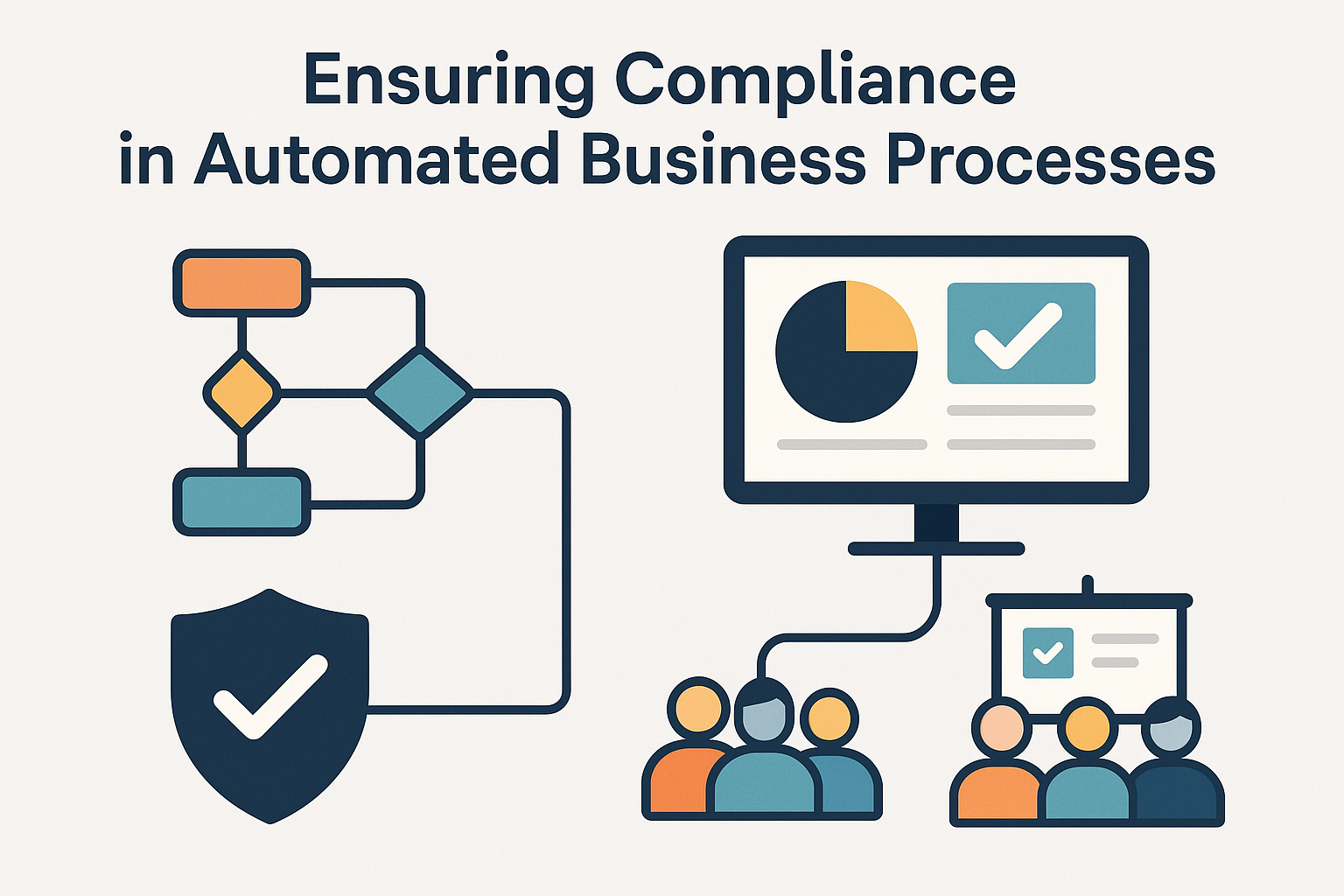
Introduction
In today’s fast-moving digital world, businesses are increasingly automating their workflows, whether it’s onboarding new hires, processing payroll, approving vendor purchases, or handling incident reports. Yet, amid this push for efficiency, one key question persists: How do we ensure compliance when business processes become automated?
Compliance isn’t just a legal checkbox; it’s about trust, standardisation, risk mitigation, operational integrity and for PeopleOps, it ties directly into employee experience, data safety, and organisational culture. This blog explores the core problems, the pain points, and how an effective PeopleOps-led automation strategy can help ensure compliance in automated business processes.


What we mean by “compliance in automated business processes”
Let’s unpack a few key definitions:
- Business Process Automation (BPA): the use of software and technology to automate repetitive, rule-based tasks in business processes (for example, automatic routing of leave requests, or automated vendor invoice approvals). Codewave+1
- Compliance: adhering to relevant laws, regulations, industry standards and internal policies, whether around data privacy (e.g., GDPR, CCPA), financial controls (e.g., SOX), workplace safety, or HR practices. Scytale+1
- Automated Business Process Compliance: when the automated workflows themselves must operate in a way that ensures compliance (for example: audit trails, role-based access, data protection, evidence of controls).
In other words: when you automate, you can’t simply “set it and forget it”, you must ensure the automation itself remains compliant, auditable and trustworthy.
Why this matters for PeopleOps
From a PeopleOps perspective, automated processes touch almost every aspect of operations: onboarding, off-boarding, benefits, payroll, leave management, training, vendor contracting, third-party HR services, etc. If these processes are automated but non-compliant, you risk:
- Heavy regulatory fines or penalties
- Data breaches or leaks of sensitive employee data
- Weak audit readiness and inability to respond to regulators or auditors
- Loss of employee trust and poor employee experience
- Damage to employer brand
Moreover, research shows automation of compliance workflows offers measurable benefits: less manual effort, fewer errors, better audit readiness. zenphi+1 For PeopleOps, this means you can shift from manual checkpoints to strategic enablement, provided you build compliance into your automation design.
Common Problems & Pain Points
Here are typical challenges organisations face when automating business processes while trying to ensure compliance:
1. Fragmented systems and lack of integration
Automation often happens in silos, HR automation, finance automation, vendor automation but compliance often spans across. When systems are disconnected, the audit trail, role-checks, or data protection controls may not flow end-to-end.
2. Evolving regulations and multi-jurisdiction complexity
Regulatory environments (data privacy, labour laws, industry standards, third-party risk) keep changing. Automation built for yesterday’s rules may not adapt. FlowForma+1
3. Hidden manual interventions
Automated workflows often still depend on manual steps (for exceptions, overrides). These manual interventions may bypass compliance controls or leave no trace.
4. Lack of visibility, auditability and evidence
One of the biggest issues: automation may route tasks, but can you trace who approved what, when, and with what data? Can you generate audit logs, governance dashboards? Without this, compliance audit becomes painful.
5. Human & cultural challenges
People may resist process changes or still use “workarounds”. Training and culture around compliance matter. Automation is not just a tech fix, it involves process change. FlowForma
6. Over-reliance on automation without oversight
Just because a process is automated doesn’t mean compliance risk vanishes. There must still be monitoring, controls, exception-handling, human oversight (especially for unusual cases).
Real-world scenario: Imagine a global company automating employee expense approvals. The workflow auto-approves requests under $500 but routes those above to a manager. Suppose a jurisdiction has a rule that certain types of expenses for overseas travel require a second approval and documentation within 24 hours. If your automation doesn’t incorporate that rule (or route correctly), you might violate the local regulation and there’s no clear audit trail to show compliance.
How PeopleOps can help ensure compliance in automation
Here’s how PeopleOps teams can take action to embed compliance into automated processes:
1. Map process + regulation early
- Document your current workflows and identify compliance checkpoints (data access, approvals, vendor screening, retention, audit).
- Map applicable regulations: data privacy (GDPR, country-specific), labour/employment laws, vendor contracts, audit standards, internal policies.
- Example: For onboarding automation, you might need to capture consent for data collection, verify right to work, check local employment law milestones.
2. Choose automation tools that support compliance
When selecting BPA or workflow automation platforms, look for:
- Audit-trail capability (who did what, when)
- Role-based access and segregation of duties
- Versioning of process workflows (so you know what workflow was active when)
- Integration with other systems (HRIS, IAM, document management) so data flows with controls
- Pre-built compliance templates or ability to build in regulatory logic
Recent research says: “AI-powered compliance monitoring, real-time vendor risk, integration with business tools” are key trends. zenphi+1
3. Build governance & controls into automation
- Define clear rules: approvals, thresholds, exception handling, audit logs, retention policies.
- Ensure segregation of duties: for example, the person who requests cannot approve.
- Define escalation paths and exceptions: e.g., if a vendor is high-risk, route through compliance team rather than auto-approve.
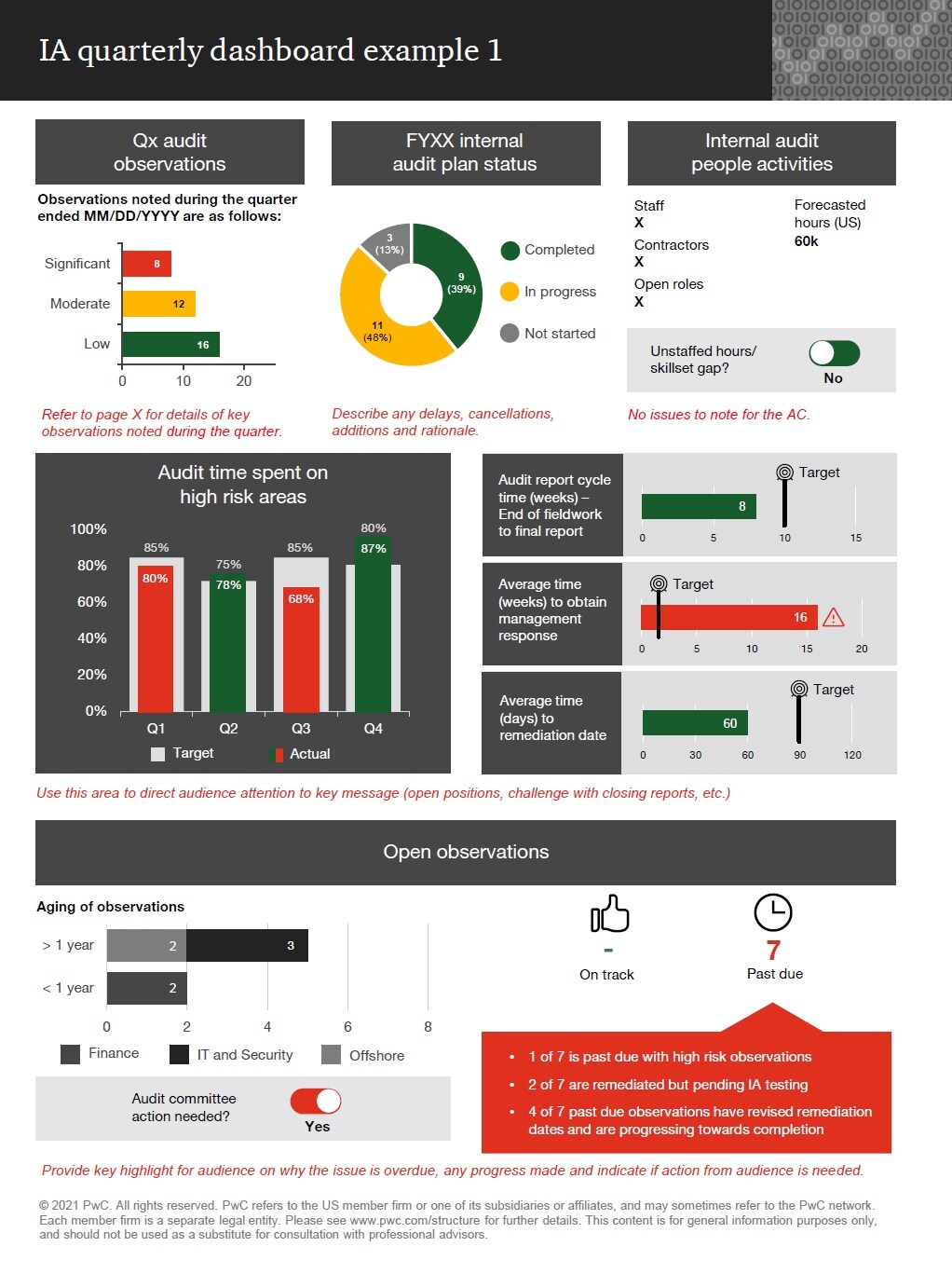
- Use dashboards to monitor key compliance metrics (time to approve, exceptions, manual overrides).
4. Embed training and culture of compliance
PeopleOps must ensure users (employees, managers) understand what the automated process demands:
- Provide training and onboarding for new workflows: what’s changing, what responsibilities they have.
- Use automation itself to drive training and reminders (e-learning, periodic refreshers). Research suggests this helps embed compliance culture. FlowForma
- Encourage feedback: monitor workarounds or manual overrides, these may signal process or compliance issues.
5. Monitor, audit, iterate
- Set up continuous monitoring and auditing: automation doesn’t mean “set and forget”.
- Use process-mining or analytics tools to spot anomalies: e.g., unusually fast approvals, high override rates, unusual routing. (See research on using process mining for compliance checking.) arXiv+1
- Conduct periodic reviews of workflows vs. current regulations: laws change, vendor standards change, business models evolve.
- Adjust automation workflows when business or compliance conditions change.
6. Manage third-party and vendor risk
Automated business processes often involve third-party systems (vendors, partner platforms). Ensuring compliance means you must:
- Ensure your vendor workflows integrate compliance (contract checks, data controls)
- Monitor vendor risk: if a vendor’s compliance posture degrades, your automated process may be exposed. Research identifies “third-party risk management via automation” as a key 2025 trend. Secureframe+1
- Keep audit trails of vendor engagements and approvals.
7. Ensure transparency and explainability
Especially as automation uses advanced tools (AI, decision-logic), it’s important to ensure that the automation’s decisions are explainable. Research into eXplainable Autonomous Business Processes (XABPs) emphasises this. arXiv
For PeopleOps: you must be able to answer: why did the system approve or reject, what rule was applied, who intervened. This is vital for audit, trust, and governance.
A Real-World Scenario: Onboarding Automation & Compliance
Let’s illustrate with a concrete example.
The challenge
A multinational company wants to automate its onboarding process: new hire forms, data capture, IT access provisioning, payroll enrollment, training scheduling. They operate in several countries, each with different data protection laws and employment-reporting deadlines.
The pain points
- Without automation: slow manual tasks, inconsistent data, risk of missing local compliance steps (e.g., local labour registration).
- With automation but no compliance built-in: risk of non-compliant data handling (e.g., personal data stored indefinitely without consent), missing local tax registration, lack of audit trail.
- HR and PeopleOps want efficiency but must ensure each hire across jurisdictions meets legal, tax, data protection and internal policy requirements.
The PeopleOps solution
- Map the entire onboarding workflow and identify compliance nodes:
- Data collection: ensure data privacy consent per country.
- Employment law: local registration, right-to-work check.
- IT access provisioning: role-based access, segregation of duties.
- Training delivery: schedule mandatory compliance training.
- Retention and record-keeping: how long to retain and how to delete.
- Choose an automation tool with built-in workflow logic, role-checks, audit logs, multi-jurisdiction capability.
- Build the workflow:
- Trigger when candidate accepts offer → begin workflow.
- Data capture: check must-haves and consent.
- Branch logic per jurisdiction: if country = India then run local tax registration sub-workflow; if EU then GDPR consent step.
- Automate IT access after HR sign-off; ensure role assignment follows least-privilege.
- Schedule compliance training automatically in LMS.
- Retention: automate archival of records post-hire, and deletion after defined period.
- Use dashboards to monitor: time-to-onboard, exceptions triggered, overrides, missing consent, etc.
- Periodic review: quarterly audit of workflow logs, exceptions, regulatory changes (e.g., new labour law in a country) and update workflow accordingly.
- Train HR/IT on the process, emphasize that automation does not remove their oversight: they still must review exceptions and ensure the system works as expected.
The outcomes
- Faster onboarding (efficiency gain)
- Reduced manual errors and missed compliance steps
- Clear audit trail: who approved what and when
- Better employee experience
- Lower compliance risk for multi-jurisdiction operations
The Role of PeopleOps & Automation Vendors: Best Practices
Here are some actionable best practices for PeopleOps teams partnering with the automation/IT/innovation teams.
| Best Practice | Why it matters |
|---|---|
| Engage compliance/legal early in process design | Ensures regulatory logic is captured at design time, not retrofitted. |
| Document decision logic, workflows, roles | Facilitates audit, transparency and governance. |
| Use version control for workflows | When regulations change, you must know which version was live when. |
| Monitor exception statistics and overrides | High overrides may signal non-compliance or flawed automation. |
| Integrate with identity/access systems | Automated tasks should respect least-privilege and role definitions. |
| Maintain data protection and retention logic | Automated processes often collect/store sensitive data must align with privacy laws. |
| Provide training and change-management | Automation changes how work is done; without buy-in, users may revert to manual or unsafe practices. |
| Set up continuous review cycle | Regulations evolve; automation workflows must be reviewed regularly. |
| Offer dashboards and audit readiness reports | PeopleOps can demonstrate compliance metrics to leadership, internal audit or regulators. |
Why partnering with a PeopleOps-centric approach makes the difference
When compliance and automation are driven by IT alone, there is a risk of “tech first, people later” thinking. But PeopleOps sits at the intersection of people, process and technology and thus is ideal for leading compliance-aware automation:
- People focus: Ensuring employee data, privacy, roles and permissions are correctly handled.
- Process focus: Mapping workflows, defining steps, hand-offs, exceptions.
- Technology liaison: Working with automation tools, defining requirements, monitoring performance.
By framing automation with compliance in mind from the outset, PeopleOps helps the organisation turn compliance from a cost centre into a strategic enabler of trust, scalability and operational excellence.
Looking Ahead: Trends & What to Watch
Some key evolving trends you should keep on your radar:
- AI-powered compliance monitoring & predictive analytics: Automation platforms are increasingly using AI/ML to detect anomalies and anticipate risks rather than just react. SmartCompliance+1
- Integration of vendor/third-party risk: Since many automated workflows touch external partners, compliance automation is extending into vendor ecosystems. zenphi+1
- Explainability of autonomous workflows: As you adopt more intelligent automation (e.g., decision-logic, machine-learning driven), you’ll need transparency and explainability, especially for audit-readiness. arXiv
- Privacy-first and global regulation complexity: With laws like GDPR, CCPA, etc., automation needs to be designed with data protection in mind, including consent, cross-border data flows. zenphi
- Continuous audit & real-time compliance dashboards: Static annual audits are giving way to continuous monitoring. Wikipedia
For PeopleOps, these trends mean you’ll increasingly need to partner with technology teams, compliance/legal, and perhaps external vendors to keep your automation stack compliant, agile and future-ready.
Leave a Reply