
Why this matters
Construction is one of the most financially complex industries. With large contracts, long cycles, many vendors/sub-contractors, job cost variability, retainage, and real‐time visibility expectations, manual finance processes quickly become a drag. For example: I found one article stating manual invoice processing alone can increase project costs by as much as 25%. BDC Magazine
By automating critical finance workflows, organisations can:
- accelerate cash flow, reduce delays in billing & payments
- improve cost control, reduce cost overruns, increase profitability
- reduce errors, improve compliance and audit-readiness
- free up finance / PeopleOps staff for higher-value work
That makes it a perfect area for a PeopleOps team to lead (in partnership with finance/IT): automation has both people and process implications (skills, change management, tooling) and business impact.
Below is a 20-point checklist of “quick wins”, practical automation steps you can introduce or accelerate in your construction business today. Each can be a discrete improvement, & together they help build a modern, smoother finance backbone for construction.
The 20 Quick Wins
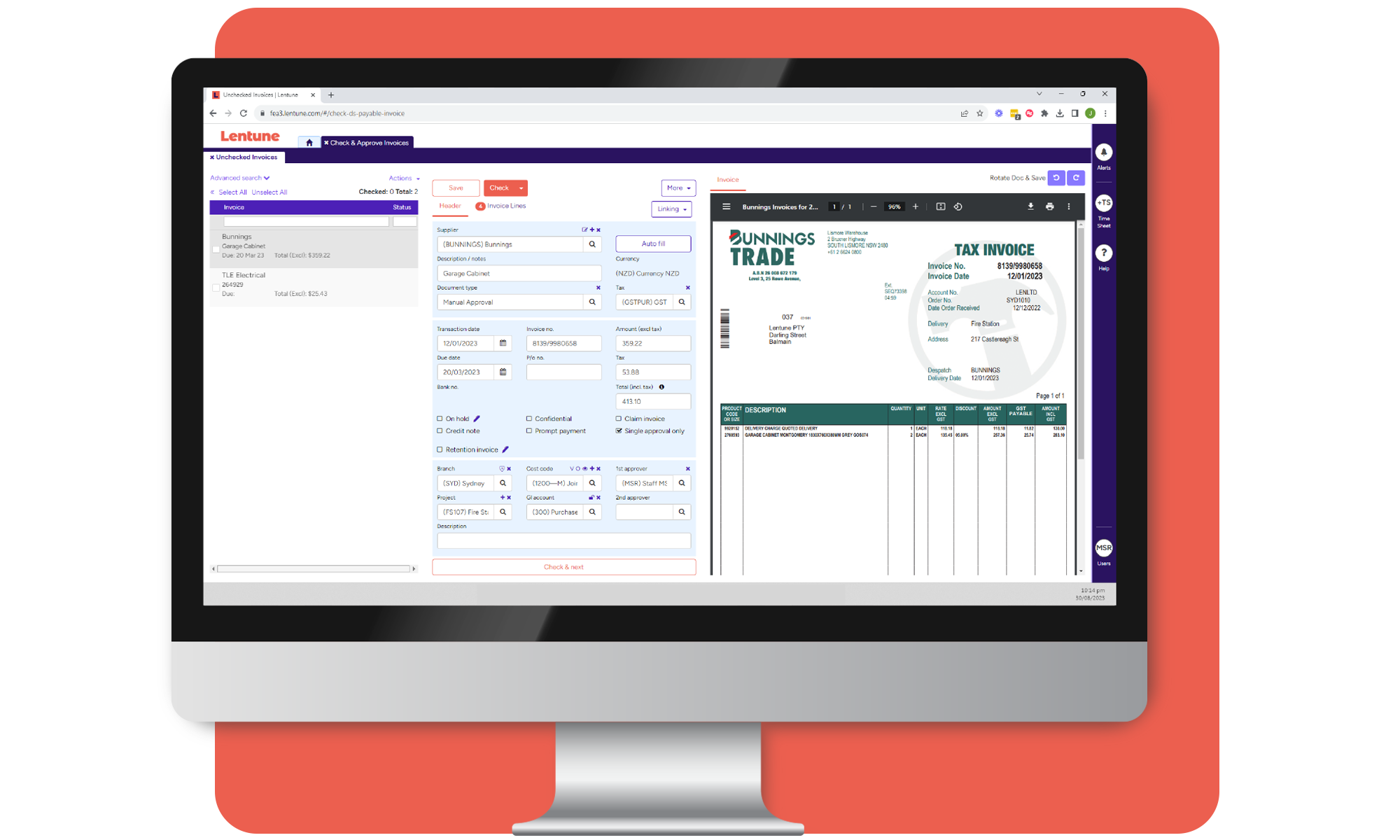
1. Digitise and automate invoice capture
- Automate capture of vendor/subcontractor invoices via OCR or supplier portal rather than manual entry.
- Map to cost codes (labour, materials, overhead) automatically.
- Why: manual entry = errors + slow approvals. BDC Magazine
- PeopleOps tip: collaborate with procurement/suppliers to adopt portals or e-submission workflows.
2. Standardise cost codes & job codes
- Ensure a consistent chart of accounts with job-specific codes, cost buckets (materials, labour, equipment, subcontractor) across all projects. RedHammer
- Automate tagging of transactions to cost/job codes at point of entry.
- Benefits: enables accurate job costing & forecasting.
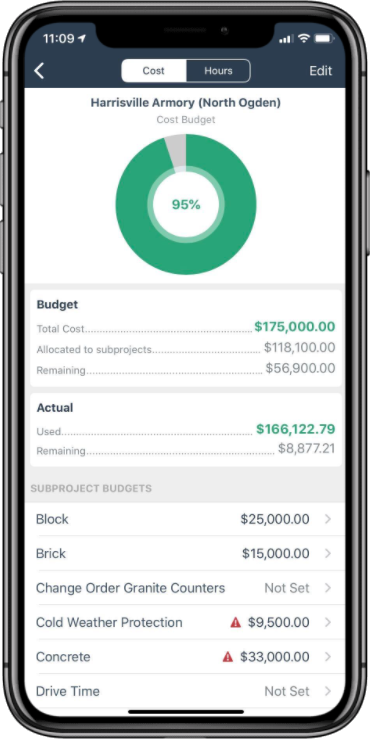
3. Automate job cost tracking & alerts
- Set up auto alerts when actual costs deviate (e.g., > X%) from budget for a job.
- Automate delivery of cost-vs-budget dashboards to project managers & finance.
- Helps catch overruns early, one article says 91.5% of projects have cost overrun risk. BDC Magazine
4. Automate progress billing / milestone billing
- For fixed-price or milestone projects: trigger invoicing automatically when milestones reached.
- Auto-generate invoices from contract terms and progress updates rather than manual builds.
- Improves cash flow, avoids missed billing.
5. Retainage tracking & release automation
- Construction often uses retainage (withholdings) for clients/vendors. Automate tracking of retainage held, release conditions, ageing of amounts.
- Generate auto-reminders when release dates hit.
- Ensures you’re not holding too long (hurting subcontractors) or releasing late (hurting your contract compliance).
6. Integrate procurement → accounting
- Connect your purchase orders / materials requisitions system with accounting/finance.
- Automate PO approvals, match POs to invoices and cost codes automatically.
- Avoids dual entry and mismatch of vendor bills. ProjectBase
7. Automate vendor/subcontractor payments (AP)
- Use workflow automation for vendor invoice approval, coding, payment scheduling.
- Enable early-pay discounts, avoid duplicate payments, reduce cycle time.
- PeopleOps involvement: change management for vendors and finance staff.
8. Real-time cash flow and liquidity dashboards
- Automate the creation of dashboards showing cash inflows/outflows, job-level cash demands, upcoming payables, receivables.
- Real-time visibility allows better decisions (e.g., when to ramp up crews, buy materials).
9. Automate accounts receivable (AR) follow-up
- Auto‐send invoices, reminders, escalate overdue invoices automatically.
- Use triggers for milestone completion to push billing and AR actions.
- Cash flow gets healthier; construction payments are often delayed. 24hr Bookkeeper
10. Job forecasting & cost-to-complete automation
- Automate collection of cost-to-complete (CTC) data from field/project managers.
- Use workflows that bring in actuals + forecast vs prior forecast, generate variance alerts.
- Critical for WIP (work-in-progress) and accurate job profitability. PivotXL
11. Work-in-Progress (WIP) reporting automation
- Automate WIP schedules that pull in job actuals, percent complete, commitments.
- Auto-flag under/over-billing, provide audit trail.
- Ensures you’re compliant (for example with revenue recognition rules) and accurate. PivotXL
12. Automated month-end close tasks
- Setup workflows for month‐end close: bank reconciliations, job cost validation, ledger reconciliations.
- Automate task assignment, completion tracking, and integrative dashboards. Vergo
- Reduces stress, improves accuracy.
13. Balance sheet & reconciliation automation
- Automate reconciliation of major accounts: bank, credit cards, loans, retainage payable/receivable.
- Automate exception detection (unexpected entries, mismatches). Construction Cost
14. Document management and audit trail automation
- Automatically store vendor contracts, change orders, approved invoices, billing documents in a central repository with tagging.
- Enable automated linkage: invoice → PO → contract → job → cost code.
- Helps for audit, disputes, compliance.
15. Integrate mobile field data capture → finance
- Use mobile apps on site to capture labour hours, materials used, equipment hours in real-time.
- Through automation, feed this data into job cost system.
- Reduces lag, improves accuracy of cost capture.
16. Risk & compliance automation (e.g., subcontractor insurance, wage laws)
- Automate alerts for when vendor/subcontractor insurance expires, wage law changes, prevailing wage tracking.
- Finance & PeopleOps should work together: compliance affects payroll, job costs, liability.
17. Automated KPI & management reporting
- Build automated reports for CFO/COO/PMs: project profitability, cost variance, cash conversion, vendor performance.
- Scheduled delivery (e.g., weekly, monthly).
- Helps leadership act faster.
18. Supplier / subcontractor self-service portals
- Automate parts of the supplier/subcontractor lifecycle: submission of invoices, retention releases, status of payables.
- Reduces queries, delays, manual intervention. Good PeopleOps engagement.
19. Automated system integrations
- Build and maintain API or middleware links between systems: ERP/accounting, project management (e.g., scheduling), procurement, field data capture.
- Ensures no manual transfers, data duplication, mismatches. ProjectBase
20. Continuous improvement & change, management automation
- Set up automation for process-review triggers: e.g., when job variance > threshold, trigger root-cause workflow; capture lessons.
- Use automation for training reminders, vendor onboarding, system updates.
- PeopleOps role: ensure that process & people adapt as tools evolve.
Putting it into practice, real-world scenario
Scenario: A mid-sized commercial contractor has multiple ongoing jobs, many sub-contractors, and is struggling with late vendor payments, slow billing, cost overruns and limited job-level visibility.
Step 1: We start with “quick wins” – digitising invoice capture and automating vendor payment workflow (points 1 & 7). This immediately reduces manual input and accelerates payments (happens within 48 hrs instead of ~10 days).
Step 2: Next we standardise cost codes (point 2) and connect mobile field data capture of labour/materials (point 15) into job cost system. Result: costs flow live, rather than only at month‐end.
Step 3: Implement WIP & CTC automation (points 10 & 11) so that each project manager gets weekly variance dashboards. Any cost overrun of > 5 % triggers alert/meeting.
Step 4: Integrate systems (point 19) so that procurement, field data, job cost and accounting are connected. Payroll data flows to job cost; vendor bills automatically matched to POs.
Outcome: Billing cycle reduces by ~30%, cash-flow improves, cost overruns are flagged early and addressed, audit readiness improves. PeopleOps gets credit for coordinating vendor onboarding, staff training, change-management of the new tools.
PeopleOps-Specific Considerations
Because you are part of PeopleOps writing this article, some additional notes:
- Change management & training: Automation often fails not because of technology, but because people resist or aren’t trained. Invest in user-friendly training, clear communication, champion users.
- Role definition: When you automate workflows, you must redefine roles, e.g., approval routing shifts, fewer manual entries, more exception management. PeopleOps can lead role redesign.
- Vendor/subcontractor relationships: Suppliers may need help moving to digital portals. PeopleOps (together with procurement) can help onboard, define SLAs, offer support.
- Skills & roles: Introduce roles such as “Automation Coordinator” or “Data-Integration Lead” inside finance/ops. PeopleOps can drive recruiting or reskilling initiatives.
- Culture & continuous improvement: Automation is not a “set and forget”, PeopleOps should embed a culture of continuous process improvement. Celebrate wins, collect feedback, iterate tools.
- Security & compliance training: With finance automation comes more data, more integration, more risk. PeopleOps should ensure finance/field teams are trained in cyber hygiene, data governance.
Summary
By adopting these 20 automation-driven “quick wins,” construction organisations can unlock tangible benefits: faster invoicing/payment, better cost visibility, improved forecasting, stronger compliance and healthier cash flow. And critically, PeopleOps is a key enabler of that transformation not just introducing tools, but aligning people, processes and culture to capture the full value.
Leave a Reply