Introduction
In today’s fast-moving business environment, ensuring that your organisation pays only for goods or services that were actually ordered and received is more important than ever. That’s where the concept of 3-way invoice matching comes in. This blog will walk you through:
- What 3-way matching is and why it matters
- The pain points organisations face when they don’t use it
- How a combination of Knowify/Adaptive + QuickBooks can help implement it
- A detailed real-world scenario and best practices for PeopleOps/Finance teams

What is 3-Way Matching?
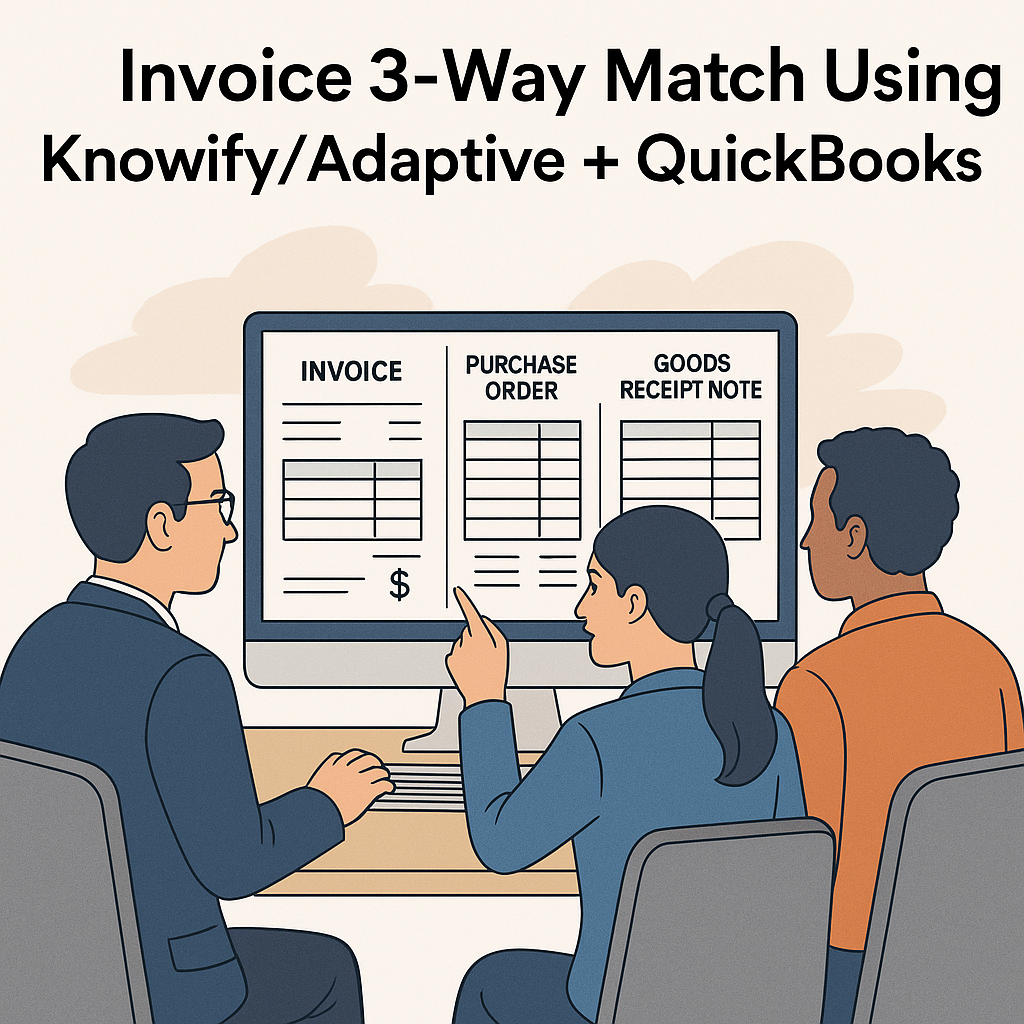
The 3-way matching process (sometimes called three-way invoice matching) is a control in accounts payable (AP) and procurement where three documents are compared before a payment is approved:
- Purchase Order (PO) – the document that authorises the purchase (quantity, price, vendor) serrala.com+3NetSuite+3Paylocity+3
- Goods Receipt / Receiving Report – proof that the goods or services were delivered/received (quantity, condition) serrala.com+1
- Supplier Invoice – the bill from the vendor requesting payment (amount, vendor details) GEP+1
When all three align (PO = Receipt = Invoice), you can confidently approve payment. If not, the invoice is flagged, held, or returned for investigation. AvidXchange+1
Why it matters
- Protects against over-payment, paying for goods not received or services not delivered. Tipalti+1
- Helps prevent invoice fraud (e.g., fake invoices) or duplicate payments. NetSuite+1
- Enables stronger audit trail, internal controls and compliance (important for finance, PeopleOps, procurement). Microsoft Learn
- Improves vendor relationships by reducing payment disputes and delays once process is efficient.
2-Way vs 3-Way (and beyond)
- 2-Way Matching: PO + Invoice only. Simpler, faster, but less control. Paylocity+1
- 3-Way Matching: PO + Receipt + Invoice. Preferred for goods or services where delivery must be validated. HighRadius
- 4-Way Matching: Adds inspection or quality report layer. More common in manufacturing or regulated industries. Paylocity
So 3-way matching is the “sweet spot” for many organisations that want stronger controls without extreme complexity.
Common Problems & Pain Points Without 3-Way Matching
Here are typical issues Finance/PeopleOps face when the matching process is weak or manual:
- Manual processing burden: AP teams spend hours comparing POs, receipt records and invoices manually, error-prone and slow. Paylocity
- Delayed payments: If you’re manually chasing receipts or supplier invoices, payments get delayed, vendors get unhappy.
- Over-payments or paying for items not received: Without the receipt check, you might pay for undelivered goods.
- Fraud risk: Fake invoices, duplicate invoices slip through when controls are weak. Ramp+1
- Poor integration between systems: If your procurement; job costing; invoicing; and accounting systems don’t talk, data gets duplicated, mismatches occur.
- Lack of real-time visibility: Teams don’t know what is ordered, what is received, what is billed, leading to surprises in budgets, cost overruns.
These pain points are especially visible in project-based organisations (construction, services) where multiple cost types (labour, materials, equipment) and vendors are involved.
How Knowify/Adaptive + QuickBooks Help Implement 3-Way Matching
Now let’s talk about how you can use a system stack with Knowify (and/or Adaptive) together with QuickBooks to support the 3-way match and alleviate those pain points.
About Knowify + QuickBooks Integration
- Knowify is a project management + job-costing + procurement system geared especially to construction / service firms. Integration page indicates that purchases, expenses, vendor bills, payments sync directly between Knowify and QuickBooks Online. Knowify+2Knowify+2
- With the integration you get: one-time data entry (either system) and real-time or push-sync between Knowify and QuickBooks, reducing errors and duplication. Knowify
- For example: vendors, clients, products/services catalog, timesheets sync. Knowify
- Knowify states: “Sync nearly everything … allowing your team to work in either platform without any double-entry or duplication.” Knowify
Enabling 3-Way Match via this stack
Here’s how the components map to the 3-way matching process using this stack:
| Document | System Role |
|---|---|
| Purchase Order (PO) | Use Knowify to create PO (for project materials, subcontractors) tied to job, cost category. |
| Goods Receipt / Receiving Report | Use Knowify to record receiving of goods/services (labour, equipment, materials), or have adaptive receipts. Then sync to QuickBooks for bookkeeping. |
| Supplier Invoice | Vendor bills entered into Knowify (or QuickBooks) and synced. Invoice matches to PO and receiving record. |
| Approval / Payment | Once match passes (PO & receive & invoice), QuickBooks processes payment; Knowify feeds cost data back into job costing and analytics. |
Example workflow
- Project manager in Knowify creates a PO for “100 units of material X at ₹500 each” for Job A.
- Supplier delivers the goods. Receiving team in Knowify marks 100 units received (or maybe 95 units if partial).
- Supplier sends invoice for 100 units at ₹500 each. Invoice is entered in Knowify (or synced from QuickBooks).
- The system (Knowify + sync rules) checks: PO quantity vs received quantity vs invoice quantity & price.
- If match: triggers approval, data sync to QuickBooks for payment.
- If mismatch: flags hold, enquiry by AP/PM.
- Once approved, QuickBooks records vendor bill/payment, cost is allocated to job, financials and job costing dashboards update.
Why this stack works for PeopleOps / Finance
- Integrated systems = fewer data silos, less manual reconciliation = fewer errors.
- Project cost visibility: Knowify ties costs to job/phase/cost category; QuickBooks ensures accounting integrity.
- Strong control environment: automated checks, easier to implement 3-way matching (versus spreadsheets).
- Audit trail and compliance: You have documented PO → Receipt → Invoice → Payment all in one system view.
- Scalability: As your organisation grows (more projects/vendors), the process remains robust.
Adaptive mention
If by “Adaptive” you meant a system like Adaptive Insights (planning/analytics) or some internal adaptive solution, you can layer in analytics: once job cost data flows from Knowify + QuickBooks, Adaptive can help monitor variances (PO vs actual vs invoice) and highlight mismatches proactively.
Real-World Scenario: Construction Vendor Invoice Processing
Let’s take a realistic scenario for a medium-sized construction firm using this stack:
Scenario:
Your firm, “BuildTech Services,” is working on Project “GreenPark Tower”. The procurement team issues a PO via Knowify: “Supply and install 500 sq ft of drywall at ₹300/sq ft” to Vendor A. The PO total is ₹1,50,000.
Steps:
- PO Created – Project Manager in Knowify issues PO #PO123 to Vendor A.
- Goods/Services Received – Later the team installs the drywall and records in Knowify: “500 sq ft installed, accepted” (receiving quantity = 500).
- Vendor Invoice Received – Vendor A submits invoice #INV456 for “500 sq ft drywall @ ₹300 = ₹1,50,000”. Entry in Knowify or QuickBooks.
- Automated Match Check – The system compares:
- PO quantity (500) vs Received quantity (500) → OK
- PO rate (₹300) vs Invoice rate (₹300) → OK
- PO total vs Invoice total → OK
Since all matches, invoice is approved for payment.
- Payment & Sync – Bill auto-syncs into QuickBooks, payment scheduled, cost allocated to “GreenPark Tower / Drywall” cost category. PM dashboard shows cost is in budget.
- If Discrepancy – Suppose receipt recording showed 480 sq ft (20 sq ft short). Then invoice doesn’t match. Invoice flagged; AP holds payment; PM contacts vendor to clarify shortfall or discount. Adjust invoice to 480 × ₹300 = ₹1,44,000, then match passes.
- Reporting & Analysis – Finance & PeopleOps can pull reports: number of mismatch invoices, root cause (receipt shortfall, price variance, missing PO), time to approve invoices, vendor payment timelines.
Benefits realised:
- Fewer invoice disputes with vendors
- Accurate cost tracking at job level (materials, labour, equipment)
- Reduced risk of over-payment or paying for undelivered items
- Clear audit trail: PO → Receipt → Invoice → Payment
- Better vendor relationships due to timely and correct payments
Key Implementation Considerations & Best Practices
To ensure success with 3-way matching in your stack, keep these in mind:
1. Define matching thresholds and tolerances
Not every difference needs to block payment. You may set tolerances (e.g., quantity variance ±5 %, price variance ±2 %) or escalate manually if outside threshold. Many systems support configurable matching rules. Microsoft Learn+1
2. Standardise PO, receipt and invoice capture workflows
- Ensure POs are generated and captured in Knowify with correct job, cost code, vendor.
- Ensure receiving/inspection records are entered promptly and accurately.
- Ensure invoices are entered or scanned and captured with required fields (PO number, job code).
3. Sync rules & data integrity between systems
- Confirm that Knowify ↔ QuickBooks sync works reliably: vendor list, job codes, cost categories.
- Set clear rules: which system is master for what data.
- Check data mapping (e.g., in Knowify “materials” cost category maps to correct GL account in QuickBooks).
4. Exception handling & approval workflows
- Set up automatic flagging for mismatches.
- Define responsibility: who reviews discrepancies (AP, PM, PeopleOps? maybe for vendor contracts).
- Ensure timely resolution to avoid payment delays piling up and vendor frustration.
5. Monitor & report on key metrics
PeopleOps and Finance should track:
- Number of invoices matched automatically vs manually flagged
- Average days from invoice receipt to payment
- Number/amount of discrepancies (quantity, price, PO missing)
- Vendor payment performance and invoice accuracy trends
- Job-cost variances: PO budget vs actual invoice vs job cost.
6. Training & change management
- Teams (procurement, receiving, AP, project managers) need training on the process and tools (Knowify + QuickBooks).
- PeopleOps should enforce the culture of “match before payment” and show benefits: fewer disputes, faster approvals, cost control.
7. Evaluate when 3-Way is required vs simpler method
As referenced earlier: not every purchase needs full 3-way matching. For low-risk services or small spend, 2-way match may suffice. Optis Consulting+1
Define spend thresholds or vendor tiers where 3-way matching is mandatory.
How PeopleOps Teams Benefit
While this process is often viewed as purely finance or procurement, PeopleOps (especially in organisations where project workforce, vendor labour, and services play a role) has a key stake:
- Better budget transparency: PeopleOps using workforce and subcontractor data tied into job costing (via Knowify) can see how labour/material/vendor spend aligns with project budgets and roles.
- Improved vendor/contractor management: Clear processes for vendor billing and matching builds trust and consistency, reducing conflict with your contractors or service providers.
- Staff time savings: Automated syncing and matching means less manual work, lower error rates, freeing PeopleOps to focus on strategic tasks (vendor strategy, resource planning) instead of invoice chasing.
- Policy & compliance oversight: PeopleOps can partner with Finance to ensure policies (PO creation, receiving evidence, invoice submissions) are followed across the organisation.
- Better analytics for staffing & resourcing: Once job-cost data is clean and synced, PeopleOps can use reporting (e.g., via Adaptive) to see cost per labour hour, vendor cost trends, and tie them into workforce planning.
Summary & Call-to-Action
In summary:
- 3-way invoice matching is a foundational control for paying the right amount, at the right time, for what you actually ordered and received.
- Without it, you expose your business to risks, financial loss, vendor friction, delayed payments, and manual inefficiencies.
- A tech stack combining Knowify (or similar job-cost/procurement system) with QuickBooks (for accounting) is well-suited to implement 3-way matching in a project-based business environment.
- PeopleOps teams should partner with Finance and Procurement to drive the process: standardise workflows, train staff, monitor metrics, and leverage data for strategic insights.
Next steps for your team:
- Map your current invoice to payment process and identify gaps (PO generation → receipt → invoice → payment).
- Assess whether Knowify + QuickBooks (or your existing tools) support the 3-way match process and integration.
- Define matching rules, thresholds, roles & responsibilities (including PeopleOps, AP, procurement).
- Pilot on one project or vendor category, measure matching success, time to pay, discrepancy rate.
- Roll out organisation-wide with training and reporting dashboards.
- Monitor vendor & job cost dashboards monthly: how many mismatches, what causes them, how to improve.
By embedding 3-way match controls via a modern integrated platform like Knowify + QuickBooks, you strengthen your financial governance, speed up approvals, and empower PeopleOps and Finance teams to work smarter.
Leave a Reply