Introduction
In today’s fast-moving digital world, small and medium-sized businesses (SMBs) face rising expectations around service and support. Customers expect rapid responses, consistent experiences, and minimal downtime. At the same time, many SMBs are adopting automation in support workflows, chatbots, ticket routing, knowledge bases, etc., to scale without inflating headcount.
This creates a clear need: automated support workflows + well-defined Service Level Agreements (SLAs). If you get both right, you can offer high-quality support at scale. If you get them wrong, chaos creeps in: missed targets, unhappy customers, fatigued agents, and unpredictability.
In this blog we’ll explore:
- What an SLA is, especially in an automated-support context
- The unique pain-points SMBs face when automating support & setting SLAs
- What a “good” SLA looks like for SMBs using automation
- Real-world scenarios and tips for getting started
What is an SLA (Service Level Agreement) and why it matters

6
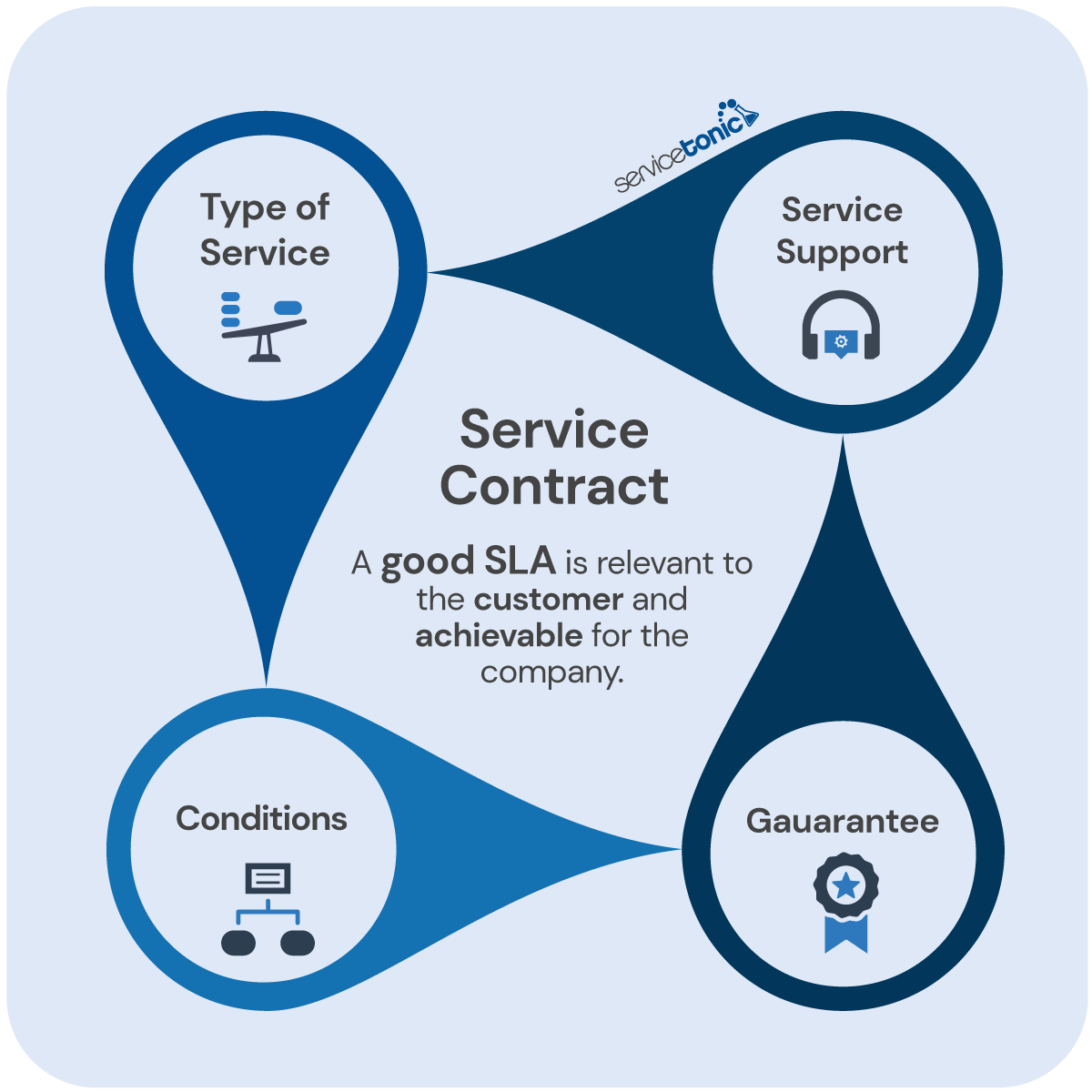
A Service Level Agreement (SLA) is a formal (or semi-formal) commitment between a service provider and a customer/recipient of service, defining the level of service to be provided, metrics, responsibilities, performance expectations, and often consequences for non-performance. Rezolve+3Wikipedia+3Supportman+3
For example, an SLA might say: “All tier-1 support tickets will receive a first response within 2 hours during business hours, and all critical tickets will be resolved within 4 hours.”
Why it matters for support + automation:
- Sets clear expectations (for customers, internal teams)
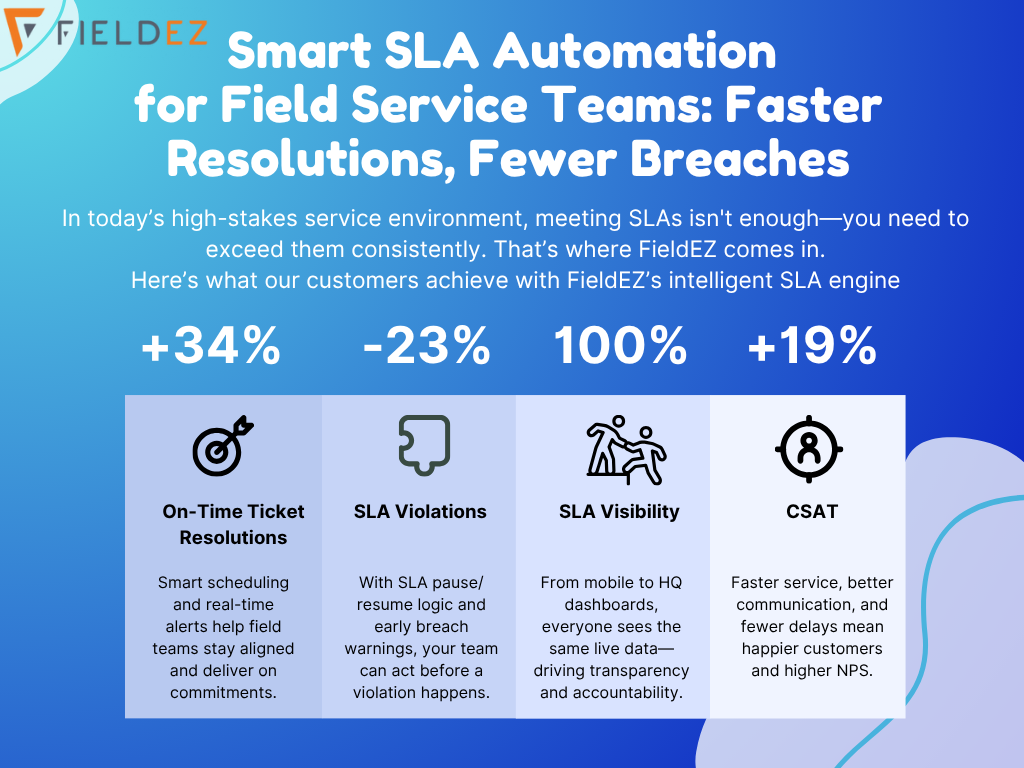
- Enables measurement and accountability: you can track response time, resolution time, SLA breaches. Gorgias+1
- Provides a scaffold around which to build automation: when you know the target (e.g., “first response in 2 hours”), you can trigger workflows, alerts, escalation automatically.
- Builds trust and professionalism: for SMBs especially, having credible SLAs signals maturity of your PeopleOps / support operations.
- Avoids chaos or unmanaged growth: when you scale automation or ticket volumes, you still keep service quality in check.
SMB-specific pain-points when automating support & defining SLAs
SMBs have some unique constraints and challenges compared to large enterprises. When you layer automation + SLAs, you’ll notice some common pain-points:
1. Limited resources & fluctuating volume
You may have a small support team, and ticket volumes may vary with campaigns or product releases. Setting a rigid SLA without accounting for peaks can lead to frequent breaches. EasyVista
2. Automation misuse or misalignment
Automation (chatbots, auto-routing, self-service portals) is great but if it’s mis-configured, you may default to long wait times, wrong assignments, mis-prioritised tickets. That undermines SLAs. SupportBench
3. Multiple service types with different priorities
You may provide both low-priority (“how do I reset my password?”) and high-priority (“our app is down”) support requests. A one-size SLA won’t cut it. EasyVista+1
4. Tracking & visibility
Without good metrics, dashboards or automation triggers, you may not know you’re missing SLAs until it’s too late. SMBs often lack the tooling or operational maturity of larger firms.
5. Balancing human and automated touch
Automation handles the repetitive, but not everything. Inadequate escalation or human hand-off can degrade quality even if your SLA targets are met superficially.
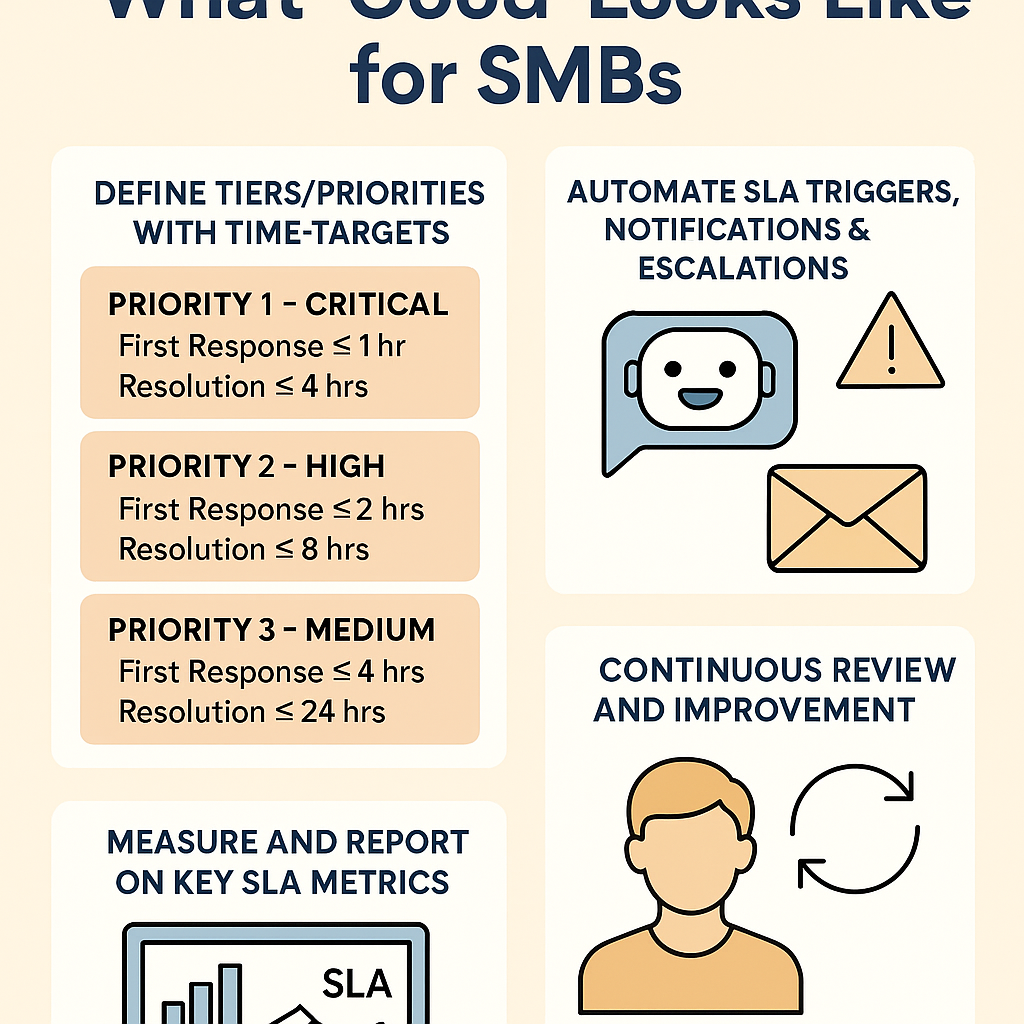
What a “Good” Support SLA Looks Like for an SMB using Automation
Here’s a blueprint for what “good” looks like. You’ll want to tailor based on your industry, customer expectations, internal capacity but these are practical guidelines.
1. Define tiers/priorities with clear time-targets
Rather than single SLA across all tickets, define multiple tiers. For example:
- Priority 1 – Critical (system down, major outage): First response ≤ 1 hour, resolution ≤ 4 hours (with automated escalation).
- Priority 2 – High (major functionality impacted): First response ≤ 2 hours, resolution ≤ 8 hours.
- Priority 3 – Medium (non-critical but customer-impacting): First response ≤ 4 hours, resolution ≤ 24 hours.
- Priority 4 – Low (general queries/self-service): First response ≤ 8 hours, resolution ≤ 48 hours or next business day.
This tiering ensures you match effort & automation to impact. EasyVista+1
2. Automate SLA triggers, notifications & escalations
Automation is your friend here. A “good” SLA setup includes:
- Auto-assigning the correct SLA policy when a ticket is created (based on keywords, channel, customer type, priority). BoldDesk+1
- Setting alerts when a ticket is approaching breach (e.g., 30 mins before SLA deadline).
- Escalation pathways: if not resolved by a certain stage, auto-escalate to a senior agent or manager. ServiceNow
- Pausing or tracking SLA “stop-clocks” when waiting on customer responses, so you’re not unfairly penalised.
3. Measure and report on key SLA metrics
Some crucial metrics to track:
- First Response Time (FRT) – average and % within target.
- Resolution Time – average and % within target.
- SLA Breach Rate – % of tickets that missed SLA across tiers.
- Tickets escalated automatically (and manual escalations) to monitor when automation hand-off needs improvement.
- Customer satisfaction (CSAT) or NPS post-ticket to ensure service quality isn’t sacrificed for speed.
These metrics give you visibility into whether automation + SLAs are working. Gorgias
4. Maintain clarity & transparency
- Define the SLA clearly in your internal documentation and (if relevant) in customer-facing materials.
- Specify what counts as business hours (e.g., 09:00–18:00 local time) vs. 24×7 coverage.
- Clarify where SLA clocks pause (e.g., waiting on customer info).
- Review and update SLA definitions periodically with stakeholders, as service offerings evolve. Supportman
5. Align SLA ambition with capacity and customer expectations
One of the biggest mistakes is over-promising. A “good” SLA is realistically achievable given your team size, automation maturity, support hours, and typical ticket volume. EasyVista
For example: If you’re an SMB with only 2 support agents but promise “first response under 30 mins 24×7”, you’ll likely breach frequently and undermine trust. Start with realistic targets and tighten over time.
6. Hybrid automation-human workflow
Even with automation, you need human-in-the-loop for high-priority incidents or tricky customer issues. A strong SLA-automation strategy:
- Automate triage/routing/notifications.
- Give agents dashboards that display SLA status, next steps, escalations.
- Human hand-off becomes seamless and tracked.
This prevents automation becoming a “blunt instrument” rather than a helpful tool.
7. Continuous review and improvement
- Review SLA outcomes monthly or quarterly: breach trends, root-cause of misses, agent feedback.
- Update SLA tiers if business model changes (e.g., more 24×7 customers).
- Update automation workflows (e.g., new keywords, new escalation rules) based on data.
- Maintain a version history of SLA definitions. Supportman
Real-World Scenario: An SMB’s Journey
ACME SaaS, a mid-sized software provider, supports ~500 customers globally. They’re growing fast and support demand spikes after each release. Here’s how they implemented “good” SLAs + automation:
- Define tiers: ACME defined P1–P4 tiers as above.
- Automation: They deployed a helpdesk tool to:
- Auto-tag tickets by channel (chat/email), keywords (“outage”, “bug”, “error”), customer plan (premium vs standard).
- Assign correct SLA policy automatically.
- Trigger internal chat and email notifications 20 minutes before SLA breach.
- Escalate P1 tickets that aren’t resolved in 3 hours to Director of Support.
- Metrics dashboard: Live dashboard showing FRT, resolution time, breaches by tier, over-time trend.
- Human hand-off policy: If the chatbot can’t resolve, it opens a ticket and ensures SLA timer starts. Manual hand-off reinforced.
- Review process: Every quarter, they hold a “SLA & Automation” review – checking breach causes, updating keywords/workflows, adjusting targets if still too ambitious.
Result: Within 6 months ACME reduced SLA breaches by ~40%, improved average first response time by 30%, and agents reported less fatigue from chasing SLA deadlines.
PeopleOps Role: What you should do
As a PeopleOps leader in an SMB, you play a key role in making this work:
- Partner with support ops/engineering to ensure automation workflows align with actual SLA targets.
- Help define realistic SLA tiers based on what your team can deliver and what customers expect.
- Ensure training & documentation: Agents know how to use tools, how escalation works, what the SLA clock means.
- Monitor agent workload & engagement: Automation should alleviate repetitive work, not simply increase ticket volume without support.
- Drive culture of continuous improvement: SLA misses are opportunities to learn, refine automation, optimize staffing.
- Communicate with customers: If applicable, share SLA commitments clearly and how automation enhances service (without over-hyping).
Summary
For SMBs embracing automation in support workflows, having strong, realistic SLAs is a competitive advantage. A “good” SLA in this context means:
- Tiered, measurable targets aligned with support impact.
- Automation configured to trigger routing, alerts, escalations.
- Metrics and dashboards that make SLA performance visible.
- A hybrid automation-and-human model that keeps quality high.
- Continuous review and adjustment of both SLA and automation workflows.
By doing this, you’ll build a support operation that can scale, maintain quality, satisfy customers, and free your team to focus on strategic work. In other words: automation + smart SLA = support you can trust.
Leave a Reply