
Introduction
In the construction and real-estate development world, cashflow is king. Yet, many firms still struggle with invoicing and draw requests that drag on for weeks, causing payment delays, strained vendor relationships, and risk of project stalling. This blog will walk you through how organizations can migrate from manual draw workflows to same-day invoicing using standardized American Institute of Architects (AIA) pay application forms, especially the G702 and G703 and how a modern PeopleOps-focused solution helps make that transition smooth.
The Problem: Manual Draws & Traditional AIA Billing
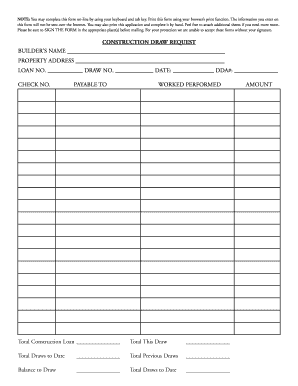
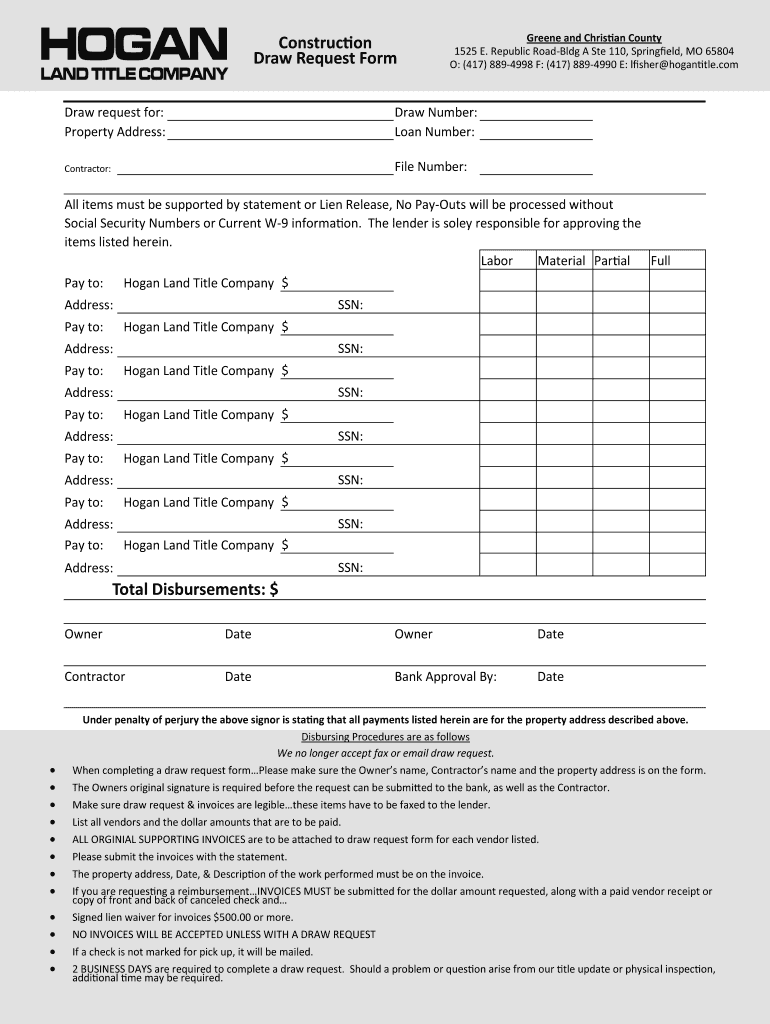
What the traditional draw process looks like
In typical projects:
- The contractor or subcontractor completes a draw request form (often in PDF/spreadsheet), gathers invoices, lien waivers, insurance certificates and delivery receipts.
- They assemble the schedule of values (SOV) and update work completed to date.
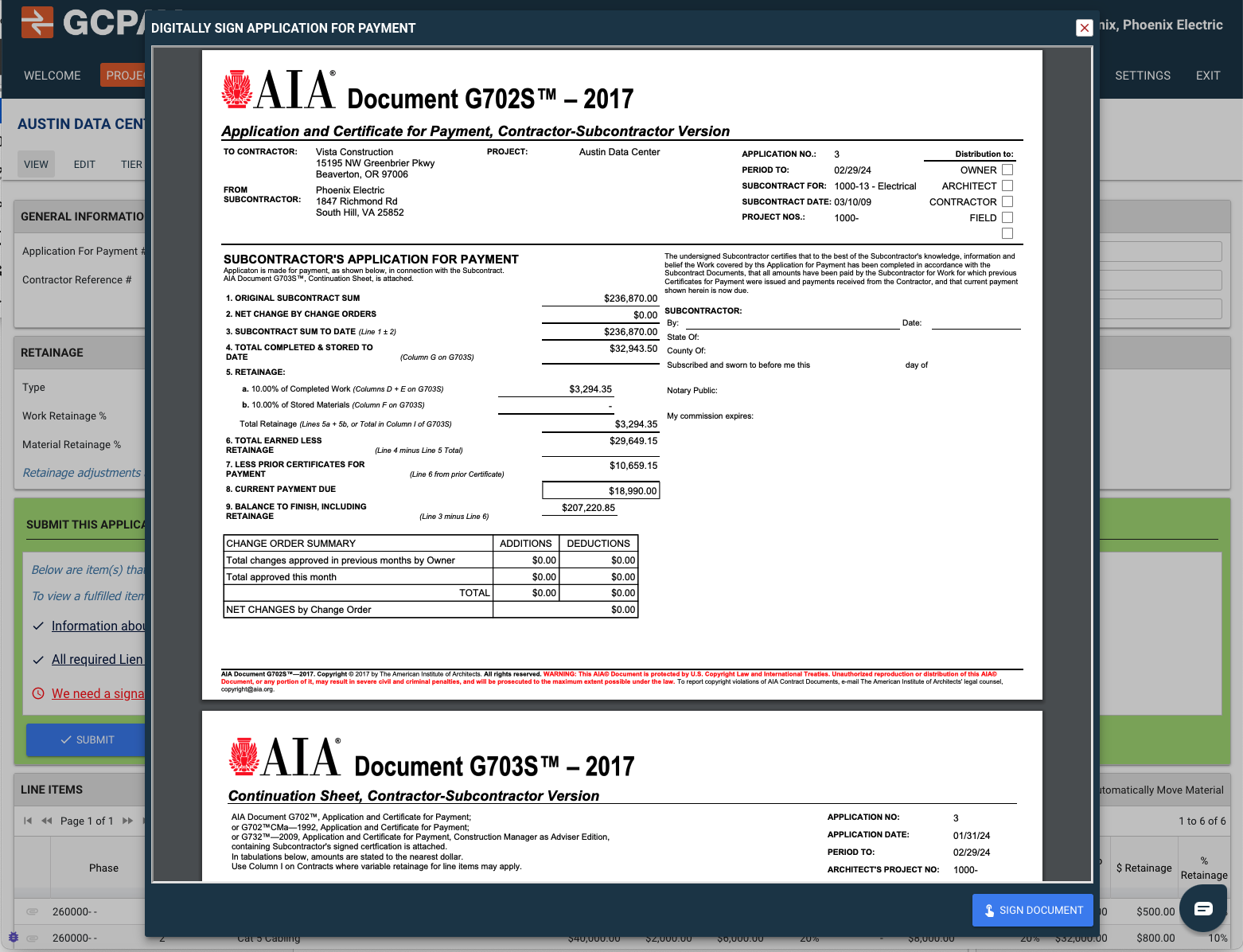
- They submit the AIA forms (typically the G702 “Application and Certificate for Payment” and the G703 “Continuation Sheet”) to the architect/owner. Procore+2Aptora+2
- The reviewer checks that everything aligns, work done, materials stored, retainage, change orders and then signs off on payment.
- Payment is triggered: but because of manual routing, missing documentation, and many “chase” moments, approval may be delayed days or weeks.
The pain points
- Delay in payment = Contractors/subcontractors face cash-flow pressure.
- Errors and omissions: Missed fields in G702/G703, missing lien waivers, unapproved change orders. siteline.com+1
- Inconsistent formats: Many GCs/customers modify the standard AIA forms. One article notes “there are thousands of versions of progress billing forms out there.” siteline.com
- Fragmented documentation: Delivery slips, stored materials invoices, and photos are often in shared drives or emails, making review slow.
- Lack of visibility: Finance teams often cannot track the status of the draw request and payment approval in real time.
- Risk of disputes: If the work done doesn’t match the invoice or SOV, owners may reject or hold payments.
Real-world scenario
Imagine a mid-size commercial GC in India who still uses Excel for draw requests. After submitting, the back-office finds missing lien waivers from two subs, so the request goes back for corrections. The architect sits on it while waiting for clarifications. Payments get delayed 10+ days, subcontractors pause, site progress slows. In short, the manual process eats time and adds risk.
The Standard: AIA Billing & Why It Matters
The AIA billing system brings order and standardization to construction invoicing and draw requests. Two key forms dominate:
- G702 – Application and Certificate for Payment: Summarises contract value, work done, retainage, amount due. Autodesk+1
- G703 – Continuation Sheet: Breaks down by line item (from the SOV) the value of work completed/stored, remaining balance. Autodesk
Benefits of standard AIA billing
- Clarity & transparency: Everyone, contractor, architect, owner – uses a common language. siteline.com+1
- Reduced billing errors: Standard fields, common structure.
- Better cash-flow: When done right the review/approval cycle shortens.
- Compliance & audit-readiness: Forms capture retainage rules, stored materials, change orders. Aptora
Challenges still remain
- The forms still need accurate data and supporting documentation. If the behind-the-scenes process is manual, the forms become bottlenecks. Procore+1
- Many firms haven’t digitised the workflow so printing, manual signatures, emailing PDFs continue.
- When thousands of custom forms exist (modifications of AIA), the “standard” advantage diminishes. siteline.com
The Evolution: From Manual Draws to Same-Day AIA Invoices
Here’s how the journey happens and where PeopleOps plays a critical role.
Step 1: Digitise the intake and submission
- Replace spreadsheets/PDFs with a portal/form that captures all required data and uploads, SOV, invoices, photos, lien waivers.
- Real-time validation: system flags missing documents, missing lien waivers, etc. (see example in Built’s draw workflow) Built+1
- This reduces “chase time” for missing documentation.
Step 2: Automate generation of G702/G703
- Once the system has data (contract sum, change orders, SOV, work completed, stored materials), it can auto-populate the forms.
- This reduces data entry errors and ensures consistency across submissions.
Step 3: Smart routing & approval workflow
- Upon submission, the proper reviewer(s) (architect, owner rep) are notified.
- Use configurable approval paths based on project type, value, funding source. Modern draw software supports multiple capital stacks. Built
- Track status live: who’s approved, who’s pending, when payment is scheduled.
Step 4: Instant payment trigger & same-day invoicing
- Once approved, funds can be released quickly (even same-day) because all documentation is complete and verified.
- The invoice (draw request) becomes a same-day output, not a week-long process.
Step 5: Analytics & PeopleOps integration
- Track metrics: average draw processing time, number of resubmissions, cash-flow cycle length.
- PeopleOps (the HR/Operations side) ensures the team has the right workflows, training and is aligned with digital tools. They also ensure subcontractor onboarding, compliance checks (liens, insurance) are streamlined.
- Using dashboard reports, the firm can continuously optimise the process.


How PeopleOps Helps Build & Maintain This Transition
As a PeopleOps professional (and reading from both technical and business perspectives), here’s how you can anchor this transformation:
Focus on process design and adoption
- Map the “as-is” draw process: steps, roles, pain-points.
- Define the “to-be” state: digital submission → auto-forms → routing → payment.
- Train teams (site, back office, finance) on new workflows and tools.
Ensure compliance & document governance
- Maintain a standard repository of documents (liens, insurance certificates, stored material proof).
- Create checklist workflows embedded in the system, ensuring nothing is missing before submission.
- Ensure subcontractor contracts align with the standard workflow so their invoices/draws plug into the digital system.
Monitor metrics and continuous improvement
- KPI examples: average days-to-invoice, % of draws resubmitted, time from submission to payment.
- Use dashboard insights to root-cause delays (e.g., missing lien waivers, slow reviewer response) and adjust training or process accordingly.
- Celebrate wins: “We cut draw-to-payment time from 14 days to same-day for X% of submissions.”
Bridge tech & people
- While technology enables the workflow, PeopleOps ensures adoption: clear roles, accountability, training, incentives (e.g., faster payments = better vendor satisfaction).
- Communicate benefits: faster payments for subs, less admin for finance, less risk for owner.
- Facilitate change-management: people often resist replacing decades-old manual spreadsheets, address fears (“Will I be replaced?”, “Is the system secure?”), and show value.
A Real-World Success Snapshot
In a recent article, digital draw workflow vendor Built describes how their platform “enables you to create and submit draws in minutes by mapping payables and documents to your draw schedule.” Built+1
They replaced scattered PDFs, email threads and inbox submissions with structured digital workflows. The result: verification happens faster, funding moves sooner, teams stay focused on execution instead of paperwork.
For example:
- A large owner-developer managing multiple builds reported that their draw submission process went from 5+ days to < 24 hours.
- They captured all required documentation upfront and auto-routed approvals for disbursement.
- Because payments were faster, subcontractors reported improved cash-flow and fewer hold-ups on site labor.
Key Benefits: Why This Shift Matters for Business and Technical Readers
Business benefits
- Improved cash-flow: Faster payments to vendors/contractors.
- Stronger vendor relationships: Subs more willing to work when they trust the payment process.
- Reduced risk: Compliance, lien waivers, and documentation errors are caught upfront.
- Competitive advantage: Firms that pay faster and have smoother draw workflows can better win bids.
Technical/operational benefits
- Standardisation: Use of G702/G703 forms, standard SOV breakdowns, reduces variability.
- Digital audit trail: Every draw is logged, tracked, and versioned, making internal audits and lender reviews easier.
- Scalable workflows: When you have dozens of projects, manual spreadsheets don’t scale, software workflow does.
- Data integration: Connect billing/draw systems with ERP/accounting, project management, field data. Enables end-to-end visibility. CMiC
Challenges & How to Overcome Them
- Change resistance: Some people are comfortable with Excel/PDFs. Solution: Communicate benefits, provide training, start with pilot projects.
- Legacy systems integration: Existing accounting or project systems may not tie in. Solution: Choose software with good APIs/integrations; map out data flow.
- Ensuring data accuracy: Digital is not automatic—if wrong data is entered, errors still happen. Solution: Build validation rules, automated checks (e.g., missing lien waivers blocked).
- Custom form variations: Some GCs use their own versions of AIA forms, complicating standardisation. Solution: Configure system to generate custom-branded versions or accept variations. siteline.com
- Stakeholder buy-in: Owners, lenders, architects must adopt faster review approval. Solution: Show pilot results, demonstrate less risk and faster payouts.
How PeopleOps Can Get Started, 5 Step Roadmap
- Audit your current draw/invoicing process: Map who does what, how long it takes, where delays occur.
- Define target state: Set KPI (e.g., “70% of draws processed same-day by Q4”), identify tool requirements (automated forms, routing, dashboards).
- Select & pilot technology: Choose a construction billing/draw platform (look at features like draw lifecycle, payment trigger, compliance docs).
- Train & roll-out: Focus on all roles, site managers, back-office, finance, subcontractors. Ensure they understand the workflow and value.
- Monitor, optimise and scale: Use metrics (days to invoice/payment, errors per draw, % resubmissions) to continuously refine workflow. Expand from pilot to full portfolio.
Conclusion
The transition from manual draw requests and billing to same-day, standardised AIA invoice processing is both possible and highly beneficial. For modern construction and real-estate firms, making this shift means fewer delays, stronger vendor relationships, better cash-flow, and reduced risk. And for PeopleOps teams, it presents a clear opportunity to bridge process, people and technology ensuring that your organisation doesn’t just adopt a new tool, but transforms how draw requests and invoicing get done.
By adopting digital workflows, automating form generation (G702/G703), enforcing documentation compliance, and integrating approval routing and payment triggers, firms can realise same-day AIA invoices rather than week-long waits.
Leave a Reply