
1. Introduction
In the world of People Operations (PeopleOps), the term workflow automation is familiar but in 2025 it means something deeper, more strategic, and far more business-critical than “just automating forms”. As organisations contend with global labour pressures, hybrid work, increasing compliance demands and digital transformation expectations, workflow automation has moved from “nice to have” to “must-have”.
In this blog we’ll look at:
- What workflow automation really means
- The common pain points it addresses in 2025
- The business & tech benefits (with hard numbers)
- How People Ops plays a vital role in adopting and scaling workflow automation
- What to do – actionable next steps for your organisation
Keywords you’ll see: workflow automation, process automation, digital workflow, RPA (Robotic Process Automation), low-code / no-code platform, business process management (BPM), workflow management, operational efficiency, employee experience.
2. What is Workflow Automation?
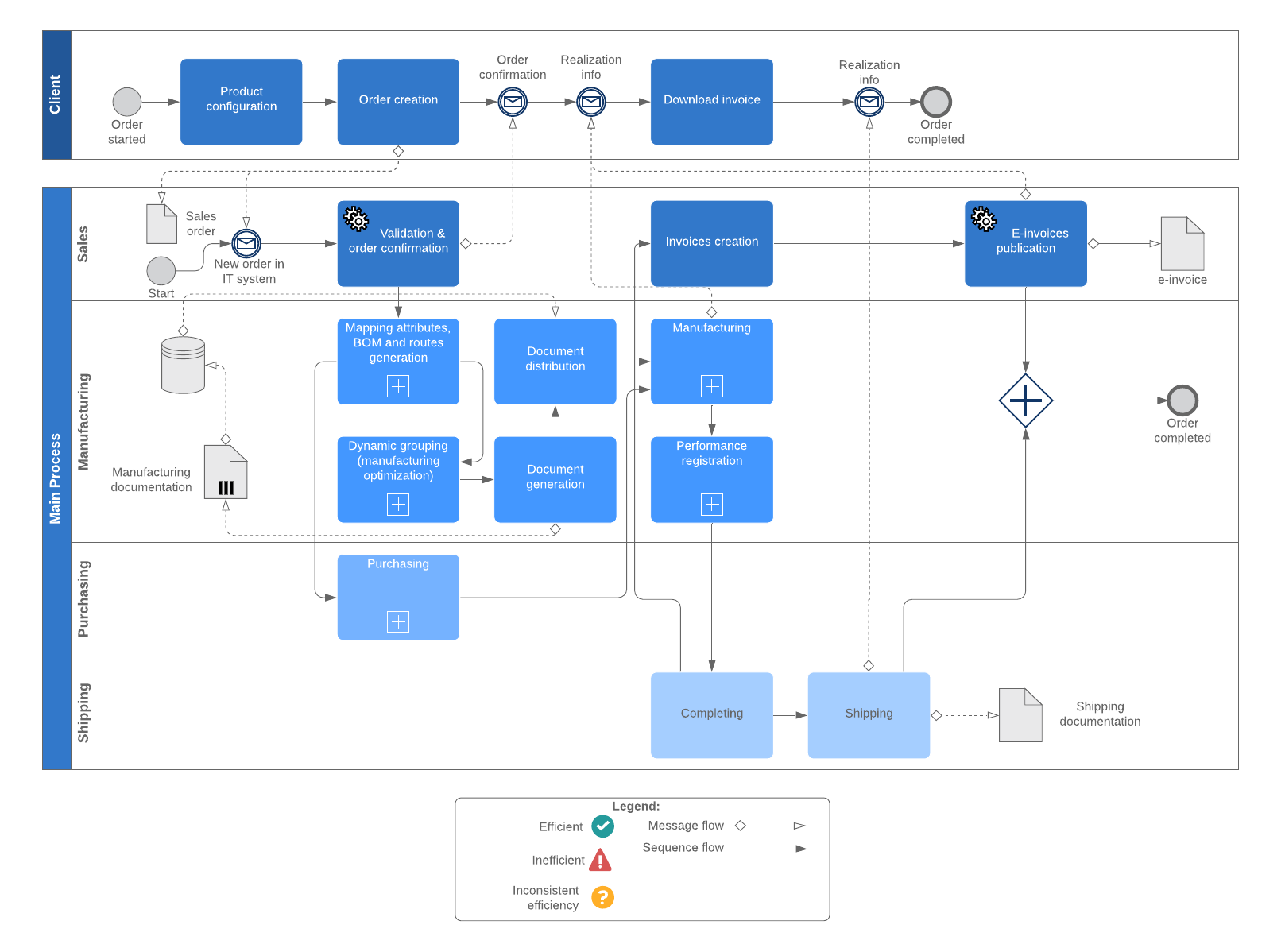
At its core, workflow automation means using software tools to automate the routing, execution and monitoring of repeatable, structured business processes, the ones that humans typically carry out manually: for example, handing off an approval, sending reminders, moving data from one system to another, escalating when someone doesn’t act.
Here’s a simple example:
- In a traditional HR process, when a new hire is onboarded, someone manually sends an email to IT to set up access; someone else manually follows‐up with Facilities; the hiring manager manually checks completion.
- With workflow automation, the system triggers tasks: “Create IT account” → “Assign equipment” → “Schedule training”. Each step happens by rules, reminders fire if delayed, the process is tracked in one dashboard.
- If one step fails (e.g., equipment not delivered), it’s flagged and escalated automatically.
In 2025, this definition has broadened: automation isn’t just “rules and routing” but also includes intelligence (AI/ML), integration across multiple systems (cloud, on-prem, SaaS), and even no-code/low-code platforms so non-IT teams can design workflows. ShareFile+2xurrent.com+2
“Workflow automation uses technology to perform repetitive, manual tasks … ensuring every step is completed accurately and on time.” Applied Innovation
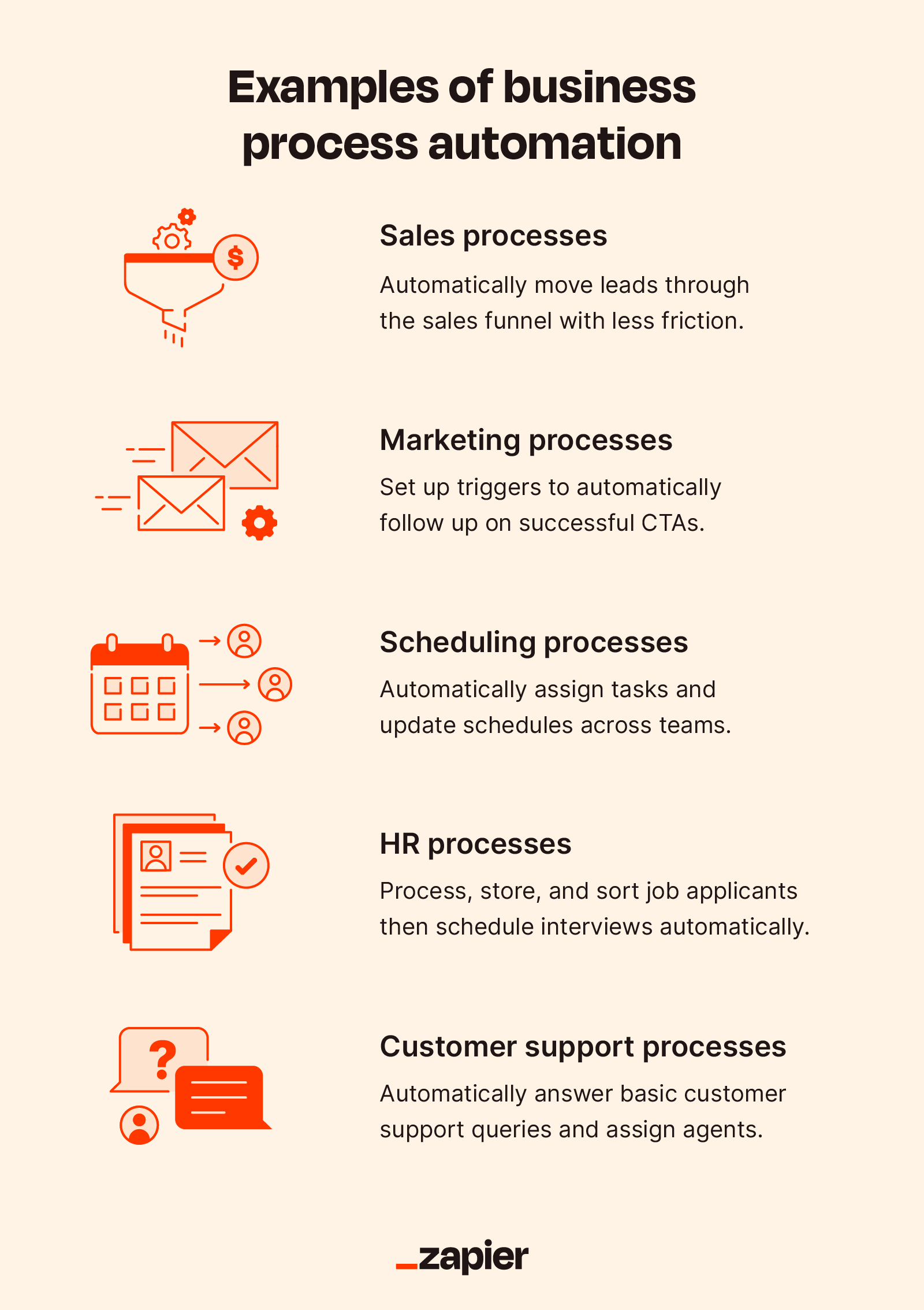
From a PeopleOps perspective, workflow automation supports everything from employee lifecycle (onboarding, offboarding, transfers), performance reviews, payroll/benefits administration, compliance checks, to ad-hoc approvals and hand-offs.
Why the phrase matters
- Workflow emphasises the sequence of tasks (not just one off automation)
- Automation emphasises minimal human/manual intervention
- Together, they signal end-to-end process clarity, visibility and efficiency.
Quick image placeholder
3. The Pain Points: Why Workflow Automation Matters in 2025
If you’re reading this as someone in PeopleOps, you know the day-to-day friction. Here are the key pain points organisations face and how workflow automation directly helps.
3.1 Bottlenecks & manual hand-offs
When approvals or task hand-offs depend on email chains, individual follow-ups or spreadsheets, things get delayed:
- Tasks get “stuck” awaiting someone’s action
- Lack of visibility on status
- Time lost tracking progress
Workflow automation routes tasks automatically, sends reminders, escalates when overdue, and gives real-time visibility into the status of each item. Applied Innovation
3.2 Employee experience & talent pressures
In 2025 the war for talent is intense: hybrid work, digital-native generation, expectation of rapid onboarding. Manual, clunky processes hurt the employee experience:
- New hires waiting days for equipment or access
- Managers unsure of next steps
- HR burdened by admin tasks
Automated workflows improve speed, consistency and transparency: new hires get a smoother experience; managers know where things stand; HR is freed to focus on strategic work.
3.3 Compliance risk & auditability
Many PeopleOps processes (e.g., data privacy, benefits administration, regulatory training) require accurate records, audit trails and documented approvals. Manual processes often lack consistent tracking. Workflow automation ensures every step is logged, approvals are recorded, access control is consistent. Applied Innovation+1
3.4 Cost, waste and inefficiency
Repetitive manual tasks cost money: time lost, errors incurred, slower throughput. A recent statistic: automation can improve efficiency by 40-60% and reduce manual errors by up to 90%. feathery.io+1
3.5 Scaling and change-readiness
Companies are under pressure to adapt quickly: new business models, remote/hybrid work, regulatory change, global expansion. If your processes are manual, brittle, and siloed, you cannot scale. Workflow automation provides the faster, more flexible backbone you need. psglobalconsulting.com+1
4. Business & Technical Benefits, The 2025 Marketplace
Here’s a more detailed look at the benefits of workflow automation, supported by recent data, with a focus on how PeopleOps can leverage them.
4.1 Real-world statistics & market perspective
- The global workflow automation market is projected to reach US$18.45 billion by 2025. psglobalconsulting.com
- 70% of business owners believe automation enables scaling of operations. psglobalconsulting.com
- Approximately 80% of organisations will use “intelligent automation” by 2025—meaning workflows that include AI/ML, not just rules. Kissflow
- Automation results: efficiencies improved by 40-60%, manual errors reduced up to 90%. feathery.io+1
4.2 Benefits in people & operations terms
- Faster process time: Onboarding, approvals, transfers happen more quickly.
- Higher accuracy: Less data entry error, fewer missed steps.
- Improved transparency: Dashboards show workflow progress, bottlenecks, owners.
- Better employee experience: Smooth, predictable, digital-friendly workflows.
- Cost savings & productivity gains: Time freed for higher-value work; fewer manual tasks.
- Compliance & audit readiness: Full traceability, standardized processes.
- Scalability and agility: Quicker to adapt workflows for new business demands.
4.3 Technical advancement in 2025
- AI & ML-powered workflows: Workflow tools are embedding intelligent decision-making: choosing paths, predicting delays, suggesting next steps. ShareFile+1
- Low-code/no-code platforms: Non-technical users (HR, PeopleOps) can build workflows without heavy IT dependency. ShareFile+1
- Integration across systems: Organisations have hybrid stacks (cloud + SaaS + on-prem). Modern workflow tools link them, creating end-to-end orchestration.
- Mobile and remote-first workflows: With distributed teams, workflows are accessible via mobile, remote apps, notifications.
- End-to-end orchestration: Not just individual tasks but full process flows, trigger, condition, branching, completion, monitoring.
Example – A PeopleOps scenario
Consider the “Employee Transfer” process in a global organisation:
- A manager initiates a transfer in the HR system.
- The workflow automatically triggers: update payroll system, update access rights, notify IT, notify Facilities.
- The employee receives a checklist via mobile (equipment pickup, orientation, local policies).
- The new location’s HR sees a dashboard of all arriving transfers and outstanding items.
- Any missing step triggers escalation.
- Post-transfer audit shows all steps were completed, who did what, when.
Without automation: many email hand-offs, local manual processes, risk of missed items, poor experience. With automation: faster, visible, auditable.
5. What This Means for PeopleOps
As PeopleOps professionals, workflow automation is not just a “nice tool” but a strategic enabler. Here’s how You (yes – your role) can lead and influence automation efforts.
5.1 Partnering with IT/Automation teams
- Understand which HR/PeopleOps processes are manual, time-consuming, error-prone.
- Work with IT or vendor teams to prioritise high-impact workflows (onboarding, offboarding, transfers, approvals).
- Ensure your team is involved in defining process logic, owning the “people side” of workflows (who, what, when).
- Help select tools that support low/no-code so your team can participate actively.
5.2 Prioritising the right workflows
Ask:
- Which processes are most often delayed or bottlenecked?
- Which cause employee frustration or high cost?
- Which have compliance or audit risk?
- Which cross multiple systems/teams (high integration benefit)?
Start small with a pilot, then scale. For example, automate onboarding first, get wins, then expand.
5.3 Driving change management & adoption
- Communicate to employees: “Here’s how the workflow changes—faster, easier, more transparent.”
- Train managers and staff in using the workflow tools (mobile apps, dashboards).
- Monitor metrics: time to complete, error rate, approval delays.
- Iterate: get feedback, refine the workflow.
5.4 Measuring value (Important!)
- Track baseline metrics (pre-automation) for comparison: e.g., onboarding takes X days, approvals take Y days, error rate Z%.
- After automation: measure again. Many organisations see ROI within 12 months. psglobalconsulting.com+1
- Include both quantitative (time saved, cost saved) and qualitative (employee satisfaction, manager experience).
5.5 Risks & considerations
- Don’t automate a badly designed process; first refine the process, then automate.
- Beware “hidden” maintenance costs: automated workflows still need monitoring and upkeep. Recent research shows automation may introduce maintenance overhead. arXiv
- Ensure governance, data privacy and security are built in. Automation without controls can amplify risk.
- Change fatigue: ensure users understand the benefit and are supported.
6. Getting Started: A Roadmap for 2025
Here’s a simple roadmap for PeopleOps to adopt workflow automation successfully.
Step 1: Map & assess current workflows
- Inventory key PeopleOps processes (onboarding, transfers, performance reviews, training, offboarding).
- For each workflow capture: stakeholders, tools used, hand-offs, approval steps, known delays or pain.
- Score workflows by impact (employee experience, cost, compliance risk) and automatable potential.
Step 2: Choose pilot workflow
Select one process that:
- Has visible pain/bottleneck
- Involves multiple teams/systems
- Results will be impactful (for employees and managers)
Step 3: Define process for automation
- Work with stakeholders to detail each step, decision point, exception.
- Map “happy path” + exceptions (what happens if someone doesn’t respond, etc).
- Define rules/triggers: e.g., if manager approval not received in 48 h, escalate.
- Decide systems to integrate (HRIS, ITSM, payroll, facilities).
Step 4: Select tool & build workflow
- Choose platform: maybe a low-code/no-code workflow automation tool that integrates with your stack.
- Build the workflow: create steps, triggers, decision logic, notifications.
- Pilot with a small group.
Step 5: Implement & monitor
- Launch the workflow, communicate to users.
- Monitor key metrics: completion time, delays, approval cycles, user satisfaction.
- Collect feedback: where does it still fail? what can be simplified?
Step 6: Scale & iterate
- Use lessons from pilot to refine.
- Expand to other workflows.
- Establish a governance model: process owners, workflow owners, monitoring dashboards.
- Use analytics: identify bottlenecks still present, refine further.
Step 7: Tie to strategic PeopleOps outcomes
- Link workflow automation to outcomes: improved employee experience, reduced time-to-productivity for new hires, better manager experience, stronger compliance.
- Share wins (metrics) with leadership to build momentum and budget for next phases.
7. Why 2025 Is a Pivotal Year
In summary, several forces converge in 2025 that make workflow automation especially important:
- Hybrid and remote work norms demand digital, flexible processes (no more paper or manual).
- Skills shortage and higher wage costs make efficiency essential.
- Employee experience has become a differentiator in talent acquisition/retention.
- Regulatory, data-privacy, and audit demands are increasing globally.
- Workflow automation tools have matured: AI/ML integration, low/no-code, better interoperability. ShareFile+1
- Market pressure: organisations not automating risk falling behind. As one article says: “Workflow automation isn’t just a tech trend—it’s a necessity for businesses looking to stay competitive in 2025.” Applied Innovation
For PeopleOps this means you’re not just an administrator of processes: you’re the champion of efficiency, experience and change. Workflow automation is a key lever in your toolkit.
8. Final Thoughts
If there’s one takeaway: Don’t delay. The process of identifying, refining and automating workflows takes time, so starting now puts you ahead.
Workflow automation in 2025 is no longer about eliminating repetitive tasks (though that is part) — it’s about enabling your people to focus on strategic, human-centric work (culture, development, leadership), while the system ensures the mundane, but critical, workflows happen reliably and transparently.
As you lead and support your organization’s PeopleOps function: consider how workflow automation can help you deliver better experiences, faster processes, stronger compliance, and create capacity for your team to do what humans do best.
Leave a Reply