
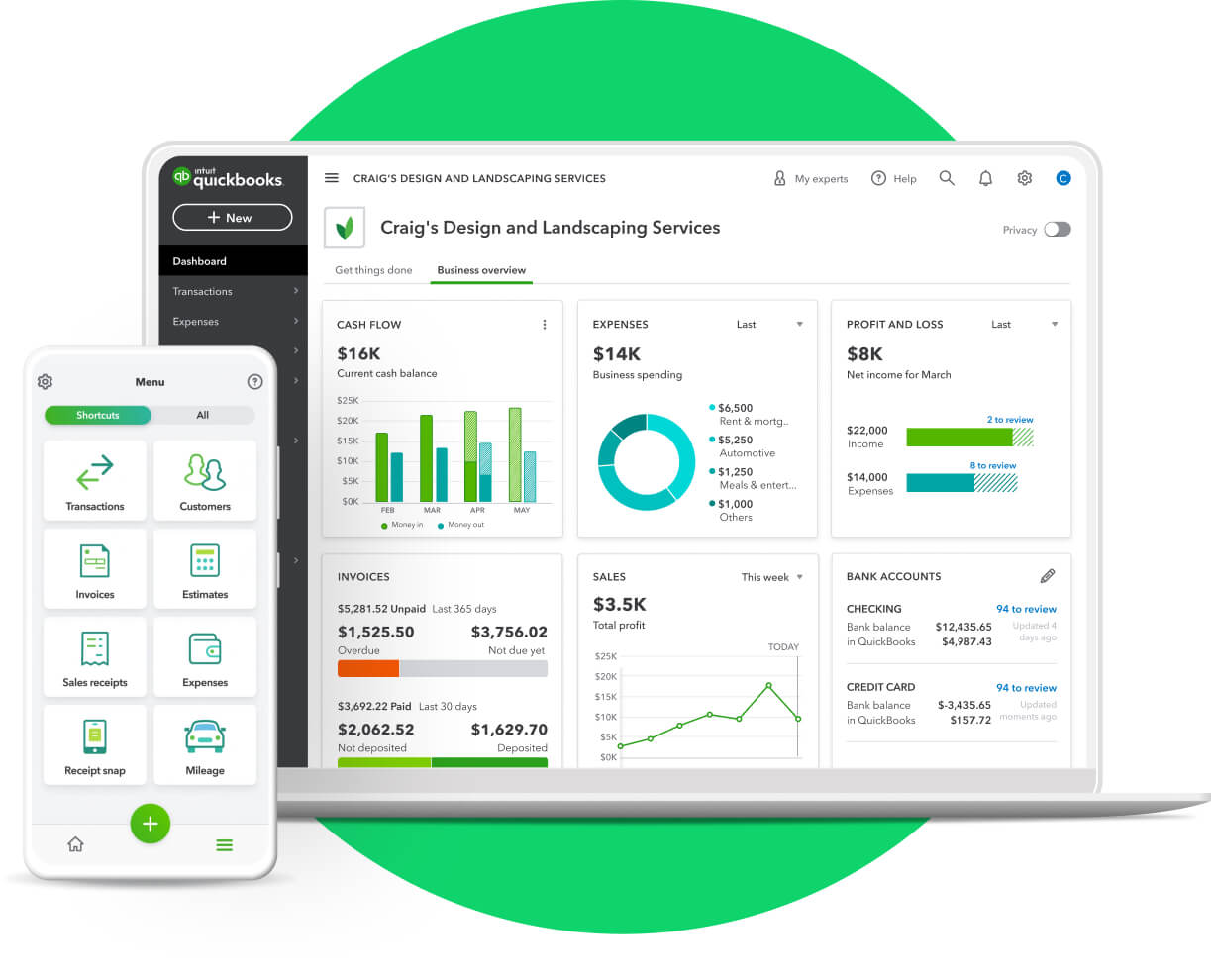

When you run a contracting business, whether it’s electrical, plumbing, landscaping, general construction or speciality trade, you live in two worlds: the field where the crews and jobs are, and the office where the numbers, bookings and back-office operations happen. As part of your PeopleOps/Finance/Operations stack, having the right accounting platform is critical.
One of the major options is QuickBooks Online (QBO). In this blog we’ll walk through:
- What QBO does well for contractors (the “what works”)
- What its limitations are (the “what needs add-ons”)
- Real world contractor scenarios to illustrate
- How your PeopleOps/Operations team can think about using QBO + add-ons to make things smoother
What QBO Gets Right for Contractors
1. Cloud access + anywhere bookkeeping
Because QBO is cloud-based, it allows your back office (and potentially on-site supervisors) to access information from anywhere. As one review puts it: “With QuickBooks Online, you have the flexibility to choose between four different subscriptions … you can access QuickBooks from anywhere.” Method+1
For a contracting business that has crews out in the field, this means you’re not locked into the office.
2. Basic job costing & project tracking
Contractors live or die by project cost visibility. QBO supports job costing features and project tracking suitable for smaller jobs. For example:
- According to the QBO industry page: “Job costing by the numbers: Manage job costs. Track time and expenses accurately for each project.” QuickBooks+2Workyard+2
- Reviews say QBO “simplifies workflows with features like: job costing, scheduling, invoicing.” Method
So for many contracting businesses (especially smaller ones) QBO covers the essentials of tracking cost vs revenue per job.
3. Contractor/sub-contractor payments and 1099 compliance
Many contracting companies employ independent contractors or subcontractors. QBO supports contractor setup and linking payments for tax compliance. For example:
- You can “Set up a contractor in QuickBooks Online” via the Contractors setup. QuickBooks
- You can pay contractors with direct deposit, and it will help you manage 1099 forms. QuickBooks+1
- The “Add or edit contractor payments (for 1099 filings)” help article highlights that you can use QBO to map payments to correct boxes on 1099s. QuickBooks
This is a big relief for PeopleOps/Accounting teams in contracting firms, because handling many small subcontractor payments and staying 1099-ready is non-trivial.
4. Third-party integrations / add-on ecosystem
QBO supports many third-party apps, which is helpful because contracting businesses often need specialty tools (estimating, field time tracking, materials management). For example:
- There’s an article: “These 10 well-built QuickBooks Online Advanced-integrated construction apps … help your crew become more productive.” QuickBooks
- A specific integration: Knowify integrates with QBO for construction job management. Knowify
So while the core QBO platform handles the books, you can extend it for contracting needs.
5. Scalable for smaller contracting firms
For small to mid-sized contractors (say one office, a few crews) QBO is an attractive choice thanks to its subscription model, accessibility, and reducing the reliance on on-premise servers. One review states: “Yes, QuickBooks Online is a great option for any contractor or construction company …” Method
What QBO Doesn’t Cover Fully, Where Add-Ons or Upgrades Make Sense
While QBO does a lot, contracting businesses often face complexities that go beyond basic bookkeeping. Here are some of the pain-points and limitations to watch out for:
1. Advanced job costing / change orders / materials tracking
If you run larger jobs, have multiple crews, change orders, complex material tracking, then you will likely find QBO’s native job costing somewhat limited. For example:
- The comparison article “Online vs Desktop: Which is best for construction?” says the Desktop version has “better job costing capabilities and detailed tracking options.” Workyard+1
- Some sources note that features like automatic allocation of indirect costs are missing in QBO (or contractor-specific editions) without add-ons. Sagenext Infotech LLC
So if you need granular cost‐tocomplete, WIP (work‐in‐progress) reports, lots of change order tracking, you might hit limits.
2. Field time tracking / crew integration / mobile logging
Contracting businesses often need crews to log time, equipment hours, site‐material usage, maybe GPS location, while on the job. While QBO can integrate, it doesn’t always have built-in field-crew tracking features out of the box. For example:
- A blog on “QuickBooks for Construction and Contractors” says you’ll want estimating/integration tools. Buildertrend+1
- One article notes that the “QuickBooks Enterprise Contractor Edition” has features like GPS tracking, real-time labor hours and field mobility. Minding My Books
Hence you may need an app that works with QBO to capture field data efficiently.
3. Integration with heavy construction/ERP needs
If your contracting business is large (multiple jobs, crews, heavy equipment, complex supply chains), you might require an ERP or robust project-management system beyond QBO’s native tools. For example:
- According to one review: “Additional Features of QuickBooks Contractor … direct costs assigned to jobs … certain construction management tools and features are missing.” Sagenext Infotech LLC
- Integration article: ConstructionOnline’s “QuickBooks Integration” emphasises syncing rather than doing everything within QBO. us.constructiononline.com
So QBO is best as the accounting core, and you’ll pair it with other modules.
4. Reporting tailored for contract-oriented workflows
While QBO has many reports, contracting businesses often want reports like “Cost to Complete”, “Change Order Summary”, “Job Profitability by Phase”, etc. These may require more advanced reporting or add-ons. Example:
- One article highlights that job cost and contractor-specific reports are more advanced in QuickBooks Enterprise. MISSION+1
- Another blog suggests contractors might need to go beyond QBO templates. Inventory Software QuickBooks & Xero
Hence ensure you know how much reporting you need when selecting.
5. Localisation / regional tax/contract rules
If your contracting business operates outside the U.S. or deals with specialized tax/contract regimes (for example Indian GST, or local subcontractor regulation), you might run into limitations in standard US-centric QBO features. While this may be less relevant for Indian contractors using localized editions, it’s still worth verifying.
One note: QBO is recommended for contractors but you should see if local requirements (labour law, subcontractor rules) are fully supported. Method
Real-World Contractor Scenarios
Scenario A: Small residential electrical contractor
“John’s Electrical” has 3 crews, uses subcontractors when needed, handles 30-40 jobs/year (residential rewires, panel upgrades). What they need: job cost per job, tracking subcontractor payments, invoicing clients, basic cash-flow visibility.
- QBO allows them to set up jobs (projects) and track expenses/time.
- They can use QBO’s contractor payment features to pay subcontractors, collect W-9s and prepare 1099s (if U.S.). QuickBooks+1
- Add-ons: maybe a field app for time entry or materials consumption (so crews log hours via phone).
The “what works” pretty much covers their needs; “what needs add-ons” is minimal.
Scenario B: Mid-sized plumbing + HVAC contractor
“Rain or Shine Plumbing & HVAC” operates in multiple neighbourhoods, runs 10 crews, has jobs ranging from small fixes to full system replacements, including commercial contracts. They also do change orders.
- QBO will serve as the accounting backbone: invoicing, expenses, subcontractor payments, basic job costing.
- But they’ll likely need: integration with project/materials management software (to track material usage vs budget), change order module, crew time/app tracking.
- They’d choose an app (or QBO + a construction-centric integration) to manage job phases and sync back into QBO. For instance, Knowify + QBO. Knowify
- Also, reporting: They’ll need job profit reports, cost‐to‐complete, WIP. QBO alone may require customisation or add‐ons for that.
Scenario C: Large contractor / general contractor with multiple projects
“BuildIt Up Construction” handles dozens of large projects, subcontractors, change orders, equipment rental, mobilization, and multiple cost centres.
- QBO alone is unlikely sufficient for full project management, heavy job costing or equipment usage tracking.
- They’d use QBO for core accounting but pair it with construction-ERP or specialised software (and a tight integration). The Desktop/Enterprise version of QuickBooks may be preferred for advanced construction features. Workyard+1
- Add-ons for field crew time, equipment fleet tracking, integration with CRM/estimating, job site scheduling. Reporting is complex.
How PeopleOps Can Make QBO Work Optimal for a Contracting Business
Here are some practical pointers for a PeopleOps / operations team in a contracting business to make the most of QBO:
- Define your “job” structure upfront
- In QBO, set up Projects (available in QBO Plus/Advanced) to track each job.
- Use categories for crews, subcontractor vs in-house labour, material vs labour.
- This gives you foundation for costing and profitability.
- Standardise subcontractor setup
- Use QBO’s “Contractors” tool: invite subcontractors, collect W-9s (for U.S.) or equivalent data. QuickBooks+1
- Set up payment rules, approval workflows.
- Tag subcontractor payments properly so that you’re 1099 (or local tax) ready.
- Ensure field data flows into accounting
- Crews must log time, material usage, change orders, delays.
- Identify an app that integrates with QBO (or use QBO addon) so that you avoid double‐entry and misalignment.
- Example: Link your estimating/field app to QBO so job cost data flows in. us.constructiononline.com+1
- Use add-ons where necessary
- If your reporting needs are more advanced (cost to complete, WIP, change orders), select add-ons or upgrade to QBO Advanced.
- For field crew time/GPS/equipment tracking, pick specialist apps that sync with QBO.
- Make sure your PeopleOps team budgets for these integrations (software + implementation time).
- Train your field supervisors and back office
- PeopleOps should run training so that everyone understands how jobs, costs, expenses, subcontractor payments are entered in QBO (or via the integrated app).
- Establish workflows: e.g., purchase order for materials → material used on job → expense recorded → cost attributed to job. Without this discipline, job costing will be off.
- Regular review & insights
- Schedule monthly or quarterly reviews of job profitability reports. Are certain types of jobs bleeding cost? Are subcontractor payments aligned with budget?
- Use QBO tags/custom fields for segmentation (e.g., crew, job type, region).
- PeopleOps can partner with finance to ensure these insights feed into business decisions (crew allocation, pricing, subcontractor sourcing).
- Mind tax/local compliance
- Especially when you have multiple subcontractors or operations in different jurisdictions, ensure your contractor payments, labour classification, tax forms (1099 or local equivalents) are handled properly. QBO’s contractor payment features help but you must ensure localised compliance. Workyard+1
Summary: Fit, Trade-Offs & Recommendations
Fit:
If you are a contracting business with up to medium complexity (say multiple jobs, some subcontractors, want job costing but not massive ERP scale), QBO is a strong fit. It gives you an accessible cloud accounting platform, job costing capability, subcontractor payment support, and a rich app ecosystem.
Trade-Offs:
If your business has high complexity, many change orders, heavy materials/inventory, equipment rental, field crews with GPS/time tracking, and highly detailed reporting, you will need add-ons or possibly a more specialised construction accounting solution. QBO covers the basics but may not cover all contractor-specific workflows natively.
Recommendation for PeopleOps:
- Start with clear mapping: define what you must have (job costing, subcontractor payments, field integration).
- Choose QBO plan that supports Projects + multiple users + add-on integrations.
- Identify the field/crew/material apps you’ll need and ensure they integrate with QBO.
- Build policies & training so that data entry workflows capture the right information for job costing and reporting.
- Regularly review job profitability and iterate your processes, PeopleOps can play a key role in bridging field/ops/finance.
Leave a Reply