
Introduction
In the construction and contracting world, having your project-management (PM) tool talk smoothly with your accounting system is critical. Seamless sync means fewer spreadsheet imports, less double-entry, fewer errors, better job-cost visibility. For many U.S. contractors, that accounting system is QuickBooks Online (or in some cases QuickBooks Desktop).
In this blog we compare three leading construction-PM platforms,
- Knowify
- Buildertrend
- Procore
…specifically through the lens of their integration with QuickBooks. We’ll look at what works, pain points, real-world use-cases, and help you decide which tool “plays nicest” with QuickBooks in your context.
Why this matters: The PM ↔ Accounting gap
If your project system and your accounting system aren’t aligned you face common pain-points:
- Project cost data (materials, labour, subs) stays in the PM tool, but finance doesn’t see it → job-costing blind spots
- Duplicate data entry: PM enters a cost, then someone re-enters in QuickBooks → error risk
- Delay in financial visibility: Field team logs something in PM, but it takes days to appear in QuickBooks → management can’t act quickly
- Mismatched coding: Cost codes in PM don’t match G/L or service items in QuickBooks → reconciliation problems
An integration that works well means: Cost codes map cleanly, the sync is reliable, minimal manual work, predictable flows. The rest of this blog walks through how each tool stacks up.
1. Knowify
What Knowify offers
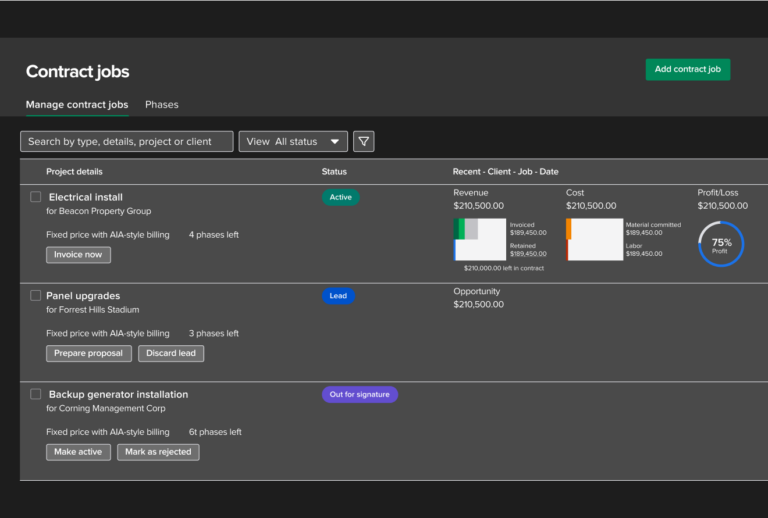
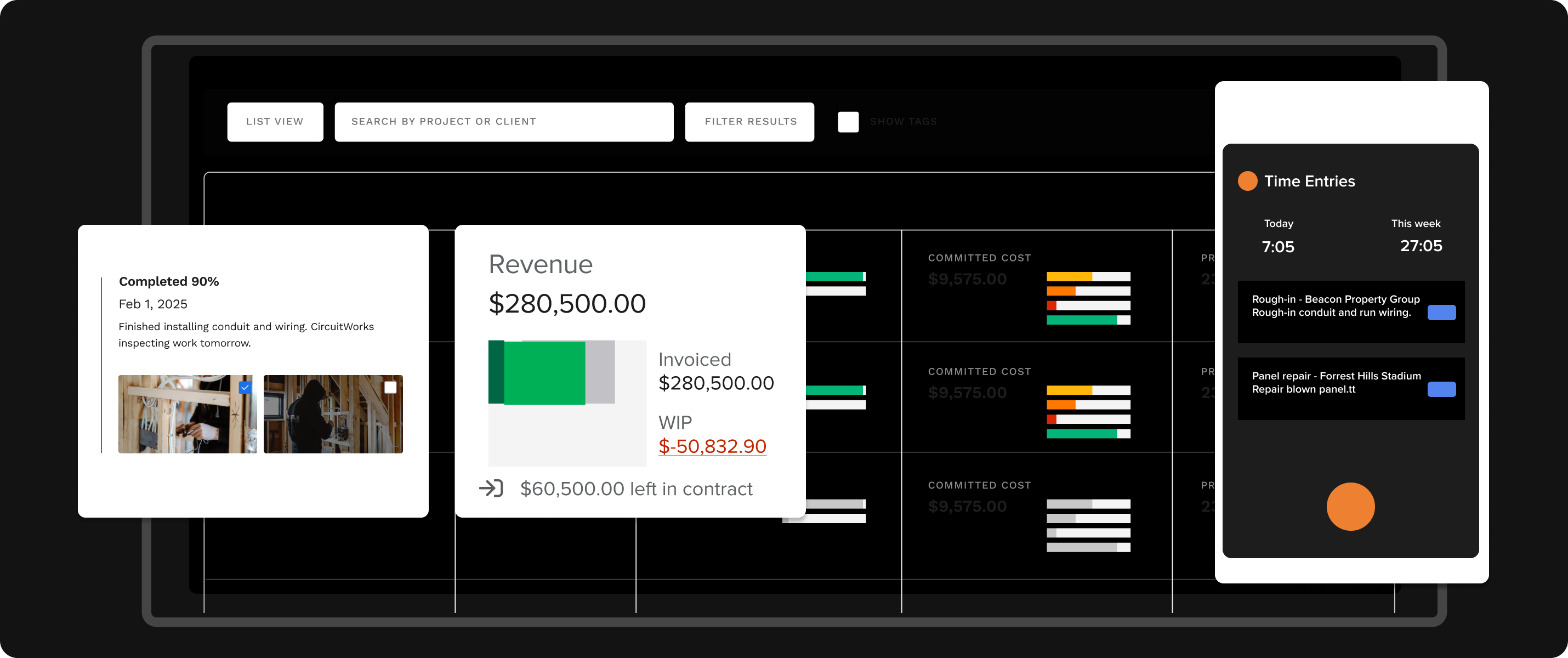
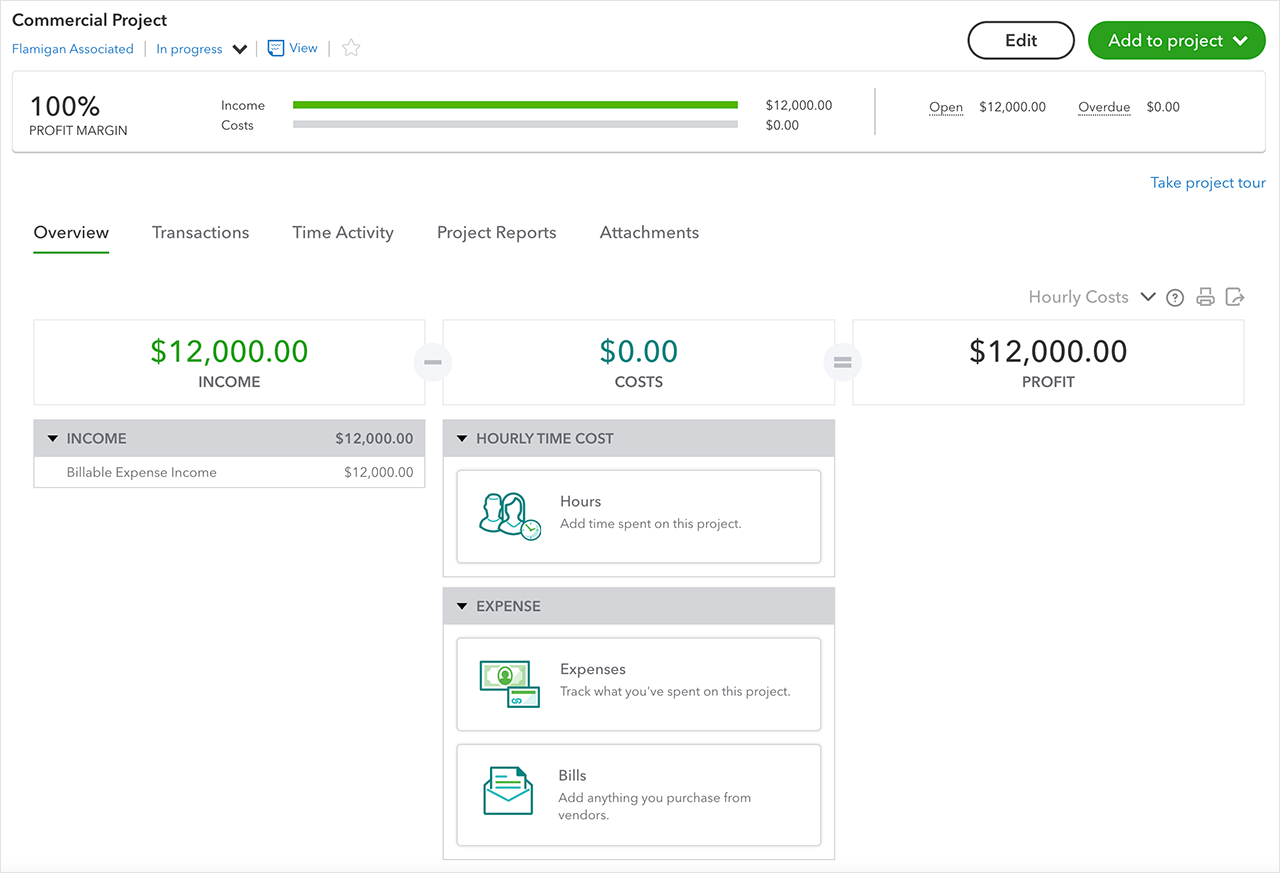
- Knowify advertises a bidirectional integration with QuickBooks Online: you can “enter information only once (in either system), which will automatically sync and display data in both systems.” Knowify+2Knowify+2
- For QuickBooks Desktop, Knowify offers a “push-to-sync” model: the user decides when to push, rather than continuous auto-sync. Knowify+1
- Syncable items include projects, customers, purchases, bills, invoices, payments. Knowify+1
- Knowify also integrates with QuickBooks Payroll and QuickBooks Payments (for contractors who track labour time or want payments via invoices). Knowify+2Knowify+2
Real-world scenario
Imagine a small to mid-sized subcontractor: they quote a job in Knowify, track materials and time in Knowify, and then push approved invoices to QuickBooks. Because the sync is strong, the accounting team sees job-cost breakdowns in QuickBooks without re-entry. When payroll time-entries in Knowify go to QuickBooks Payroll, they don’t need a separate import.
Pros
- Very strong QuickBooks integration; marketed as one of the top in job-costing + QuickBooks integrations. Knowify+1
- Good for companies who want tight job costing-to-accounting flow.
- For companies that primarily use QuickBooks Online, Knowify may reduce friction.
Cons / Things to check
- The Desktop version is more limited (push-to-sync, fewer features) than Online. Knowify+1
- Implementation effort: mapping cost codes, items, G/L accounts takes time. The “integrate once and forget” promise still needs initial setup. Knowify
- If you have very large enterprise or field-teams, you might require more advanced construction-PM features (which some other tools target).
Verdict for Knowify
If your business is mid-sized, uses QuickBooks Online (or is okay with push sync via Desktop), and job-costing accuracy + minimal double entry is high priority, Knowify is very high on the “plays nice” scale.
2. Buildertrend


What Buildertrend offers
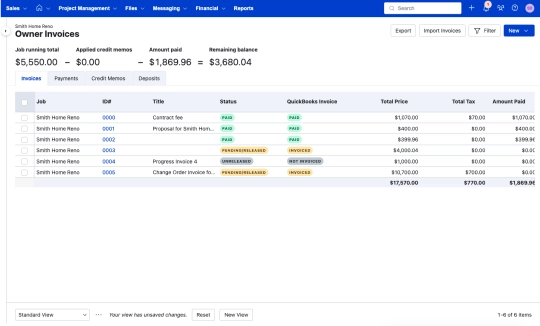
- Buildertrend integrates with QuickBooks (Online and Desktop) and bills invoices, time entries, payments, job costs can sync. mindingmybooks.com+1
- It supports two-way sync (at least for Online) so data can flow both directions. Buildertrend
- Real-world commentary: In a blog article about Buildertrend + QuickBooks Online “… power of Buildertrend is amplified by its amazing 2-way sync with Quickbooks Online.” incomedigs.com
Real-world scenario
A home-builder uses Buildertrend for scheduling, customer portal, selections, and cost-tracking. They run QuickBooks Online for accounting. With the integration, when job costs (materials, labour, A/R invoices) are approved in Buildertrend, they pass to QuickBooks. When a payment is recorded in QuickBooks it shows back in Buildertrend. The field-team updates selection orders in BT; the accounting team sees them in QuickBooks.
Pros
- Strong two-way sync with QuickBooks Online, good for firms that want a field-to-finance link.
- Supports both Online and Desktop (somewhat) which gives flexibility. mindingmybooks.com
- Good for firms focused on home-building, remodelers, specialty contractors (the common Buildertrend market).
Cons / Things to check
- Setup still may require planning: mapping invoices, change orders, job cost categories.
- Although “two-way sync” is advertised, users report that some mapping, cleanup and discipline are needed. For example a reddit thread: “Hi, do any of you have experience integrating QBO and buildertrend? If so, any advice or tips to maximize the two together?” reddit.com
- If your operations demand advanced construction-enterprise features (multi-site, multi-subcontractor, heavy ERP features) Buildertrend may be less strong than some specialist PM tools.
Verdict for Buildertrend
For contractors who live in Buildertrend’s ecosystem (especially home-builders/remodelers) and use QuickBooks Online (or Desktop), Buildertrend is a solid choice. It “plays nice” with QuickBooks but may not have quite the same depth of job-cost-to-accounting sync as Knowify. But its broader PM features may tip the balance for certain users.
3. Procore


What Procore offers
- Procore is a widely used construction PM/ERP platform (especially in larger GC firms). Its integration with QuickBooks is via the “ERP Integrations” tool/capability. Procore+2Procore+2
- For QuickBooks Online: it supports projects, WBS codes, companies (vendors), costs exported from Procore to QBO, and imports from QBO to Procore for certain data. Procore+1
- For QuickBooks Desktop: there are substantial limitations (only one company file per connector, limited items supported, many fields not supported) as outlined in the support doc. Procore+1
- Some industry commentary points out that Procore’s QuickBooks Online integration sometimes requires a third-party tool (e.g., Smoothlink) and may come with extra costs. Planyard
Real-world scenario
A general contractor with multiple medium-large projects uses Procore for contracts, commitments, change orders, field logs, etc. The accounting team uses QuickBooks Online for bookkeeping and job costing. They configure Procore’s connector so that when commitments are approved in Procore, they export to QBO as vendor bills. Job costs from QBO flow back to Procore for project manager visibility.
Pros
- Enterprise-grade: If you already use Procore for full project lifecycle, the integration with QuickBooks gives you a unified ecosystem.
- Field + office visibility: The PM team and accounting team can use the same source of truth for certain cost data. Procore+1
- Good for larger firms with multiple trades, projects, heavy construction management needs.
Cons / Things to check
- Integration depth for QuickBooks (especially Desktop) is more limited; many items (e.g., timecards, prime contracts, some cost types) are not supported. Procore+1
- May require third-party add-on or extra cost for a smoother QuickBooks integration. Planyard+1
- Implementation complexity is higher: mapping cost codes, controlling data flows, training teams. If you are a smaller contractor, the overhead may be heavy.
- If your QuickBooks system is Desktop, limitations may hamper seamless flow.
Verdict for Procore
For larger construction firms, especially those already embedded with Procore and who have robust accounting/ERP needs, Procore can integrate with QuickBooks well, but it doesn’t always “play as nicely” out-of-box as the smaller tools (Knowify, Buildertrend) in terms of frictionless integration. The cost and complexity need to be considered.
Side-by-side summary
| PM Tool | QuickBooks Support | Best Fit | Key Caveats |
|---|---|---|---|
| Knowify | Strong bidirectional (Online), push sync (Desktop) | Small-to-mid contractors wanting tight job costing/QuickBooks linkage | Requires setup; Desktop features slightly limited |
| Buildertrend | Good two-way sync (Online + some Desktop) | Home builders/remodelers, field-heavy firms using QuickBooks | Some mapping/cleanup needed; less enterprise depth |
| Procore | Supports both Online & Desktop, but more complex | Larger general contractors with full project-management ecosystem | Higher cost/complexity; QuickBooks integration may need third-party add-on |
How PeopleOps can help
For PeopleOps teams (who often straddle finance, operations, PMO, and HR) here are practical actions we can support across these tool-choices:
- Requirements gathering
- Clarify accounting system: QuickBooks Online vs Desktop.
- Clarify project-management needs: size of jobs, number of subs, reporting granularity.
- Capture workflows: how job-cost data flows from field → PM tool → accounting.
- Integration planning & governance
- Map cost codes in PM tool to G/L accounts/items in QuickBooks.
- Define approval workflows: Who pushes data, when? How often?
- Define roles/responsibilities: PM vs Accounting vs PeopleOps.
- Ensure change-management: training field teams + finance teams on new synced flows.
- Selection & evaluation
- If your finance team emphasises job-cost accuracy and minimal double entry → lean Knowify.
- If your operations team emphasises field collaboration, scheduling, customer portals + you use QuickBooks → consider Buildertrend.
- If you are a larger firm with lots of projects, heavy PMO, many subs and want full project lifecycle visibility → Procore may be appropriate.
- Implementation & adoption
- Provide training materials for both PM teams and accounting teams.
- Monitor key metrics: time saved, reduction in duplicate data entry, error rate in cost‐coding.
- Review after 30/60/90 days: Are data flows smooth? Are there user bottlenecks?
- Continuous improvement
- Review integration logs/data syncs for errors or mismatches (PeopleOps can handle oversight).
- Ensure usage matters: e.g., if field teams skip entries in the PM tool, the QuickBooks data will suffer.
- Align incentives: maybe PM teams get job-cost feedback from finance; finance teams get realtime job cost visibility.
Final take-away
If you’re looking for the PM tool that plays nicest with QuickBooks, you can’t pick one across all contexts. You need to match tool to your size, workflow, accounting system, and integration priority:
- For tight, job-cost focused, accounting-centric workflows and QuickBooks Online: Knowify is hard to beat.
- For field-heavy subcontractors/home-builders, wanting two-way sync + broader PM features: Buildertrend is very competitive.
- For larger contractors or GCs with full PM lifecycle and many projects/subs, already using or willing to use a heavy PM platform: Procore is appropriate, but expect more setup and cost.
As PeopleOps, make sure you’re not solely looking at “feature checkboxes”. The hidden costs of integration, training, mapping, adoption, and error resolution often determine whether the sync really works. Choose the tool where the finance-to-PM workflow aligns naturally with your organisation’s culture and scale.
Leave a Reply