
Introduction
In today’s mobile and field-oriented work environments, think construction sites, service crews, remote installations, capturing accurate employee time and location data is more critical than ever. At the same time, businesses working on public-works projects face strict compliance requirements like certified payroll reports (e.g., under the U.S. Davis‑Bacon Act).
In this article we’ll explore:
- What GPS time-tracking is (and why it matters)
- What certified payroll reporting involves
- The gap between raw time/location data and compliant reports
- Real-world pain-points for People Ops, payroll and field teams
- How People Ops systems and processes can help close that gap
What is GPS Time Tracking?
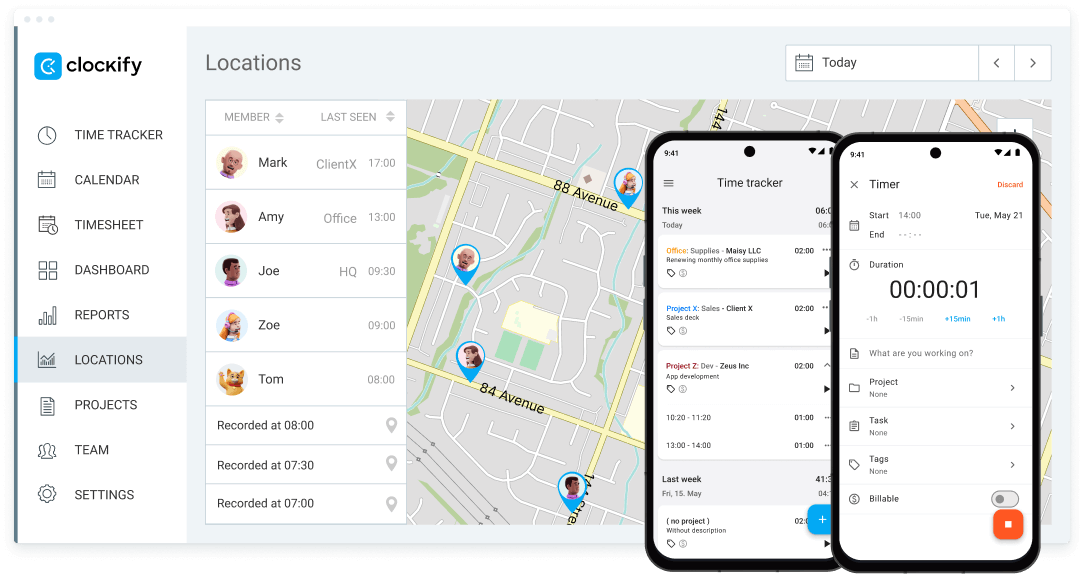
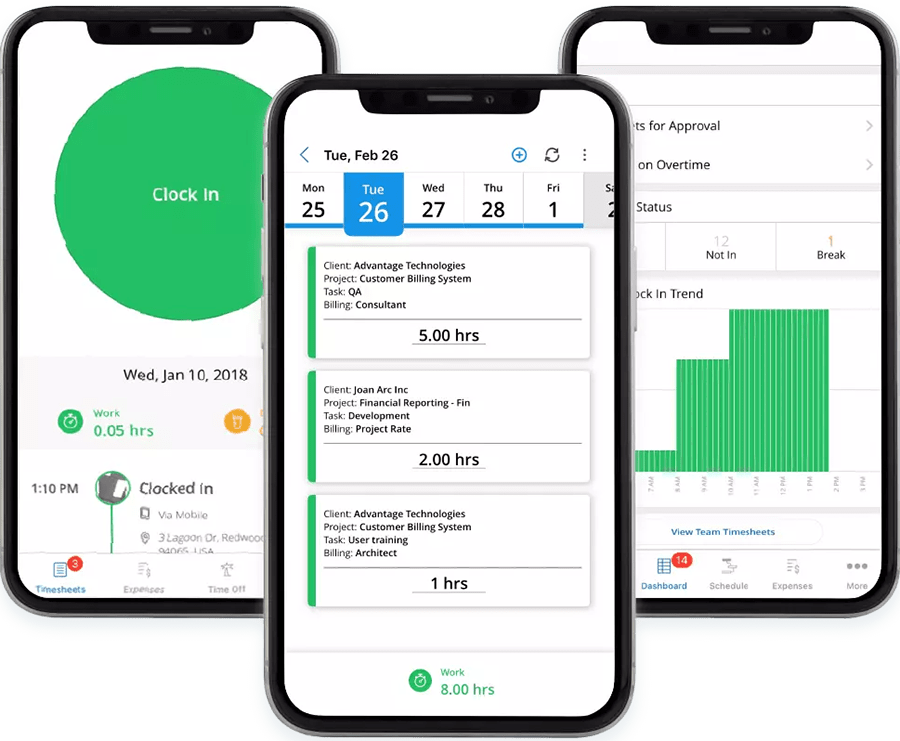
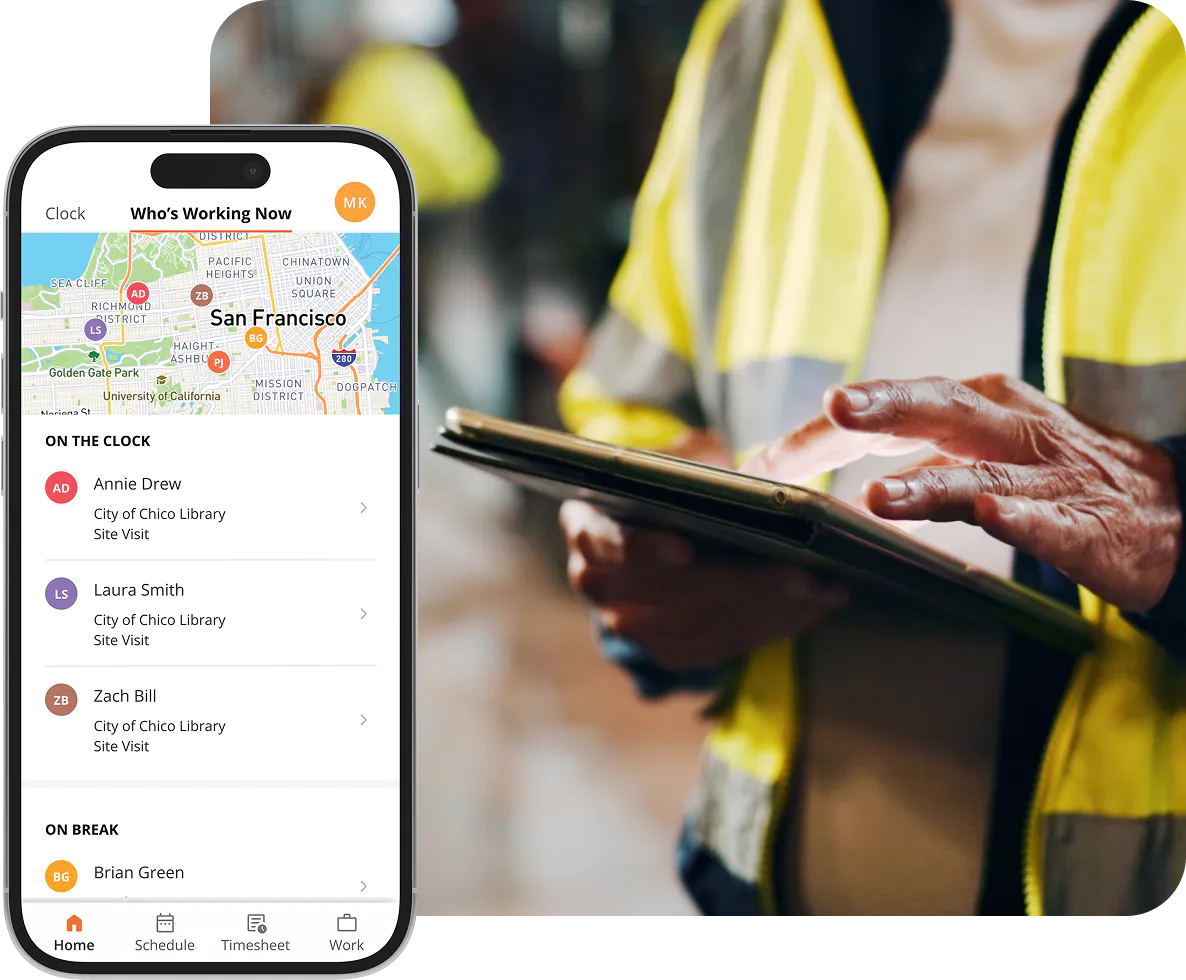
GPS time tracking refers to software (often mobile-app based) that lets employees clock in/out, record hours worked, with the additional capability of capturing location (via GPS/geofencing). According to a recent guide:
- It tracks “when and where their employees work.” arcoro.com+1
- Features often include geofencing (virtual boundaries), mobile clock-in/out, integration with payroll or job costing systems. arcoro.com+1
- In construction/field work the benefit of onsite verification is emphasised: “verify employee location and ensure they’re working on the job site.” eBacon+1
Why it matters for business and field operations
- Accuracy and integrity: Minimises buddy-punching, ghost time, or clock-in from outside the job site.
- Job costing and project insights: Field teams’ location/time data allow improved costing, scheduling and analytics. arcoro.com+1
- Payroll efficiency: When time and location data feed directly into payroll systems, you reduce manual entry and errors. Payroll4Construction+1
- Compliance readiness: For projects subject to prevailing-wage and certified payroll rules, you need verifiable data. GPS tracking helps create an audit trail. Timeero+1
Example scenario
A service firm deploys technicians across multiple sites. With a mobile app, each technician clocks in when arriving at a site (GPS confirms location). The system automatically records hours, task codes and location. This data goes into payroll, ensuring only valid hours are paid, while also enabling reports for job costing.
What are Certified Payroll Reports?
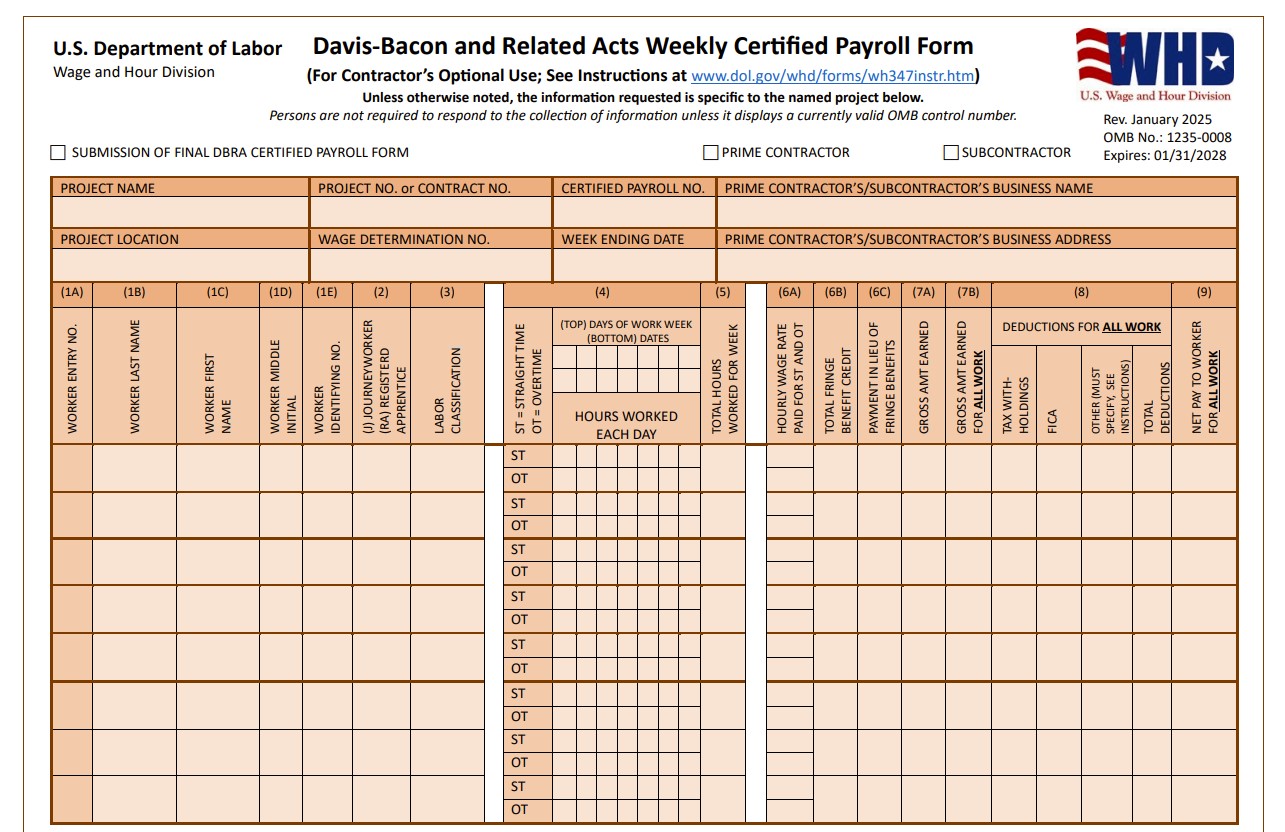
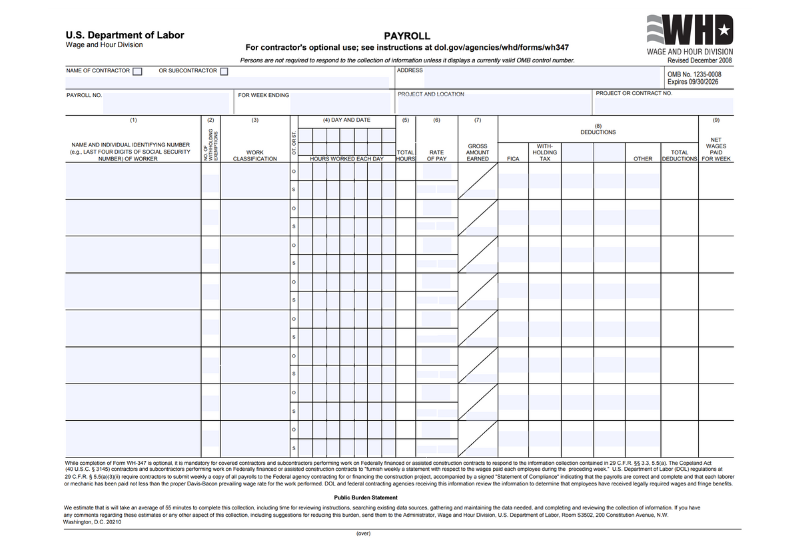
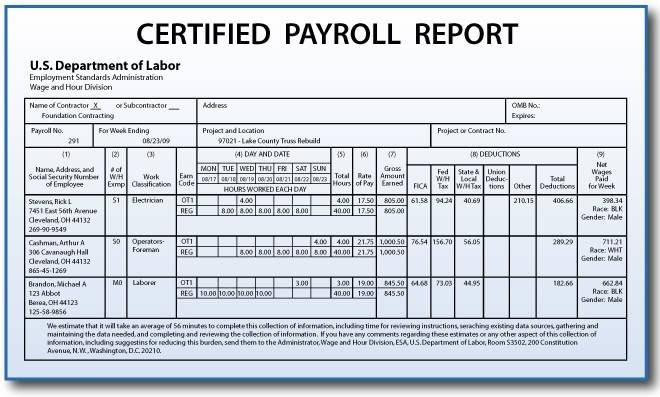
Certified payroll is a specialised type of payroll report required when working on federally funded or assisted construction (or public-works) projects. Key points:
- These reports confirm contractors/subcontractors are paying the prevailing wage (and applicable fringe benefits) for covered workers. ADP+1
- The classic form is Form WH‑347 (for U.S. federal contracts) or equivalent state/local forms. ADP+1
- They require detailed data: employee name & ID, work classification, hours per day (straight & overtime), pay rate, gross amount, deductions, net wages, plus a compliance statement signed by the employer. ADP+1
- Non-compliance (late submission, inaccurate data, misclassification) can result in withholding of contract funds, penalties, debarment from future contracts. ClockShark+1
Why it matters for business and People Ops
- For contractors working on public-funded work, it’s non-optional: missing or incorrect certified payroll reports threaten payment and future contract eligibility.
- It adds complexity beyond standard payroll: prevailing wage rates vary by classification, geography, and project.
- For People Ops teams, the need to capture accurate classification, hours worked, classification shifts, fringe benefits and deductions means time tracking must be precise and auditable.
Example scenario
A subcontractor on a federal project must submit weekly certified payroll reports showing each worker’s classification (e.g., “Electrician – Journeyman”), hours worked, wages paid at the prevailing wage for that county, and that fringe benefits were properly paid. The report must be signed and submitted even if work was halted that week.
The Gap: From GPS Time Tracking to Certified Payroll Reports
Here’s where field-operations technology meets compliance demands and where friction often happens.
Common pain-points
- Location vs classification mismatch
- GPS tells you where someone clocked in, but certified payroll requires what they did (their classification) and that it matches the prevailing wage. Tracking location alone isn’t enough.
- Misclassification is the most common mistake in certified payroll reporting. ClockShark+1
- Multiple pay rates / prevailing wage tables
- On many public-works projects, workers may have multiple job classifications (e.g., laborer, foreman), different rates depending on locale, overtime rules. The payroll/reporting system must handle this. arcoro.com
- Without integrated time and payroll data, manual adjustments lead to errors.
- Fragmented systems; manual data entry
- Field time-tracking might be in one system/app, payroll in another, certified payroll reports in yet another. This leads to manual transcription, duplicates, errors.
- One article notes many contractor firms default to Excel spreadsheets when generic payroll systems aren’t designed for certified payroll. Timeero
- Audit readiness & data integrity
- Certified payroll demands verifiable, time-stamped, location-based data. If time entries are missing location stamps, or are manual and unverified, the company is at risk.
- GPS time tracking helps create an audit trail, but only if implemented with compliance in mind.
- Scaling with multiple jurisdictions/projects
- When a company does multiple funded projects across regions, the wage determinations may differ by site, state and local law. The time-tracking + payroll + reporting stack must scale and adapt. eBacon
How to connect the layers
- Time & location capture: Field workers clock in/out via a mobile app; GPS/geofence verifies they are onsite.
- Task/classification tagging: Workers must select (or be assigned) the correct job classification for their work in that period.
- Integration into payroll system: Time and classification data feed directly into payroll, applying correct rates, overtime rules, fringe benefit calculations.
- Certified payroll report generation: From the same data, weekly certified payroll reports (e.g., WH-347) are auto-populated with employee, classification, hours, pay, deductions, and compliance statements.
- Audit trail & documentation: GPS logs, task logs, classification history, wage determination table versions, signatures are all archived.
How People Ops Can Help
Here’s how a strong People Ops function supports this end-to-end workflow, aligning both business and technical stakeholders.
1. Policy & process design
- Define classification protocols: Ensure each job role is documented, tied to the correct prevailing wage classification. Distance from field operations matters.
- Establish clock-in/off rules: e.g., staff must clock in within a geofence of the job site, cannot clock out until end of shift, etc. This reduces field error.
- Create time-entry review workflows: Supervisors must approve entries, verify classification correctness, spot anomalies (e.g., hours that don’t make sense).
- Align with payroll and compliance teams: Ensure that the time-tracking system, the payroll engine, and the certified-payroll reporting system share a data model/design (employee classification, job site, wage codes).
2. Technology enablement
- Select or implement a GPS-enabled time-tracking app built for field operations (mobile, geofence, task/classification selection, offline support).
- Ensure integration between the time-tracking app and your payroll/ERP system. Without integration you will incur manual mapping errors and duplication. For example: “accurate time tracking feeds directly into cloud-based payroll systems … reducing collection burden.” arcoro.com
- Configure your system to handle prevailing wage rules and certified payroll reporting formats (WH-347 or equivalent).
- Equip your team with audit-ready dashboards and reports: GPS logs, time vs budget variances, job costing, classification-by-hours, and compliance flags.
3. Training & change management
- Field staff must understand why GPS/geofence matters: not “big-brother” but “ensuring we stay eligible for public contracts and get paid on time.”
- Supervisors must know how to check classification and site logs, approve time entries, monitor exceptions.
- Payroll and People Ops teams should get certified payroll training: forms, classification risks, prevailing wage calculations, etc. Without understanding these rules, even good data will not guarantee compliance. ClockShark+1
4. Reporting & continuous improvement
- Once the system is in place, use the data for insights, not just compliance: e.g., which crews are routinely going beyond budgeted hours, which job sites have high travel time, how overtime patterns vary by classification.
- Review audit outcomes: track if any certified payroll submissions were flagged, what errors occurred, and feed that back into process improvements.
- Position certified-payroll compliance as a competitive advantage: companies that can reliably deliver and document compliance win more public-works contracts. eBacon
Real-World Scenario: Bridging Field to Payroll to Compliance
Scenario: A midsize contractor wins a state-funded bridge project. The contract requires weekly certified payroll reporting under the state prevailing-wage law.
Problems they face:
- Field workers spread across three nearby towns; supervisors manually collect paper timecards, missing location/time info.
- Payroll clerk spends hours each week converting timecards into payroll, then manually populating the certified payroll form. Errors happen.
- The company once failed a compliance check and had payment delayed by 3 weeks.
People Ops intervention:
- Deploy mobile time-tracking app with geofence around the three sites. Workers must clock in/out via mobile. GPS stamps recorded.
- The app prompts workers to select the correct job classification (linked to wage table). Supervisors review entries daily from their tablets.
- The time-tracking app integrates with the payroll system, automatically assigning the correct prevailing wage rates and fringe benefits.
- Every Friday, the system auto-generates the certified payroll form data (employee, classification, hours, pay, deductions). Payroll team reviews, signs, and submits electronically.
- People Ops sets up weekly review: audit logs, exceptions flagged (e.g., classification changed mid-shift), supervisor follow-up on anomalies.
- As a result: payroll run cut from 2 days to half-day; no delays in contract payment; audit-readiness improved; cost visibility on each site improved.
Why People Ops Should Care: Business & Technical Impacts
Business impacts
- Reduced risk: Avoid contract payment delays, fines or debarment tied to certified payroll non-compliance.
- Cost control: Better tracking of hours and location means fewer unauthorized hours, fewer errors, lower labour cost leakage.
- Competitive positioning: Contractors with strong compliance and digital workflows can win more public contracts.
- Better data for decision-making: Time/location/classification data enable strategic insights (which crews are most efficient, which sites cost more, etc.).
Technical impacts
- System integration complexity: Time-tracking, payroll engine, compliance/reporting system must speak the same data model (employee ID, classification codes, wage codes, job site geo-data).
- Data governance & audit trail: GPS logs, time records, classification changes, approvals must be stored securely and retrievable for audits.
- Mobile & offline capabilities: Field crews may work in remote locations; the app must work offline and sync later without data loss.
- Privacy & location monitoring: While GPS tracking is beneficial, People Ops must also manage employee privacy (e.g., geofence only on-duty, clear policies).
- Scale & variation: Many projects, jurisdictions, classification tables, prevailing wage changes, system must handle complexity and versioning.
Key Takeaways for People Ops Teams
- GPS-enabled time tracking is no longer just “nice to have”, it’s foundational when your business engages in field-work and public contracts.
- Certified payroll reporting places heavy demands on accuracy: time, classification, wage rate, deductions, vendor/subcontractor compliance.
- Bridging the gap requires aligned systems (field app + payroll + reporting), clean data flows, process discipline and training.
- People Ops plays a critical role: setting policies, enabling technology, training field and payroll teams, monitoring exceptions, and using the data strategically.
- When done right, you not only meet compliance, you gain operational insights, cost control, and competitive advantage.
Final Thoughts
In an era where mobility, field work and remote job sites are increasingly the norm and where public funding projects require rigorous compliance, taking control of your time-tracking to certified-payroll-report process is a differentiator.
By implementing GPS-enabled time tracking, integrating it with payroll and certified-reporting workflows, and ensuring People Ops and payroll teams operate seamlessly, you move beyond “just staying compliant” to “operating efficiently and smartly”. Your field crews feel trusted and empowered, your payroll runs smoother, your compliance risk drops and your business can position itself for more and better projects.
If your organisation is still relying on paper timesheets, manual classification, spreadsheets and fragmented systems, now is the time to modernise. People Ops must lead that shift.
Leave a Reply