
Introduction
In today’s fast-moving talent market, organizations are under pressure to hire faster and better. Using the right people operations (PeopleOps) strategy means streamlining not only the human side, but also making smart use of technology. One of the biggest shifts is the use of artificial intelligence (AI) and automation in the hiring process.
By automating repetitive and manual tasks, you free up your recruiting and PeopleOps team to focus on what really matters: quality of hire, candidate experience, employer brand, and the human relationship piece. According to recent industry research, AI-powered automation is already reducing time-to-hire, improving screening accuracy, enhancing candidate communication and lowering bias. phenom.com+2IQ PARTNERS+2
In this article we’ll walk step-by-step through how to automate a hiring process using AI, what you should consider, the pain points it solves, how the technology works in practice, and how your PeopleOps team can lead the change.
Why automate hiring? Common pain points for PeopleOps
Before diving into the steps, it’s important to understand what problems are being solved:
Pain-points
- High volume, slow screening: Many organisations receive hundreds or thousands of applications per role. Human review is slow, error-prone and costly. For example, one report found recruiters spend about 40% of their time just reviewing resumes. Radancy Blog
- Poor candidate experience: Delays, inconsistent communication, unanswered queries, all hurt employer brand. Automation helps maintain timely contact and transparency. NXTThing RPO+1
- Bias and inconsistency: Manual screening can inadvertently introduce bias, or be inconsistent across candidates. AI tools can help reduce unconscious bias (though they bring their own risks, which we’ll cover). Oleeo+1
- Inefficient scheduling & logistics: Coordinating interviews, follow-ups, and feedback across multiple stakeholders (recruiters, hiring managers, candidates) is a drain on time.
- Lack of actionable data: Without automation and analytics, it’s hard to know where bottlenecks are, what quality of hire is, and how your hiring funnel really performs.
What you gain
- Faster time-to-hire: Screening, scheduling and initial outreach can be sped up using AI.
- Better use of human time: Recruiters focus on strategic tasks (employer brand, relationship building, final decision making) rather than grunt work. dewintergroup.com+1
- Improved candidate experience: More consistent communication, faster responses, smoother process.
- Data-driven decisions: With automation you get metrics, dashboards, and transparency into each step of the hiring funnel. NXTThing RPO+1
- Larger talent pool, potentially better matches: AI can help identify overlooked candidates or talent with non-traditional backgrounds, especially in “skill-based hiring” settings. arXiv
Step-by-Step Implementation Guide
Here’s a practical roadmap your PeopleOps team can follow to automate your hiring process using AI. Each step includes what to do, why it matters, typical tools/technologies, and what to watch out for.
Step 1: Define your hiring workflow and objectives
What to do:
- Map out your current hiring workflow from job requisition → posting → application → screening → interviews → offer → onboarding.
- Identify pain-points (long delays, high drop-off, poor quality candidates, etc).
- Set clear objectives: e.g., reduce time-to-hire by 30 %, improve candidate satisfaction score, reduce screening cost per hire.
- Choose KPIs: time-to-fill, cost-per-hire, quality-of-hire, candidate drop-off rate, offer acceptance rate, diversity metrics.
- Decide which roles will be in this automation pilot (e.g., high-volume roles vs niche difficult-to-fill roles).
Why it matters:
You cannot automate smartly unless you know what you’re automating and why. Without clarity you risk automating inefficient/messy processes.
What to watch out for:
If your workflow is badly defined or inconsistent across hiring managers, automation may replicate inefficiencies. So process clarity is key.
Step 2: Select the right tools and integrate them
What to do:
- Evaluate Applicant Tracking System (ATS) capabilities + AI add-on modules (resume parsing, candidate matching, chatbots, scheduling).
- Consider whether you need separate modules: e.g., sourcing automation, screening (resume-AI), scheduling automation, AI chatbots, assessment automation.
- Ensure tools integrate: ATS, CRM, chatbots, calendar/scheduling, assessment platforms.
- Explore AI-capabilities: natural language processing (NLP) for resumes, machine learning models for match-scoring, chatbots for candidate queries, scheduling algorithms. For example, modern AI recruiting software automates screening, sourcing and scheduling. Vonage+1
- Check for compliance, fairness, transparency (especially around AI decisions).
- Build integrations into your PeopleOps infrastructure (HRIS, onboarding, data dashboards).
Why it matters:
Selecting the right technology stack determines how much value you’ll get from automation, and how smoothly everything will fit together.
What to watch out for:
- Tools that don’t “talk” to each other → manual hand-offs.
- AI solutions that are black-box and can’t explain decisions (risking bias or lack of transparency).
- Over-engineering before you have clean process and data.
Step 3: Clean and prepare your data, job-descriptions and candidate pipeline
What to do:
- Audit past hiring data: roles, candidate pipelines, drop-off points, time-to-fill, sources.
- Standardise job descriptions: make sure you have clear skills, responsibilities, competencies defined. Good AI matching works best when job description data is structured.
- Define skill frameworks: e.g., what skills matter, what proficiency‐levels, what soft-skills. Modern research indicates a shift toward skill-based hiring (rather than just degrees). arXiv
- Clean candidate data: ensure your ATS is up to date, duplicates removed, candidate statuses correct.
- Design screening criteria and match-scoring criteria: e.g., minimum years’ experience, essential vs desirable skills, cultural fit markers.
Why it matters:
AI is only as good as the data it works on. Poor data means poor matching, mis-screening, candidate dis-satisfaction.
What to watch out for:
- Job descriptions that carry bias (gendered language, overly narrow criteria) will influence AI outcomes.
- Data privacy & consent make sure candidate data is handled properly, and you comply with region-specific regulations.
Step 4: Automate sourcing, outreach & initial screening
What to do:
- Use tools to automatically post job advertisements across channels, or even have AI suggest channels based on past performance. For example: AI can analyse market trends and help generate job descriptions and post them. Forbes
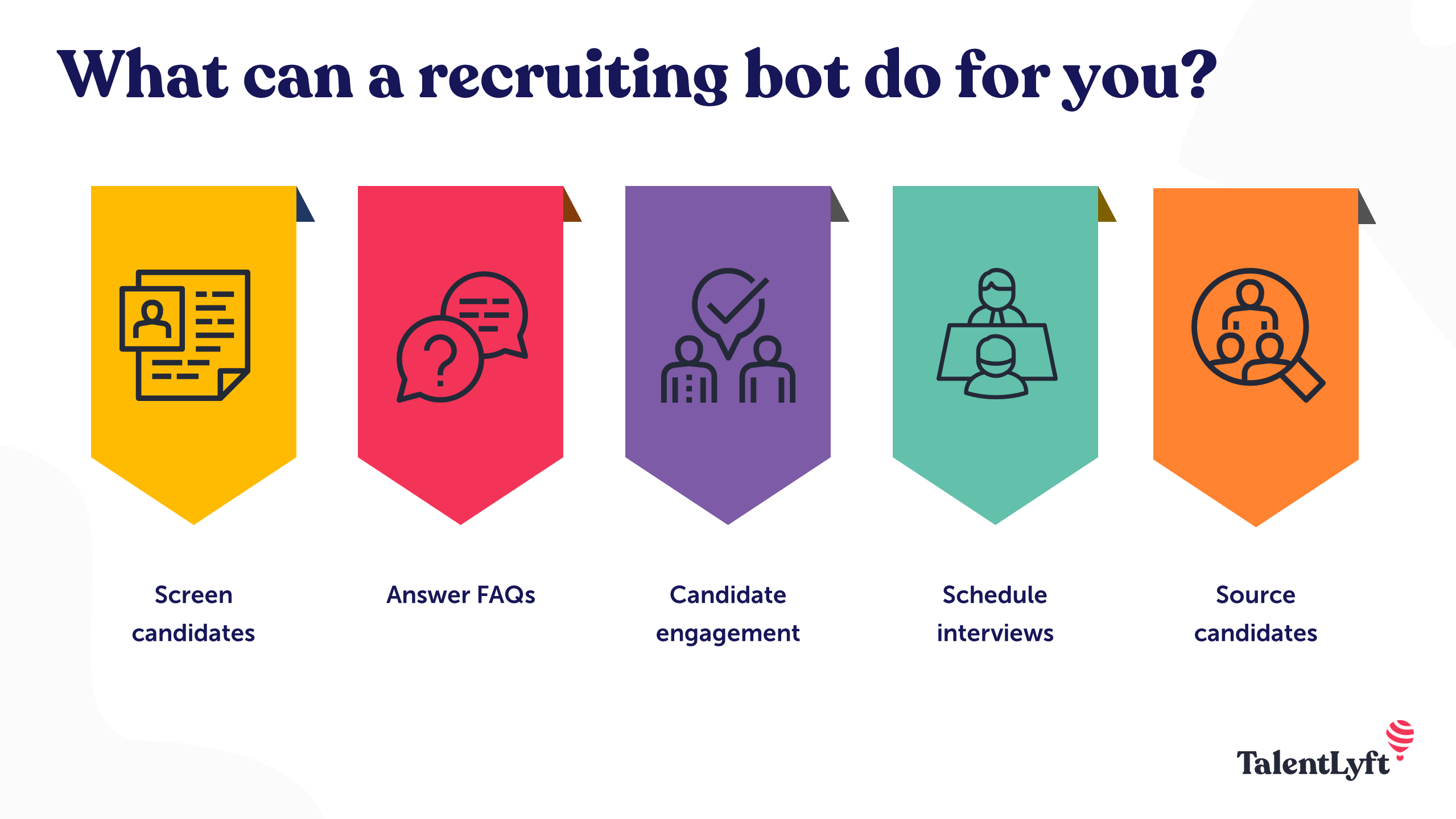
- Deploy chatbots or conversational AI in the candidate-application stage: to answer FAQs, guide the application, keep candidates engaged and reduce drop-off. NXTThing RPO+1
- Use AI-powered resume parsing and screening: the system reads resumes/applications, extracts skills, experience, keywords, and assigns a match-score to the job requisition. arXiv+1
- Automatically filter or rank candidates for recruiter review based on match-score, leaving human recruiters focused on top tier candidates.
- Immediate automated communication: when candidate applies, they receive acknowledgment; if they don’t progress, they may receive a polite update automation helps candidate experience.
Why it matters:
The biggest time savings come early in the funnel, where volume is high and manual work is heavy.
What to watch out for:
- Over-reliance on match-score might eliminate “diamond in the rough” candidates who don’t exactly match keywords.
- Candidate fatigue if chatbots or automated outreach feels impersonal balance automation + human touch.
- Possible bias: If your screening model has been trained on past-hire data that was biased, you will perpetuate it.
Step 5: Automate scheduling, interviews & assessments
What to do:
- Use scheduling automation: once a candidate is shortlisted, automate calendar invites, availability checks, interview logistics, reminders.
- Use AI assessments or standardized tests: e.g., skills tests, video/one-way interviews, simulation- exercises. Some platforms use AI to evaluate responses.
- Use video interview platforms with AI assistance: e.g., the system may flag responses, auto-score or generate transcripts.
- Automate candidate-feedback and statuses: after each stage send automated updates to candidate and internal routing for hiring team next-steps.
Why it matters:
This part of the process is where inefficiencies, delays, coordinator overhead and candidate drop-off often happen.
What to watch out for:
- AI video-analysis platforms can raise ethical, privacy, and bias concerns. Platforms like HireVue have been flagged for bias and transparency issues. Wikipedia
- Candidate experience: video/AI assessment may feel impersonal; ensure you provide context, choice, and human-interaction points.
- Technical access and equity: make sure candidates have access to required tech; account for disabilities, connectivity issues.
Step 6: Automate decision-support and make data-driven choices
What to do:
- Collect data at each stage: screening score, time per stage, drop-off, source of hire, diversity metrics.
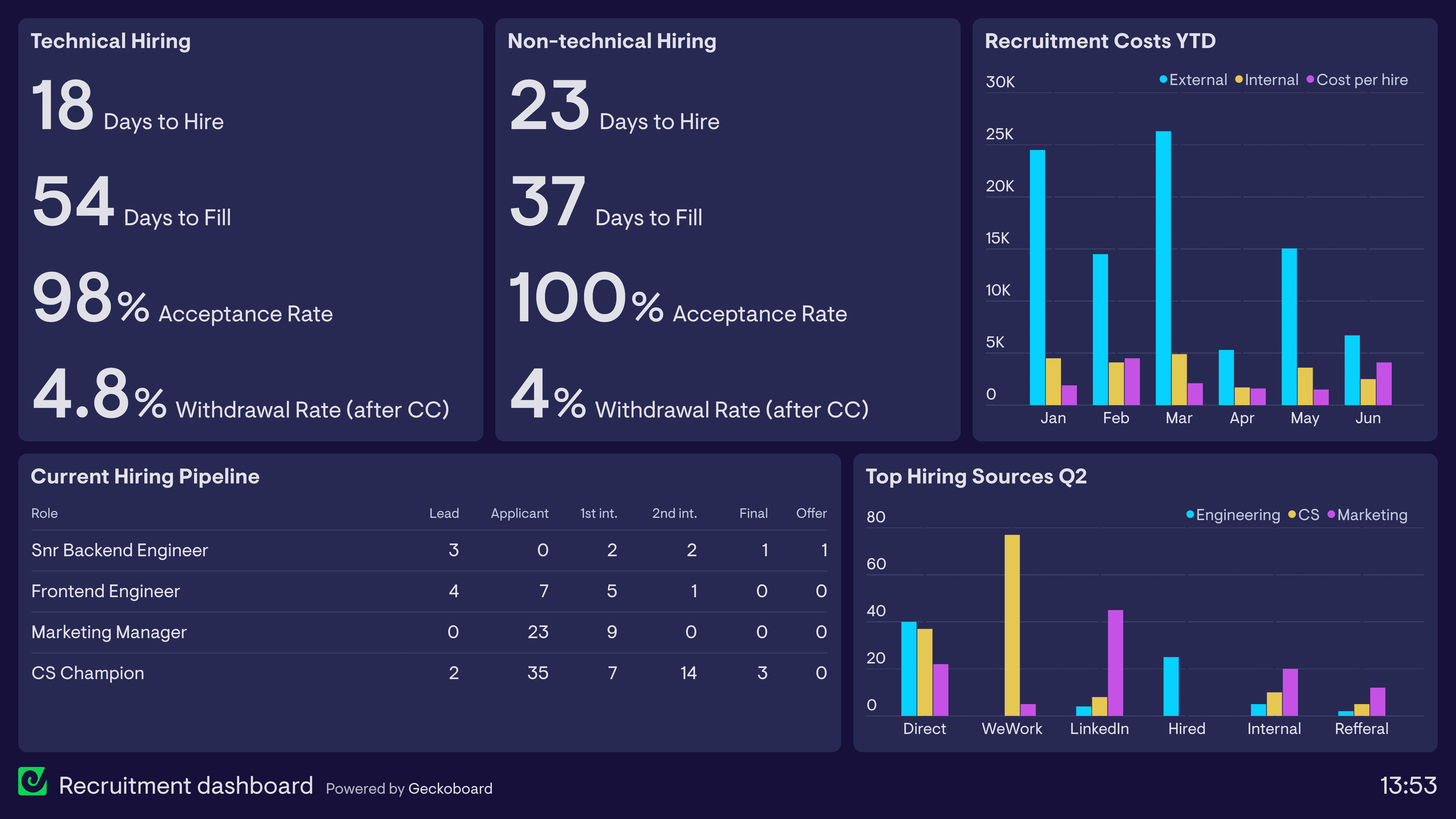
- Build dashboards for hiring managers and PeopleOps to visualise metrics: e.g., pipeline health, average time per stage, candidate satisfaction.
- Use AI-driven analytics/predictive models: for example, match candidate to role, estimate “time until offer”, predict likelihood of acceptance or attrition risk. Research shows LLM-based frameworks for resume screening are emerging. arXiv
- Use decision-support (not decision-replacement): AI provides suggestions (e.g., top-K candidates) while humans still evaluate final fit.
Why it matters:
This helps you shift from reactive hiring to proactive, strategic hiring: you see bottlenecks, measure quality of hire, and continuously improve.
What to watch out for:
- Over-reliance on AI recommendations: humans still must validate and apply judgment. Oleeo+1
- Transparency and fairness in algorithms: AI models must be explainable and auditable to avoid hidden bias. Research on fine-tuning models for fairness is especially relevant here. arXiv
Step 7: Onboard and integrate new hires (extended workflow)
Although strictly “hiring” ends at offer acceptance, good PeopleOps practices integrate onboarding.
What to do:
- Automate welcome communications, paperwork, account provisioning, induction schedule.
- Use AI to personalise onboarding: set training paths, connect to mentors, monitor early engagement. For example, AI in hiring workflows is extending into onboarding automation. dewintergroup.com
- Monitor early attrition risk using predictive analytics (e.g., low engagement signals → early intervention).
Why it matters:
A smooth transition maintains candidate momentum, improves experience and helps quality retention.
What to watch out for:
- Automation doesn’t mean cold-welcome: ensure you maintain empathy and human connection.
- Monitoring new hires too aggressively via AI may feel intrusive; ensure you set clear expectations and transparency.
Real-World Scenario: Putting it into Practice
Here’s a hypothetical scenario of how a mid-sized tech company with a global footprint might implement this workflow.
Company “TechSolve Inc.” wants to hire 200 software engineers across India and Europe in the next 6 months. They face these challenges: high volume of applicants, many drop-offs during applications, delay in scheduling interviews, uneven candidate experience across regions, and difficulty measuring quality of hire.
Implementation
- Workflow mapping: PeopleOps team maps their current hiring funnel, identifies that 60% drop off after application and average time-to-offer is 45 days.
- Tool selection: They upgrade their ATS to one with an integrated AI-screening module; add a chatbot for candidate FAQs; add scheduling automation; integrate assessment platform for coding tests.
- Data preparation: They standardise job descriptions for all regions, define core skills (e.g., “JavaScript, React, micro-services architecture, agile environment”), and clean the ATS dataset. They adopt a skills-based hiring criterion (less emphasis on degree, more on demonstrable experience) in line with industry trend.
- Sourcing & screening: Chatbot engages candidates as soon as they apply, answers queries, keeps them engaged. AI-screening ranks resumes, filters top 20 % for human review. Time for initial screening reduces from ~3 days to <1 day.
- Scheduling & assessments: Candidates in top 20 % receive automated interview invites and coding test links. The scheduling system writes back to calendar in local time zones. Candidate drop-off during scheduling drops markedly.
- Decision support: PeopleOps launches dashboard showing average time per stage, drop-off rates by region, diversity breakdown. They use predictive scores (based on screening + assessment + interview) to prioritise “fast-track” offers for top talent.
- Onboarding: Once offers accepted, automated workflows send welcome emails, set up IT accounts, assign mentor. Early engagement survey (via automated bot) triggers check-in calls for any new hire with low engagement score.
- Results: Within 6 months, TechSolve reduces average time-to-offer to 28 days, increases offer acceptance rate by 15 %, improves candidate-experience survey scores, and increases retention of new hires after 12 months by 8%.
Why it worked
- They tackled the high-volume early funnel with automation, reducing manual burden.
- They used a skills-based approach, enabling more inclusive sourcing and widening the talent pool.
- They maintained human oversight at key decision points (interviews, final selection).
- They tracked metrics and continuously improved.
- They extended automation into onboarding to keep momentum and create a positive experience.
Key Considerations & Risks for PeopleOps
Automation and AI bring huge benefit potential but also risks. Here are things a PeopleOps team must keep front of mind:
Bias, fairness & transparency
- AI models trained on past hiring data may replicate or even amplify bias. For example, job description screening may embed gendered language; video-interview AI may have higher error-rates for non-native speakers or disabled candidates. The Guardian+1
- Make sure your algorithms are auditable, transparent, and the human-in-loop is maintained.
- Use diverse datasets, test for bias regularly, get third-party fairness audits if needed.
- Keep human recruiters as decision-makers, AI should support, not replace.
Candidate experience & human touch
- Over-automation can feel impersonal. Candidates may feel like they are being processed by a machine, undermining employer brand.
- Ensure chatbots and communications are warm, clear about human contact, and provide real human follow-up.
- Ensure accessibility: candidates from different geographies, timezones, language backgrounds and connectivity levels should not be disadvantaged.
Data privacy, compliance & ethical issues
- If you use AI for video analysis, speech or face recognition, be sure you are compliant with local laws (GDPR, region-specific AI hiring regulations). For example, the “Artificial Intelligence Video Interview Act” in Illinois regulates such systems. Wikipedia
- Candidate data must be managed securely; you must get consent for automated screening/AI analysis.
- Be prepared to explain how AI decisions are made (especially if questioned by candidates or regulators).
Change management & culture
- Your PeopleOps team and recruiters must be trained in how to use the AI tools: what they do, what they don’t do, how to interpret their output.
- Get buy-in from hiring managers: they will need to trust the system and understand how it works.
- Communicate to candidates: when they interact with chatbots or AI-screening, let them know what to expect and how human follow-up happens.
Continuous improvement
- Automation is not a one-time project. Monitor metrics, drop-off, quality of hire, diversity impact, candidate feedback.
- Use the data to refine workflows, update screening models, adjust job descriptions, improve candidate experience.
- Keep evaluating vendor performance and staying updated with AI developments. The AI in recruitment market is growing rapidly (predicted to reach USD 1.35 billion by 2025) and new capabilities emerge constantly. Oleeo
How PeopleOps Plays a Strategic Role
For an organisation to successfully automate its hiring process using AI, the PeopleOps function must step up from administrative handler to strategic enabler. Here’s how:
- Process-owner and architect: PeopleOps defines and maps the hiring workflow, ensures alignment across recruiter, hiring-manager, interview-panel, candidate and onboarding teams.
- Technology bridge: PeopleOps evaluates and selects tools, ensures integration, defines how AI-screening, chatbots, scheduling and assessments will tie together, and manages change.
- Data steward & metrics guardian: PeopleOps sets the KPIs, tracks them through dashboards, analyses bottlenecks, evaluates quality of hire, candidate-experience outcomes, and diversity outcomes.
- Ethics & fairness champion: PeopleOps ensures the organisation stays compliant, transparent, fair in its use of AI. They monitor for bias, maintain human oversight, manage candidate communications.
- Candidate-experience advocate: PeopleOps designs the candidate journey, ensures automation enhances (rather than degrades) experience, ensures empathy, clarity and brand alignment.
- Continuous improvement lead: PeopleOps uses insights from the data and technology to iterate the process, improve automation, adjust workflows and keep skills-based hiring mindset alive.
Final Thoughts
Automating the hiring process using AI is no longer optional, it’s increasingly how organizations stay competitive in the talent market. But it’s not about “set it and forget it”. It’s about carefully designing the workflow, selecting the right tools, preparing the data, automating smartly while preserving the human touch, and governing it responsibly.
For your PeopleOps function, this means stepping up as a strategic partner in talent acquisition: not just executing hiring but architecting the system by which hiring happens. When done well, automation driven by AI allows you to hire faster, hire smarter, hire more fairly.
If you’re ready to explore how your organisation can implement this, start with a pilot role or function, iterate and expand once you’ve proven the value.

Leave a Reply