
Introduction
In the contracting world, whether general contracting, subcontracting, trade work, or site-based services, the choice of accounting software is not just a “which package” decision; it impacts mobility, job-costing accuracy, collaboration across field and office, and ultimately the profit margins.
As PeopleOps professionals, you are tasked with guiding business leaders and finance/accounting teams to select tools that align with not only current operations, but growth, remote access, regulatory compliance, and team enablement.
One of the recurring debates: QuickBooks Online vs QuickBooks Desktop. Which is the right fit for contractors? When do you push for the cloud version, and when does the desktop version make more sense? This blog will unpack:
- The key differences between the two versions
- Common pain-points contractors face
- Real-world scenarios from contracting firms
- A decision framework for when to recommend Online vs Desktop
- How PeopleOps can support the selection and change-management process

The Contractor Landscape: Key Considerations
Before diving into software choices, it’s helpful to recap the contractor-specific accounting & operational needs that influence the decision:
1. Job costing and project tracking
Contractors need to allocate materials, labour (field and office), subcontractor costs, equipment rental, and overhead to specific jobs, compare estimates vs actuals, and measure job profitability.
2. Field access & remote workforce
Many contracting firms have crews in the field, project managers on-site, supervisors who move between locations, and office staff working remotely. Real-time (or near-real-time) access to data, ability to enter time/mileage/invoices from site is increasingly important.
3. Collaboration between office, field, and accountant
Finance may reside in the back office, but the data originates in the field (time sheets, materials delivered, change orders). Multiple users may need access, sometimes simultaneously.
4. Integrations & ecosystem
Contracting firms increasingly use specialized tools (timesheet apps, equipment-rental, material procurement portals, mobile expense capture, CRM for jobs). The accounting system needs to integrate well with those.
5. Data volume, customisation & compliance
As firms grow, they accumulate large transaction volumes, many jobs, detailed reporting needs (job-cost reports, WIP schedules, change order tracking). Some firms prefer local control of data, especially if internet connectivity is inconsistent at job-sites.
6. Cost structure & IT resources
Desktop versions may require local installs, backups, manual updates, potentially more IT overhead. Cloud versions may reduce IT burden, but subscription cost and dependency on internet must be considered.
When you overlay these contractor needs, the software choice becomes much more than just “cloud vs desktop”. Let’s now examine the two products in more detail.
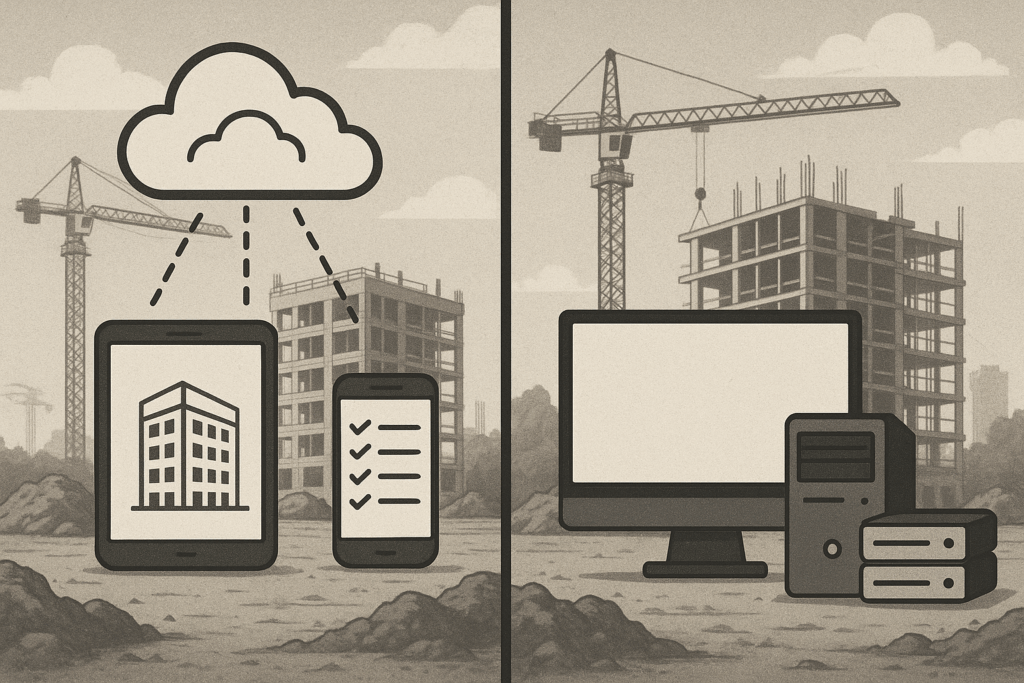
QuickBooks Online vs Desktop: Key differences (with contractor lens)
Here are some of the major differentiators between QuickBooks Online (QBO) and QuickBooks Desktop (QBD), based on recent research (2025) and tuned for contractors.
Accessibility & mobility
- QBO: Cloud-based. Access from any device (PC, Mac, tablet, mobile) with internet connection. finoptimal.com+4QuickBooks+4Zapier+4
- QBD: Installed locally on one (or more) machines. Remote access possible but requires additional setup/hosting. TechRepublic+1
Implication for contractors: If your project managers or supervisors need to access data on site / on the go, or you have multiple locations, QBO strongly supports that mobility.
Job-costing & advanced features
- QBD: Especially in editions like “Contractor” or “Premier Contractor Edition”, you get deeper job costing, more detailed tracking of estimates vs actuals, better suited for construction/contracting. Sagenext Infotech LLC+1
- QBO: While improving, still somewhat more limited in depth of job costing compared to a full contractor-specific desktop version. TechRepublic+1
Implication: If your contracting business has complex job costing, many jobs running simultaneously, change orders, subcontractor tracking, QBD might be more robust.
Integration & ecosystem
- QBO: Strong app ecosystem (750+ apps) that integrate easily (mobile time capture, expenses, CRM, payment systems). QuickBooks+1
- QBD: Supports integrations but less extensive, and may require more hands-on setup. Ace Cloud Hosting
Implication: If your contractor firm is modernising tools, connecting timesheet apps, mobile expense capture (crews on site), linking rental equipment data or procurement portals, QBO may fit more naturally.
Pricing & licensing
- QBO: Subscription model, monthly payment, different tiers. mindingmybooks.com+1
- QBD: Historically one-time purchase (or annual subscription) with optional upgrades. However newer releases and pricing changes mean increasing cost. QuickBooks+1
Implication: Evaluate Total Cost of Ownership (TCO), not just initial cost. For smaller, simpler firms, subscription may be fine; for larger volume firms, licensing costs might add up.
Data backup, security & control
- QBO: Data stored in cloud, backups/updates handled by vendor. Less manual maintenance. finoptimal.com+1
- QBD: Data controlled locally; backups and updates the business’s responsibility. More direct control but more risk/maintenance. TechRepublic
Implication: If your firm has limited IT resources, cloud may reduce burden, but if you prefer in-house control, desktop might appeal.
Internet dependency & performance
- QBO: Requires internet connection; performance depends on connection quality. TechRepublic
- QBD: Works offline (since installed locally). For very large files, desktop may run faster. mindingmybooks.com
Implication: If your job-site or remote locations have unreliable internet, desktop may provide more consistent access.
Growth, scalability & future direction
- QBO: Vendor (Intuit) is clearly pushing toward cloud; many updates, integrations focus there. finoptimal.com+1
- QBD: Still strong for heavy-duty jobs, but may require careful planning for upgrades.
Implication: If your firm plans to grow (more locations, remote teams), cloud may offer better future-proofing. However, if specialised construction operations dominate, desktop may still serve.
Real-World Contractor Scenarios
Let’s look at some fictional but plausible contractor situations and how the choice plays out.
Scenario A: Small subcontractor, one office, remote crews
“Smith & Co Plumbing Services” has a single office, five field crews, and the owner wants mobile access for approving invoices and timesheets from the job site. They don’t have hundreds of simultaneous jobs, and job-costing is fairly standard.
Recommendation: QuickBooks Online.
Why: Mobility is important, they need access from field, want simpler IT setup. Collaboration across field and office is enabled.
Scenario B: Mid-sized general contractor, many jobs, strong job-costing requirement
“BuildRight Construction Ltd” has 50 concurrent projects, frequent change orders, equipment rentals, subcontractor tracking, needs in-depth job profitability reporting and custom job-cost dashboards. They aren’t roaming heavily; they have project managers out on site but many approvals happen from HQ. Internet access at some sites is patchy.
Recommendation: QuickBooks Desktop (Contractor Edition) or Desktop hosted in cloud.
Why: The advanced job-cost features and local control provide deeper insights; local installation plus remote access (if needed) may offer reliability.
Scenario C: Hybrid firm with growth plans, remote access & integrations
“Urban Fitout Contractors” does commercial interior fit-outs, has teams in the field, remote project managers, uses mobile expense capture, procurement portals, equipment rentals, integrates with CRM and time-tracking apps. They aim to expand across cities.
Recommendation: QuickBooks Online (maybe with a contractor-friendly add-on) plus possibly supplementing with third-party job-cost plugin.
Why: Mobility and integrations are key; ability to scale; remote vs field access critical.
As a PeopleOps advisor, you can walk these scenarios with leadership, highlight trade-offs, and tailor the choice to their operational model.
A Decision Framework for PeopleOps to Use
Here’s a checklist you can apply when guiding a contracting firm through the choice.
| Question | If answer is “Yes” → lean toward | If answer is “No / Needs more” → lean toward |
|---|---|---|
| Do you need your team (office + field) to access financials from anywhere, any device? | Cloud (Online) | Desktop might suffice |
| Do you have or plan many concurrent jobs with complex job-costing (change orders, subcontractor tracking, equipment rental)? | Evaluate Desktop | Online may suffice |
| Is your internet connectivity reliable across all job-sites and offices? | Online is safe | If unreliable, Desktop may be safer |
| Do you need deep integrations (mobile time capture, procurement portals, rental equipment tracking, CRM) and automation? | Online likely better | Desktop possible but may require more setup |
| Do you have in-house IT/finance resources to manage desktop installs/backups/manual updates? | Desktop ok | If not, Online reduces burden |
| Do you expect to expand (remote offices, multi-location, remote workforce)? | Online gives better scale | Desktop might still work if operations stay contained |
| Are you highly control-oriented about your data, or are you comfortable with cloud storage? | Either depending preference | Desktop gives more local control |
| Do you have existing deep job-cost reports or industry-specific templates you rely on? | Desktop may provide more depth | Online may need workaround |
Action steps for PeopleOps:
- Facilitate a cross-functional workshop (Finance, Operations, Field Managers, IT) to map current workflows (Jobs, Field data entry, Timesheets, Equipment, Subcontractors).
- Map pain-points (delays in approvals, field access issues, job-cost variance surprises, integration gaps).
- Use the table above to narrow the recommendation.
- Run a pilot if unsure (e.g., a team uses Online for 3 months with one job type).
- Ensure change-management: training, data-migration, support plan, especially if switching from Desktop to Online or vice-versa.
How PeopleOps Can Help During Implementation
Choosing software is one thing; implementing it smoothly is another and this is where PeopleOps plays a key role.
1. Stakeholder alignment & communication
- Ensure field teams understand how the tool will affect them (mobile access, timesheet entry, approval workflows).
- Liaise between finance/accounting and operations to ensure job-costing requirements are met.
- Create clear communication plans (what changes, when, training schedule).
2. Training & onboarding
- Develop training modules for both versions but tailored to how the contractor uses them (field vs office).
- For Online: train on mobile app, browser access, remote collaboration.
- For Desktop: train on job-cost modules, backups, user licenses, remote access if used.
3. Change-management & process redesign
- If moving from Desktop → Online: expect adjustment in workflows (less manual backups, cloud access, possible different job-cost handling).
- If staying Desktop: still ensure remote access capabilities and that field-to-office data flows smoothly.
- Map and redesign business processes: field capture → job costing → invoice → subcontractor payment → reporting.
4. Data migration and governance
- If migrating: plan export/import of data, clean-up historical data, transition users. Note: some features may not transfer perfectly. TechRepublic+1
- Establish data governance: who can access what, permission levels (especially for multi-user field access).
- Backup strategy: For Desktop particularly, ensure backups are defined and executed.
5. Integration & ecosystem support
- For Online: review third-party apps (time tracking, expense capture, rental equipment, procurement) and ensure integration with QBO.
- For Desktop: evaluate whether required integrations exist or require manual workaround; and whether hosting (cloud-hosting desktop) might be a hybrid choice. Ace Cloud Hosting
- Work with IT/phased rollout to ensure minimal disruption.
6. Monitor & iterate
- After go-live, track key metrics: job cost variance, time from site entry to invoice, user adoption, error frequency.
- Collect feedback from field, office, finance on ease of use, integration gaps, performance issues (internet speed, data lag).
- If needed, adjust workflows, add training, or reconsider tool fit.
PeopleOps thus acts as the glue between technology, finance, operations and the field workforce, ensuring the tool aligns with the people and processes of the contracting firm.
Summary Recommendation
In short: there is no one-size-fits-all answer. But for many modern contracting firms, the shift toward cloud (QuickBooks Online) is compelling, especially if mobility, remote teams, and integrations matter. On the other hand, if you are deeply job-cost intensive, require very detailed job-costing, have many concurrent jobs, and offline/poor internet environments, then QuickBooks Desktop remains a strong contender.
As PeopleOps professionals, your role is to guide the technical & business stakeholders through the decision, facilitate process alignment, support change-management, and ensure the tool serves not only today’s workflows but tomorrow’s growth.
Key takeaway: Use the contractor-specific needs (job costing, field mobility, integration, data access) as your decision drivers, not just price or familiarity. And ensure the human & process side (training, workflows, governance) is handled with as much care as the technology choice.
Leave a Reply